Beginner’s Interactive Fiction, Part One: Twine in Five Minutes
Interactive fiction is any story that involves the reader in the story, usually by giving them choices along the way that change the text.
“Twine” is a tool that creates a story map as you write your story. It’s shockingly easy to use (speaking as a person who has major struggles operating her own phone).
STEP ONE: Go to Twinery.org, which looks like this:

If you can, download it as a desktop app. Otherwise, click on “Use it in your browser”. Press skip (or don’t press skip, and go through a quick tutorial that is better than this) and you’ll get to the screen that looks like this (if you are using the desktop app it won’t have the warning):

On the top left, click on “+New”. You can type in a title if you like, or leave it as “Untitled Story”.
Your new story looks like this:

Yay! You are now writing a story in Twine.
STEP TWO: Double click on the box in the middle of the blue space. Then your screen will look like this:

In the white box (aka a bigger version of the little blue box), type the first few sentences of your story.
Writing tip: In interactive fiction, most readers want you to get to a choice as quickly as possible, ideally within 300 words. This applies to every choice!
I am starting with two useful story hooks: An interesting setting, and an interesting problem.
Writing tip: Interactive fiction is usually a game (even when there are no sounds or pictures or animations), so using tropes is a VERY GOOD thing eg. Dirty violent pirates; dangerous nature; femme fatales or mad scientists. Try to think of your story as a game. If you were writing a pirate game, you would definitely want fighting, alcohol, historical weapons, and danger—so make sure those things are present in your story. When I wrote “Scarlet Sails” I started with a list of every pirate trope I could think of: betrayal, rum, ambition, gold, evil mermaids, treasure, sea monster, storms. Then I made a plot that linked them all. That is my most successful story.

STEP THREE: Make at least two choices (you can make as many as you like, but it will get out of control extremely quickly, so I recommend starting with two).
I have chosen:
- Take Redbeard’s sword and challenge his friend to a fight to show how fierce you are.
- Sneak up the other ladder and dive overboard—perhaps you can swim the rest of the way.
In order to tell the computer that I want them to be choices, I type them up like this, with double square brackets at the beginning and end.
[[Take Redbeard’s sword and challenge his friend to a fight to show how fierce you are.]]
[[Sneak up the other ladder and dive overboard—perhaps you can swim the rest of the way.]]
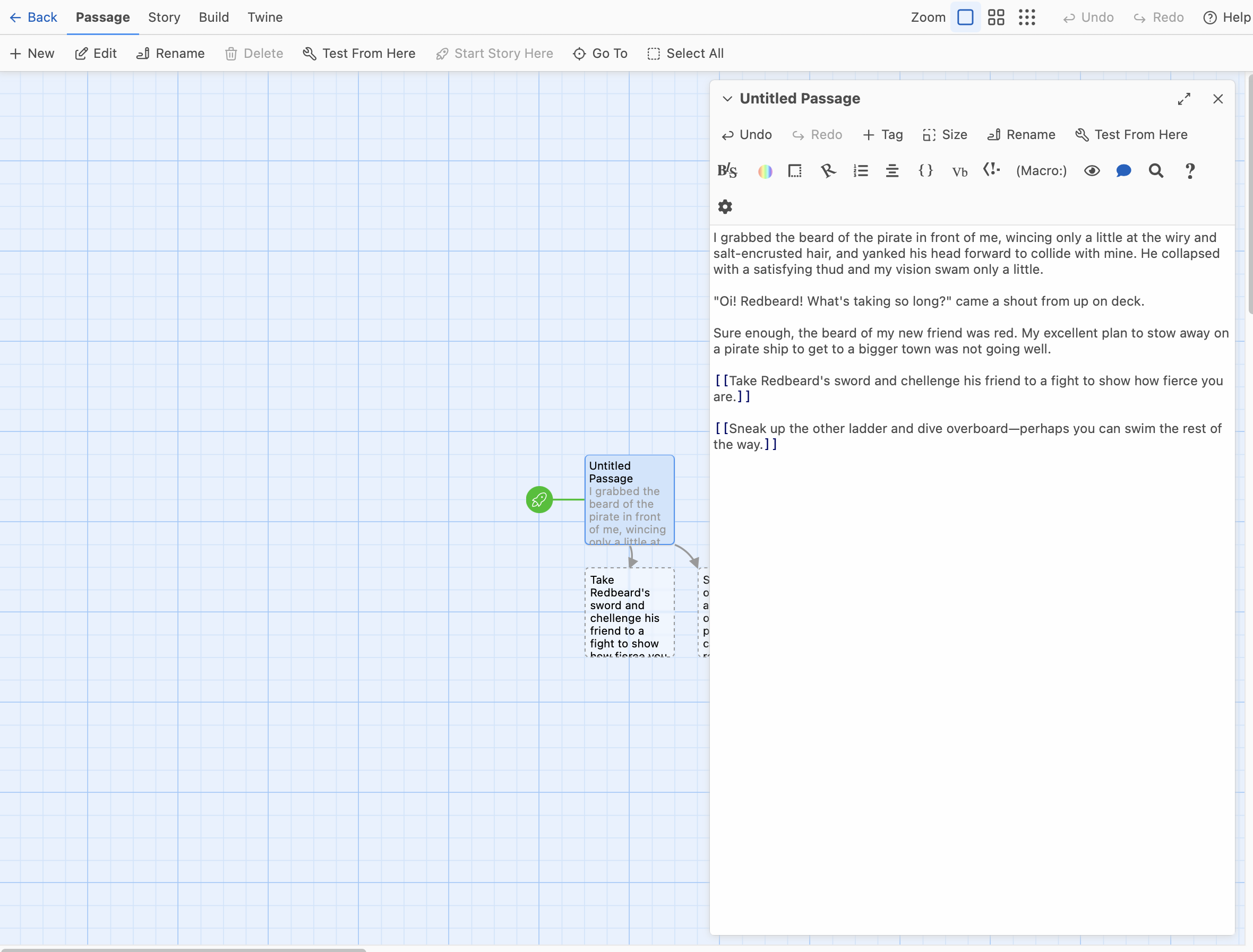
Twine instantly creates two new boxes; one for each choice. You can rearrange the boxes by clicking on them and dragging them around. Here’s the same page after I’ve rearranged them so I can see everything better:

To write the next sections, I double-click on either box and start typing the next bit of the story. Here I’ve written a bit of story and another pair of choices. Because I used [[ and ]] again, Twine has made two more boxes for me.
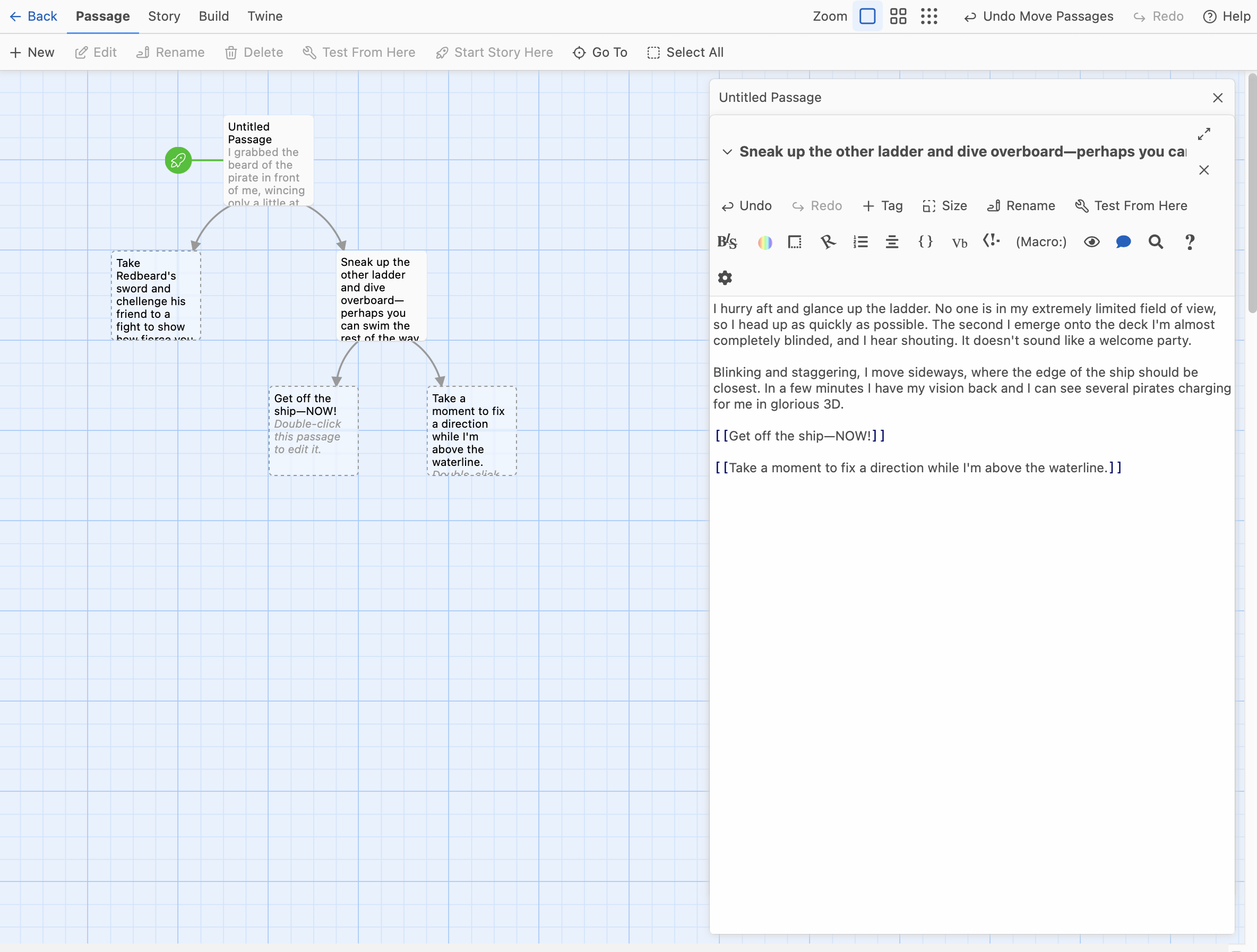
And the story is up and running!
Let’s stop here and see how it looks for a reader. Click once to highlight the original box (the one with your title or “Untitled Passage”) then go up to the menu and click on “Test from here”. It will automatically open a new window.
The choices are in bright text, and I can click on either of them. I choose the second choice.
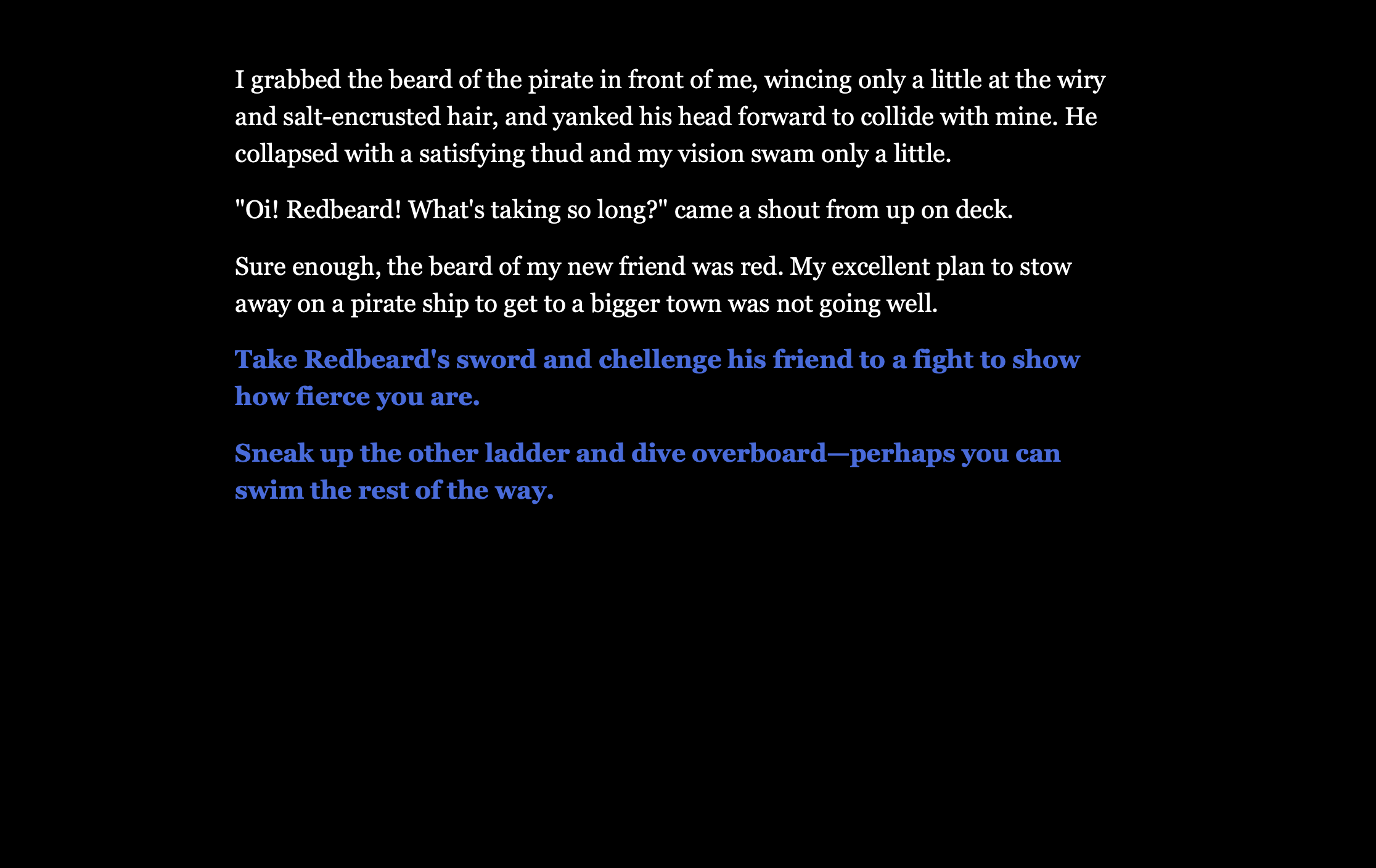

If I click on either of these choices I get a blank screen, because I haven’t written them yet.
Note the “back” arrow on the top left of the black screen. If the reader changes their mind about a choice, they can go back.
Aaaand that’s it! That’s how you write a story in Twine! Congratulations! Here’s a kitten picture to celebrate.

BUT if you used your browser, you MUST save after each session, because if you don’t touch your story for seven days it will be deleted.
STEP FOUR: Saving your story.
Close your ‘testing’ browser window so you’re back to your usual blue screen. Click on “Build” in the upper menu, then “Publish to file” on the menu that appears below it.
Your story file will go to your downloads folder, and if you open it, it will look exactly like it does when you test it online (but it will not require an internet connection to open). You can email it to friends to read.
Writing Tip: Did you notice the typo in the very first choice in this story? “chellenge” should be “challenge”. The easiest way to fix it is in the very first box, here, where the choice is written:
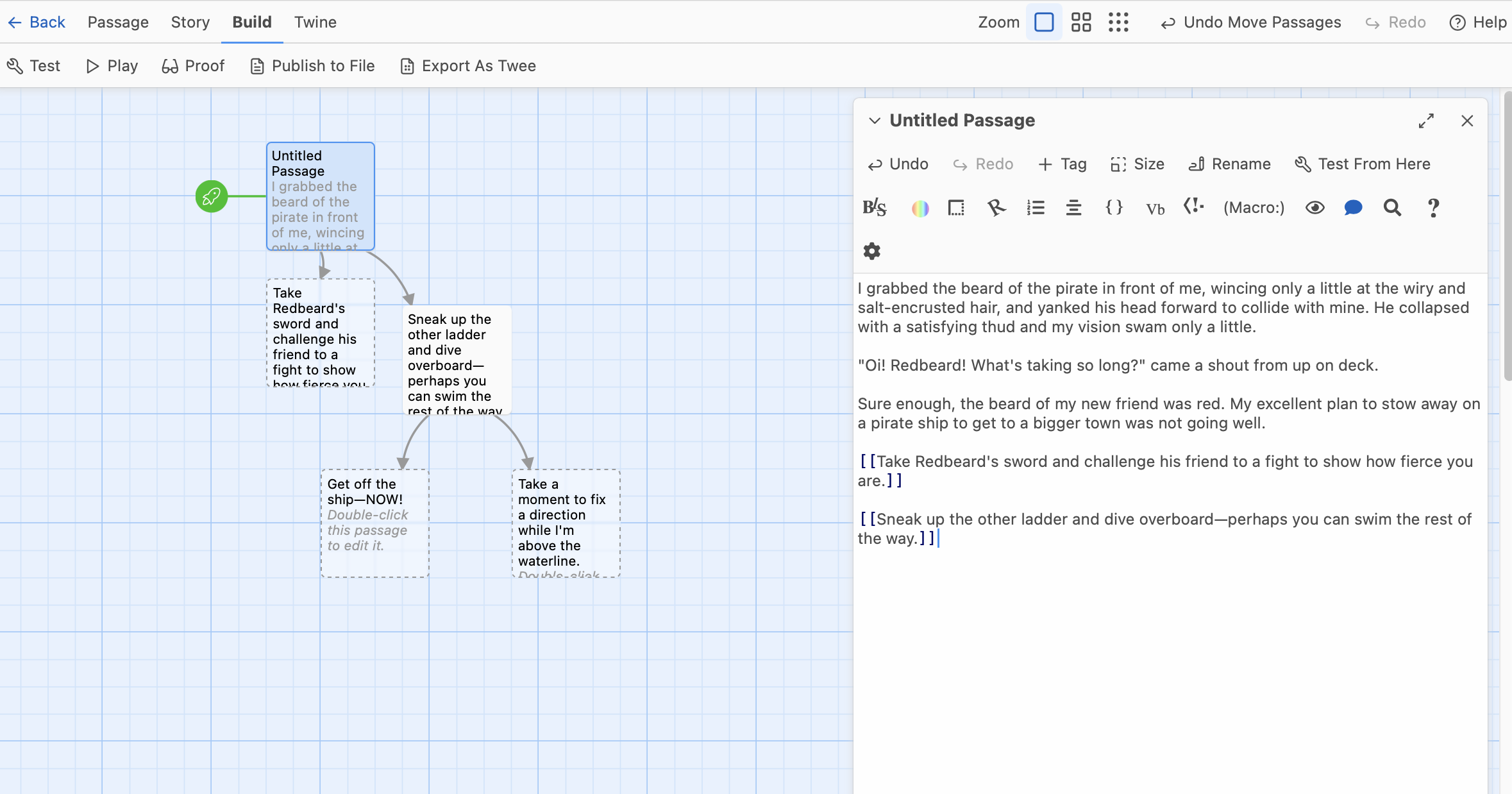
It will automatically fix the typo in the title of the next box.
STEP FIVE: When you’re ready to learn more, go back to Twinery.org and pay attention to this section:

There are great articles for beginners on the left.
And, Twine comes in four “flavours”: Chapbook, Harlowe, Snowman, and SugarCube. Once you’re getting better at Twine, you’ll need to pick which one or ones suits you best. Use the “Twine Cookbook” to decide which one you want to try, then use the online guide on the right.
STEP SIX: Time to join the community.
The interactive fiction community is pretty great. It is usually very inclusive (especially of women and LGBTIQA+ people). One of the places people hang out is https://intfiction.org and it is definitely worth signing up and having a look around, then joining in the conversations. (They’re getting a lot of spam at the moment, so it may take a little while to prove you’re human.)
Welcome, and enjoy!
The next lessons will include writing with ChoiceScript (which is better than Twine at book-length stories), the Choice of Games forum (for users of ChoiceScript), and how to keep your many many branches under control.

 Felicity Banks
Beginner’s Interactive Fiction, Part Two: ChoiceScript in Half an Hour | Felicity Banks said,
December 14, 2024 at 3:05 pm
[…] that you can compare ChoiceScript with Twine, here is the exact scene we started writing in my Twine in Five Minutes entry—as it would appear in a ChoiceScript file. This is what it looks like in ChoiceScript after […]