Shuffling Kittens
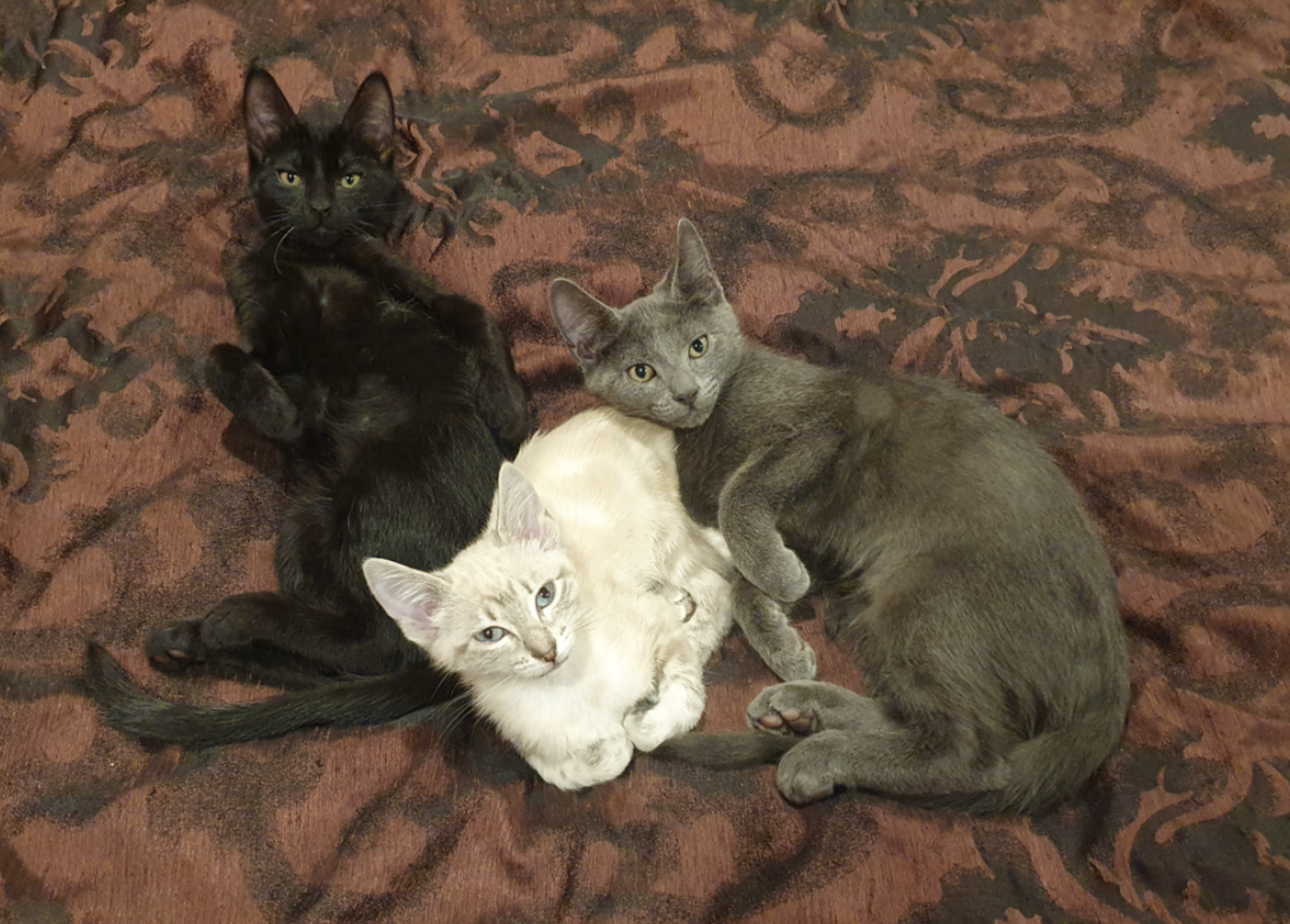
There are four cats in my house at the moment: Jack Black, his sister Cate Blanchett, Tina Fey (from another colony), and Jodie Foster (from another other colony).
Jack, Cate, and Tina came into my care on 7 July.
Jack Day 1: Loves everyone and everything; accepted pats and being picked up so readily that we simply picked him up and put him in the carrier. Had some minor injuries and dirty paws.
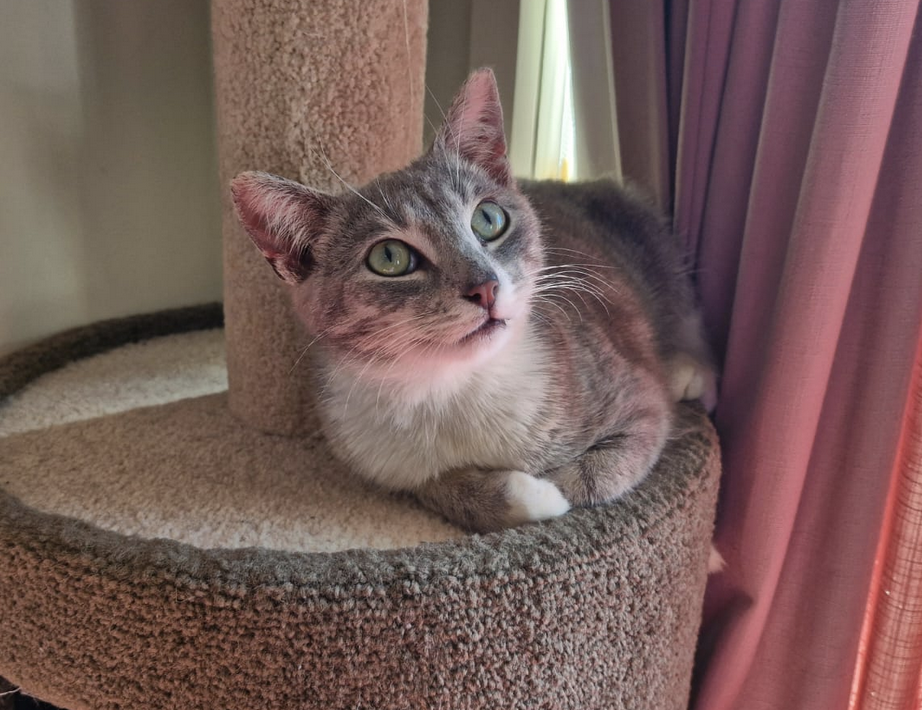
Cate Day 1: Terrified but polite—she hissed a lot and needed careful handling but didn’t scratch or bite.
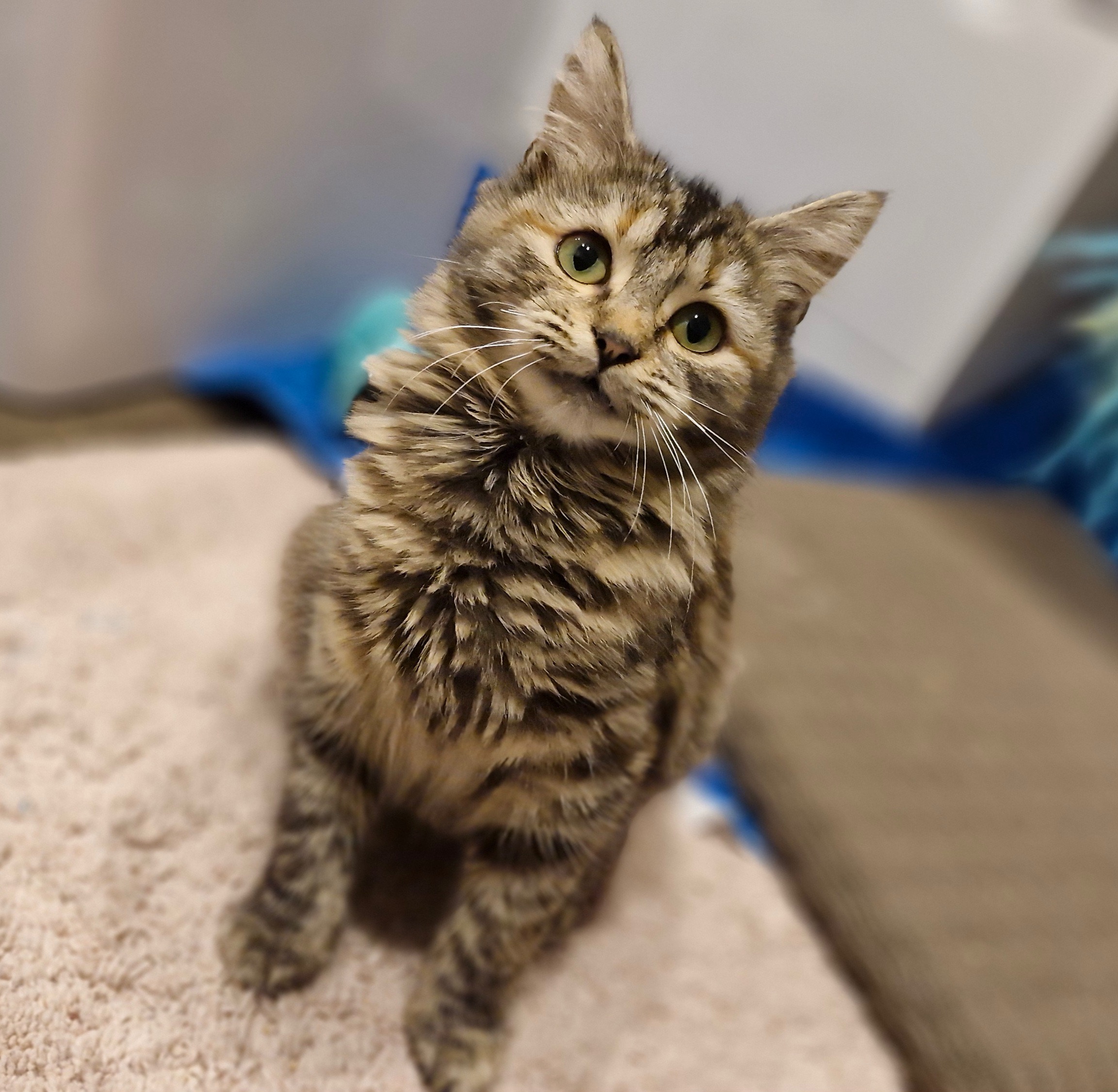
Tina Day 1: Was comforted by pats immediately; clearly very human-oriented.
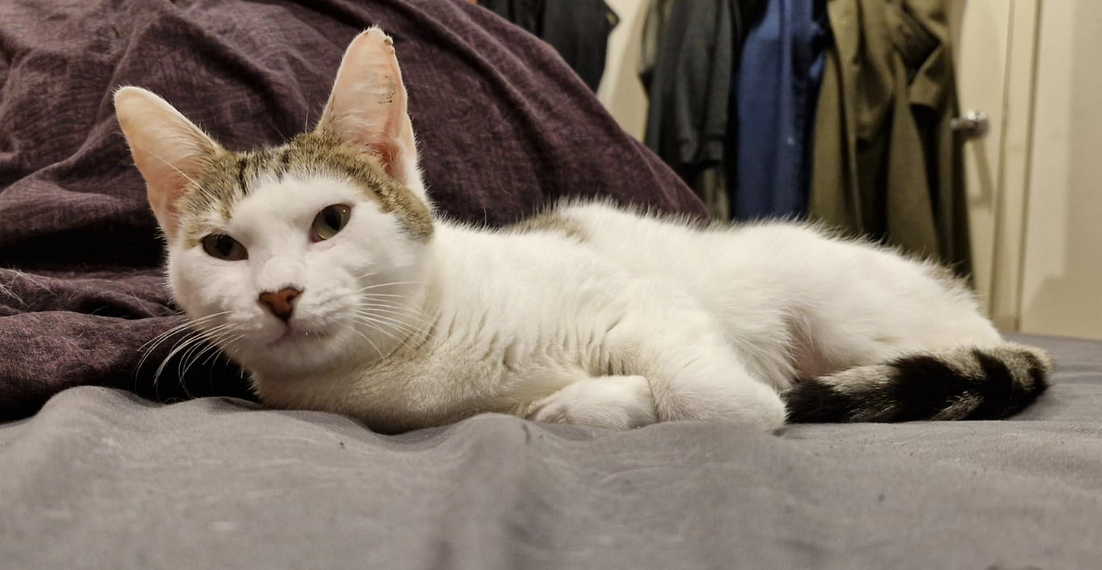
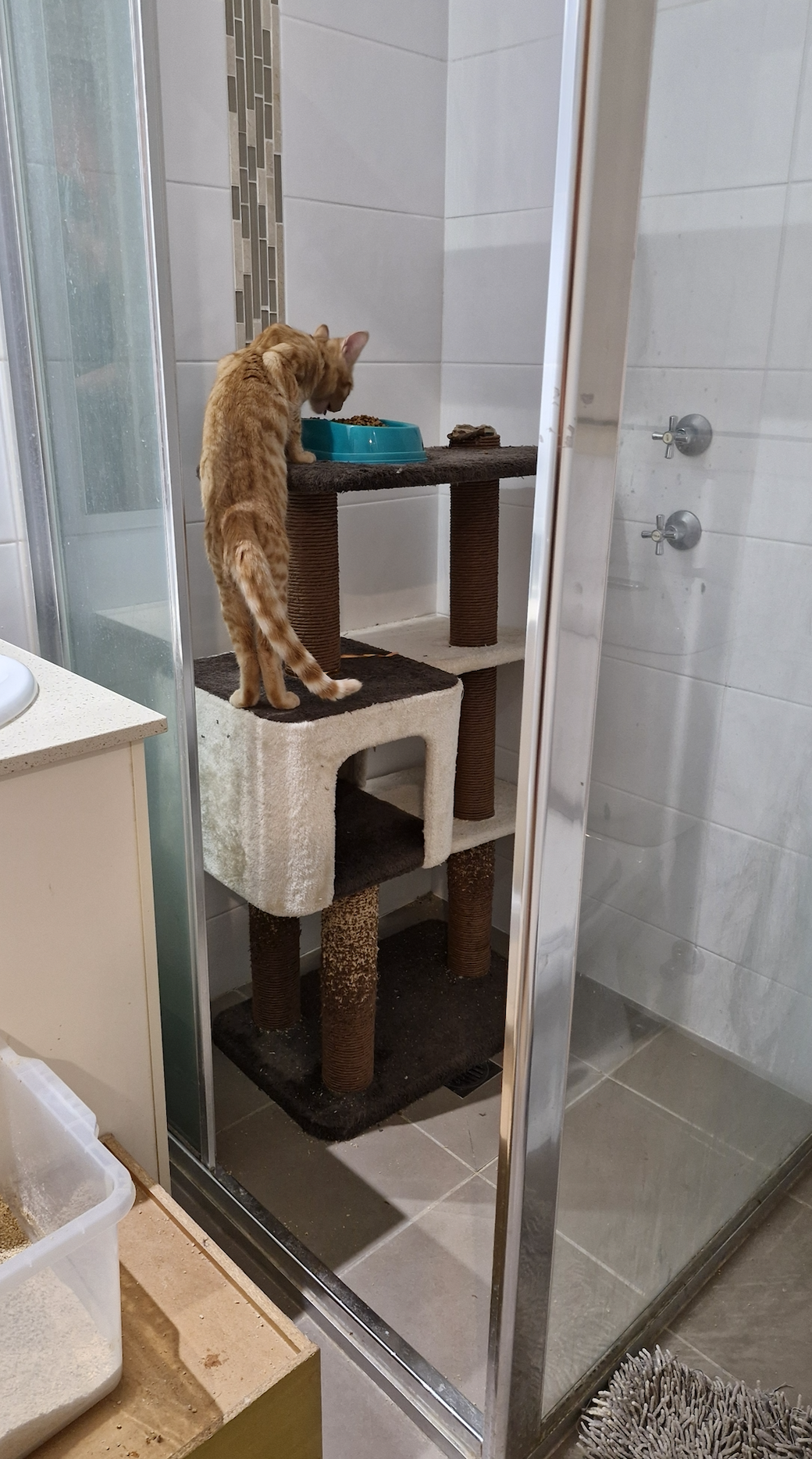
I put the siblings into the shower in the quarantine room (aka my ensuite) and Tina into the rest of the ensuite. That way, they could see and smell each other but couldn’t hurt each other. When I was in there, I could open the shower door and observe their early interactions. They were interested in each other without being aggressive, so I was confident they’d be able to be put together in one group very soon.
Cate jumped over the shower wall into Tina’s ‘half’ of the quarantine room—twice—so yes indeed, they were quickly able to be treated as one group. Once they were wormed, I moved them to the cat room.
Tina is desperate for pats, but quite neurotic. She tends to writhe and roll around when getting patted, because she wants MORE.
Cate is dignified. She likes it when I dangle toys for her, and she likes it when pats happen… but she doesn’t seek them out. She’s a surprisingly good hugger for all that (one of those cats that melts into your arms), and beautifully soft.
I took way too long to realise that Jack’s minor injuries were actually 90%-healed ringworm. I began aggressive treatment immediately (after 2-3 days he shouldn’t be infectious). Tina got ringworm from him (and so did I) so I treated her aggressively too (and myself). Cate never got ringworm—probably because none of the friendly trio are super snuggly with each other.
On 27 July Jodie Foster came into my care, and it was immediately clear that she was very clever, and very angry, and very determined to escape. Knowing I was in for a difficult time (but feeling relaxed about it, as we could neuter and release her back to her colony in Sydney if needed), I tried to worm her BEFORE releasing her from the carrier into the quarantine room… but she did the ‘act meek and then break out with incredible speed’ thing and I failed.
I knew she emerged from her hiding place when the door was closed because I could see she’d eaten food etc… but she NEVER emerged if I was near. After a week or so, I could sometimes hear her moving around. But if I opened the quarantine room door she’d always flee, and if I approached her hiding spot she’d growl, spit, snarl, and even try to attack (without emerging from the hiding place ie her range was very limited so I was at least able to change her food, water, and litter).
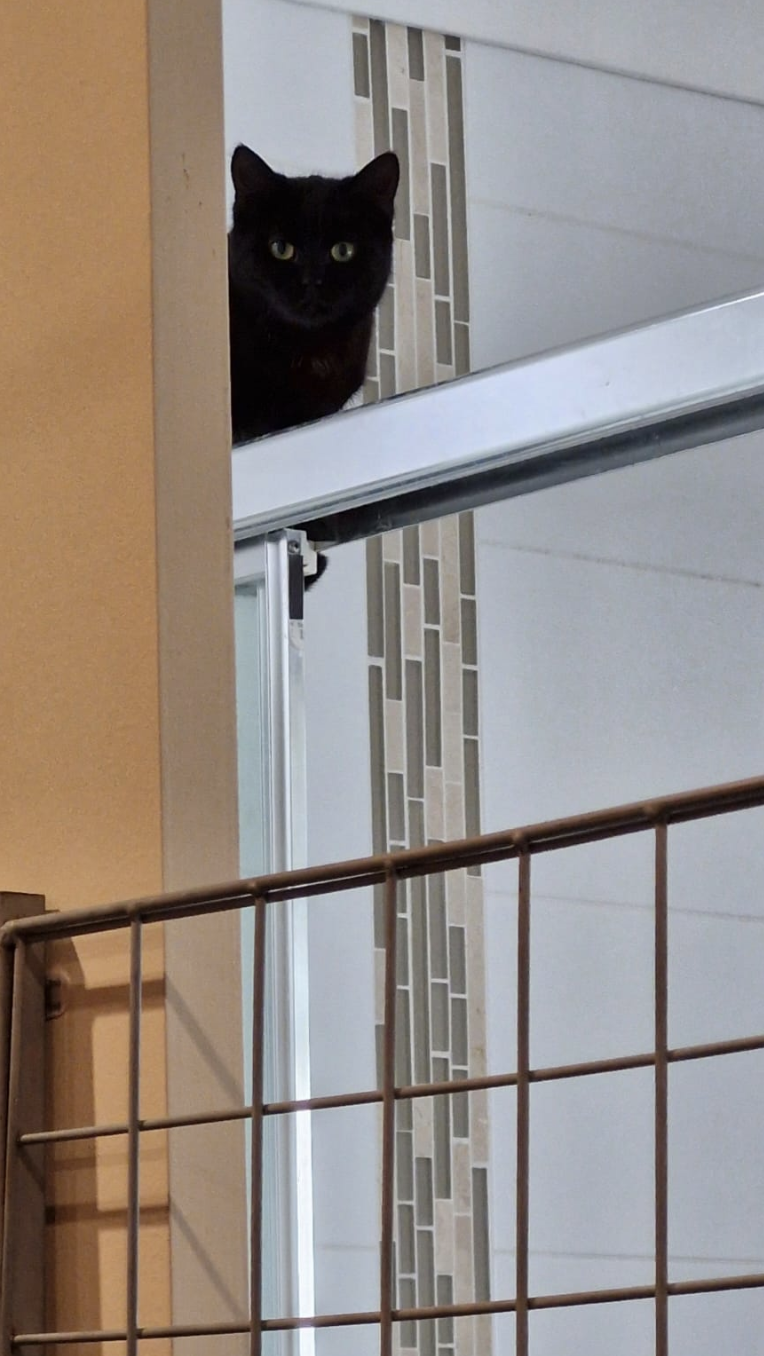
I tried several techniques for socialising Jodie: I patted her with a wooden spoon (to get her used to gentle touch without shredding my arm) and considered it progress when she attacked the spoon slightly less vigorously. I brought Jack in to visit her, which mostly involved Jack eating her food, using her litter tray (possibly an aggressive move but possibly just another communication method), sniffing at her briefly and then curling up to purr in my lap. I figured Jack was doing excellent pro-human modelling, while also getting the two of them used to each other by degrees. I eventually bought a type of ‘tube’ cat treat that I’ve seen win over many a feral kitten on FaceBook reels. And yes, she definitely liked the treat a lot, and even accepted it from my hand (through the mesh gate or from the greatest possible distance).
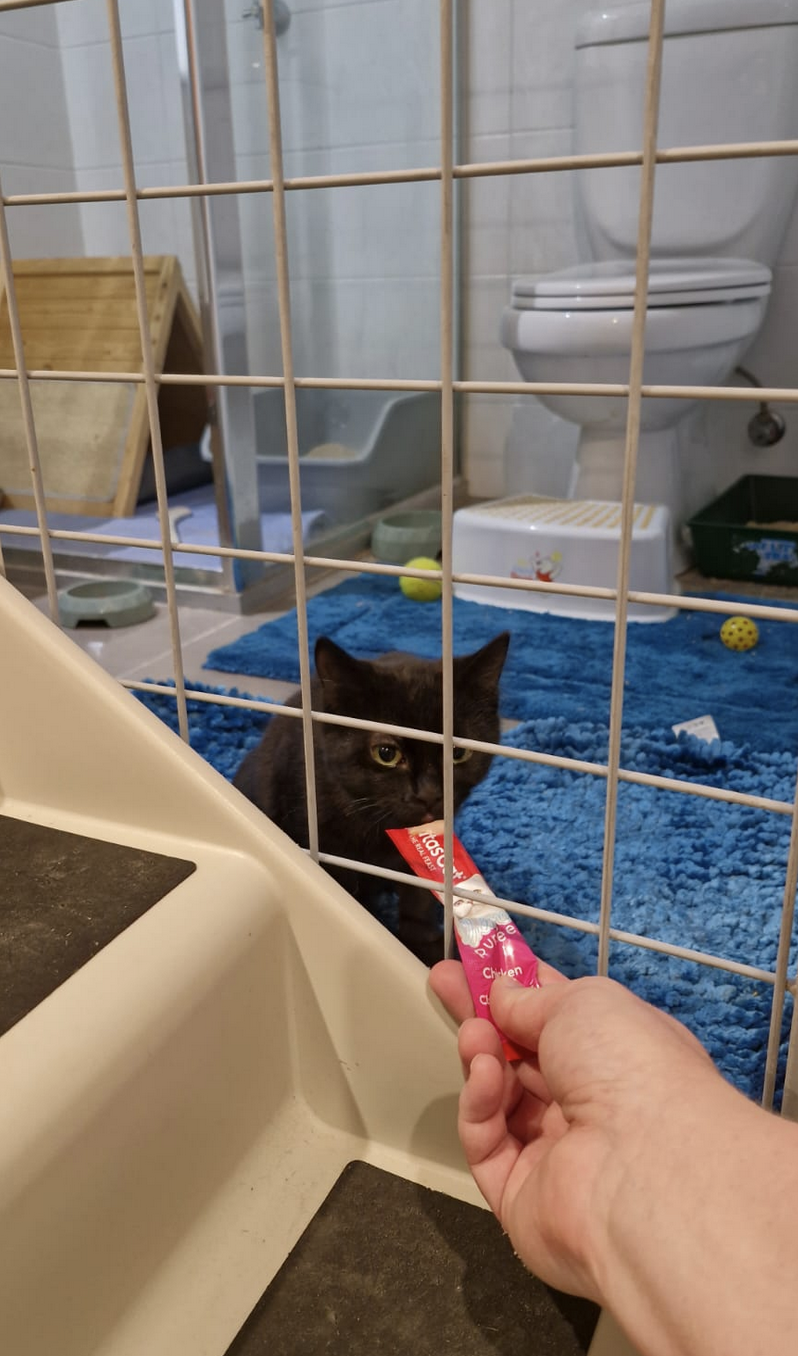
Somewhere in there, Jodie escaped into my room one day and had to be caught and returned to the quarantine room. That was NOT a good experience for her, but at least I was finally able to put worm meds on her. I usually release cats from quarantine once the worm meds have had time to work, but with Jodie’s intelligence and hatred, I knew I might never see her again if she had a bigger area in which to hide. So she stayed in the quarantine room. She bit and clawed her way through three sides of the flyscreen, destroying it utterly. Impressive and tragic. I felt bad for keeping her in quarantine, and kept the gate open as much as possible so she could at least see out. That eased her boredom a little, and also meant she had many hours of observing humans doing human things (ie not trying to kill her) which I hoped would ease her fear.
Jack continued to be extremely friendly; Tina and Cate continued to be neurotic but pattable.
I’ve found with shy cats that they improve a lot when I put them in my bedroom rather than the cat room. Perhaps seeing me come in and out fifteen times a day makes me less scary. (And when they see me sleep a lot, they know I’m not a terrifying monster.)
And perhaps Jodie would benefit from seeing more kittens clearly comfortable with my presence.
So! The friendly trio moved into my bedroom, and I would often have the gate in place so Jodie could observe me and them.
Then Jodie developed ringworm. I think I gave it to her, despite never touching her (ringworm is truly an amazing and pernicious thing).
So.
Jodie has to stay in quarantine until she’s treated for ringworm (but I still couldn’t physically touch her, let alone make her drink medicine).
Cate needs to be protected from ringworm. Tina and Jack are still being treated (it’s a 5-week medical course) so they have a measure of safety. Jack is very friendly with Jodie; Cate is mildly interested; Tina is curious but hesitant.
Our bedroom is extremely crowded.
I moved Cate and Jack into the cat room, keeping Tina in my bedroom and Jodie in the quarantine room.
Cate appeared pleased but Jack started meowing a lot because he wasn’t getting as much human contact (he typically gets a pat every time I come in and out of the master bedroom).
So I moved Jack back in with Tina in my room.
Then Cate started meowing, because she missed her brother.
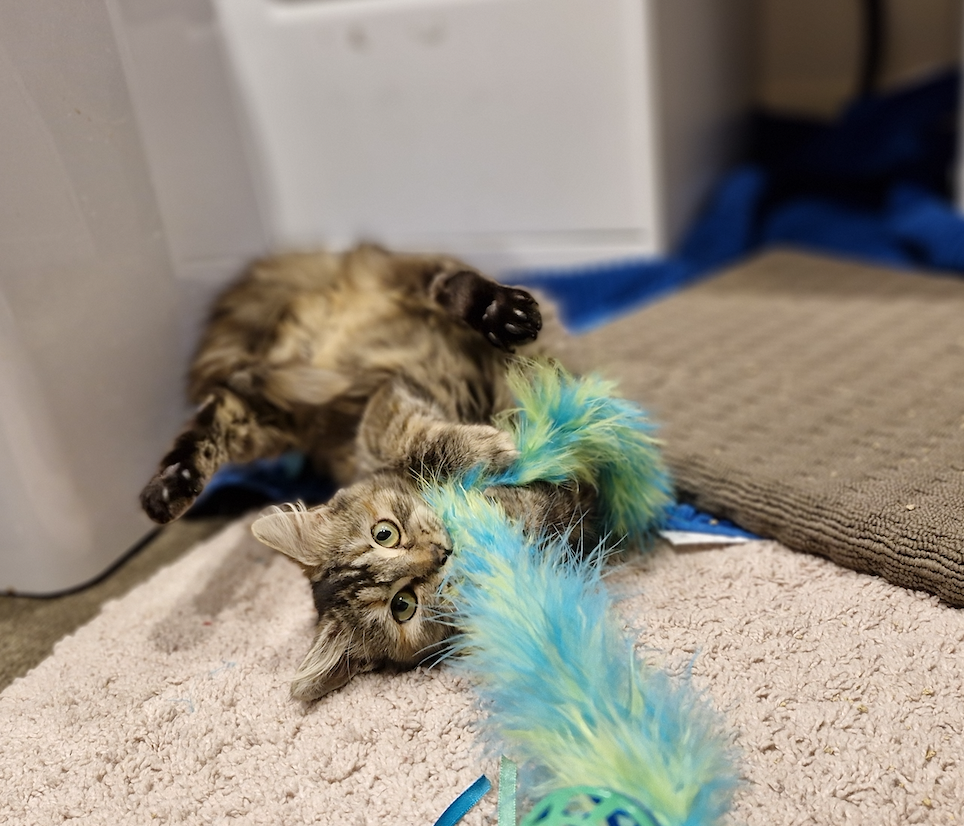
So today I’ll move Jack in with Cate while I attempt to medicate Jodie’s ringworm (probably through food, which is why Jack needs to go away so he doesn’t eat it all). Then I’ll move Jack back into my room (so he doesn’t meow all day) and move Tina into the cat room with Cate so Cate doesn’t meow all day.
Will this arrangement work? Maybe!
I just need a few good days to be able to release Jodie… IF I can get Jodie to consume the ringworm medication.
As of last night, Jodie suddenly started accepting and enjoying pats from me! So if it wasn’t for the ringworm, I could get her out of quarantine right now. Now that I can pat her, everything has changed and I’m cautiously optimistic I can get a full dose of medication into her today (and tomorrow, and for 5 days after that).
The cat shuffling continues!
This kind of complicated problem solving is fascinating to me… which is good, as it happens a lot!
So you’re thinking of adopting a kitten. . .
First, let’s take a moment to think about this twenty-year commitment to a living being!
This guide has sections:
Two is always better
Cost
Kids and Cats
What do you need to get before the kitten arrives?
Eye Contact, Physical Contact & First Contact
Training Your Cat
Cat Manners and Communication
Sickness
Cat Politics
Bits and Pieces
I wrote a blog about introducing my younger cat (Zoom) to my cantankerous older cat (Zipper), with lots of advice. You can read it here.
Two is always better
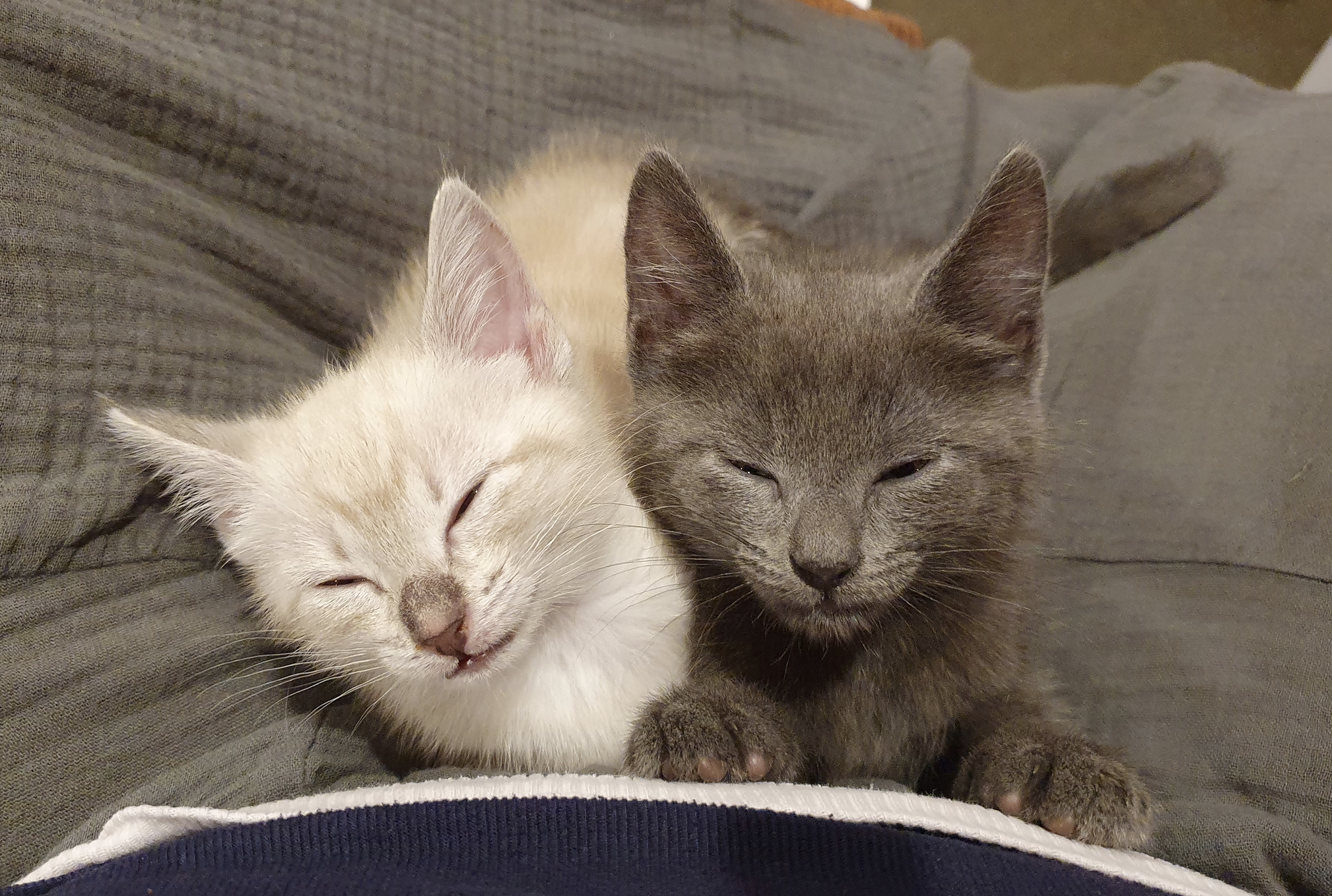
There is nothing cuter—or more entertaining—than a bonded pair of kittens. But there are also several coldly logical reasons to adopt two kittens:
- Kittens need about two hours of play time daily. The best toy for a kitten is another kitten. If you don’t want zoomies at 3:00am, your best defence is getting two cats.
- A solo kitten may develop Single Kitten Syndrome. Kittens teach each other physical boundaries, meowing mid-wrestle to indicate when a bite is too hard. Without that mutual training, they often get obsessed with biting and will bite humans (hard, and often, and without provocation). It’s virtually impossible to train them out of it.
- Any cat born since mid-2022 must be kept on your property if you live in the ACT. That means they must stay either inside or in a cat run. A lot of cats get very very bored as a result, and some of them develop behaviour problems (like defecating in your bed or biting you or your kids). The solution is another cat. OR if you don’t want to get two cats, you can adopt an older cat, so they can roam outside (assuming you’re not in one of the cat containment suburbs).
- With every week that passes, a kitten gets less open to the notion of another cat in their space. Even if they tolerate another cat, it’s not the same as a bonded pair. Better to start with two. (They can also forget each other after as little as a week apart.)
More than half of the people I meet adopting kittens are getting a second cat, and crossing their fingers that the relationship between the two felines will work out. It’s MUCH better to get a bonded pair if you possibly can! Most adult cats are fundamentally opposed to a new feline friend, and although the majority will eventually tolerate the new member it would be better for everyone if you adopted a pair of friends from the start.
Kitten Lady has seven reasons you should adopt a pair instead of just one kitten. She also has tips for those who want to adopt just one cat or kitten.
Cost
Adoption fees are usually around $350 each. Cats should be desexed, microchipped, vaccinated, and given monthly flea and worm treatment before they’re adopted. It can easily cost $700+ to get basic vet work done yourself, so it’s worth adopting from a rescue for that reason alone.
Food and litter costs between $50 and $150 each week per cat (more for specialised food). A completely healthy cat that never has a single health issue would still cost around $200 per year at the vet for their annual checkup and vaccination. However, a single medical incident (eg swallowing a hair tie) can easily cost $1000-$10,000. An illness such as cat flu will probably cost you around $500. Serious health issues will costs thousands, possibly several times over. A lot of cats will have dental issues at some point. You can expect to pay $1000 if a single tooth needs to be removed.
Parasite treatments cost around $50/month per cat.
A carrier costs $50-$500, and cat scratching posts also cost $50-$500 (more for the really elaborate ones). Professional cat runs cost around $5000.
I often go to Goulburn Vet or Cooinda Vet at Marulan because vet costs are cheaper there than in Canberra.
Many people get pet insurance, which costs around $50/week.
(Speaking of the cost of food, litter, and vet care, would you like to donate to my ongoing GoFundMe so I can continue rescuing cats? I can’t do it without help!)
Kids and Cats
Many organisations will point-blank refuse to let you adopt a cat (especially a kitten) if you have a child aged eight or less. The reason is that cats (especially kittens) get underfoot and kids are uncoordinated, fast-moving, and unaware of their surroundings. Sometimes a child steps on a kitten and kills it. It’s not common but it does happen, and it’s obviously incredibly traumatic for everyone. The solution is to be aware of the possibility, and to supervise kid-cat interactions very carefully, especially for the first six weeks. It can also help to teach kids to look around carefully while they’re walking around the house (remembering that they’re kids and they can’t instantly become adults), and to get a more cautious, flighty kitten rather than one that gets underfoot. Cats over one year old are much bigger and safer. You can also keep a cat in just one section of the house, which will help (although they will probably try to escape, and that adds the risk of closing a door on them).
I have been told that cats sometimes sit on a baby’s face and smother them to death in their sleep. I suspect this is an urban legend, but I wouldn’t let a cat sleep with a baby for this reason.
Cats definitely understand that children and babies are different to adult humans. Some treat them as younger kittens to be cared for. Others treat them as a dangerous threat (noisy and unpredictable). Still others see a chance to dominate them, which can be tricky because they may choose to attempt dominance through scratching, biting, or jumping on them.
Pretty much every cat in the world will scratch your kids sooner or later—by accident if not during play time. But especially kittens. However, I find that rescue cats scratch less than purebred cats (as they have a better sense that humans are different to cats), especially if they were rescued when they were at least two or three months old.
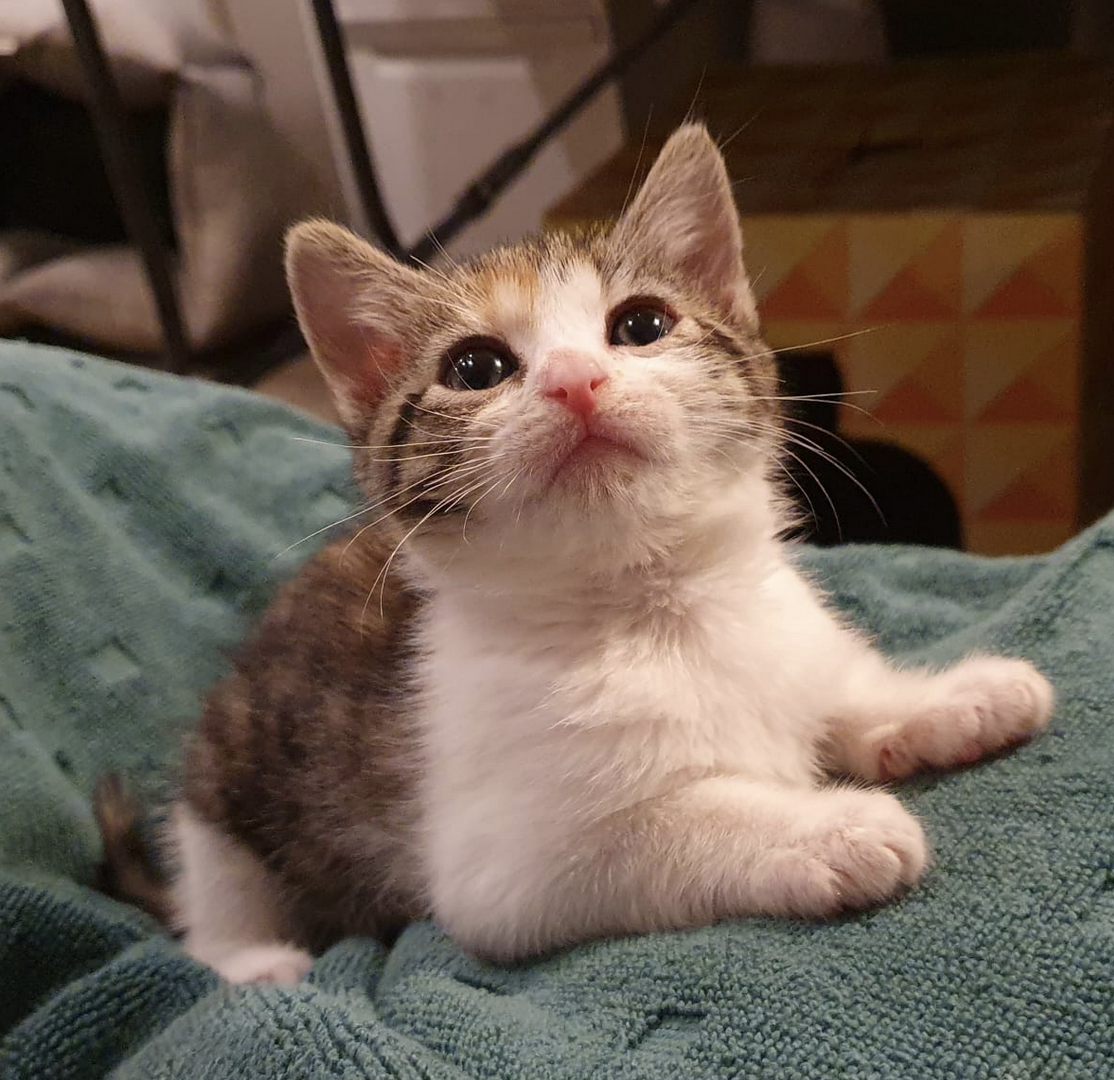
What do you need to get before the kitten arrives?
You need toileting supplies, bowls, wet and dry food, a carrier, and a scratching post. Toys are fun and highly recommended but can be made out of household items (paper, cardboard boxes, towels, etc). Within a month you’ll need parasite treatments too.
Toileting Supplies
Litter trays: Most cats prefer to have a tray for poo and another tray for wee. They also may not be willing to share with another cat (or they may deliberately use a different cat’s tray as a show of dominance). If in doubt, get the same number of trays as you have cats, plus one more. If you have a two-storey house, there should be at least one tray on each floor. You can buy trays at Woolworths, but they’re quite small and a kitten over six months of age may find them too hard to use. A plastic storage tub usually works very well. All your trays can be in the same room, directly next to each other, especially if your house is small. They should be at least a metre away from the cat’s water, which should also be slightly separated from the food.
Scoop: You need at least one scoop, and should scoop the trays at least twice a day, plus anytime there is poo in a tray (for your sake as much as theirs). Kittens tend to poo at least twice daily. There are small plastic scoops in Woolworths which are fine. I recommend always having a spare one on hand in case the first gets unusually nasty.
Litter: I use World’s Best Cat Litter (also available from Woolworths). It is quite expensive but reduces smell a lot due to absorbing moisture. It is ‘clumping’ meaning that even urine turns into balls that can be scooped and put in your normal toilet, then flushed. That means most of the litter stays clean and it doesn’t need to be changed as often. Most cats are very adaptable to different types of litter, but I always place them in the litter immediately in a new home (possibly even doing a bit of gentle digging with their paws to make sure they get the idea). Usually, showing them the litter is enough—but more on that later.
Some people line their litter trays with plastic litter bags (some cats will not tolerate the noisy plastic though). Others wash litter trays in detergent and water (obviously not in the same sink food is washed in). That’s what I do at the moment, and then spray them with Glen 20 before using them again.
I like to put bath mats around the litter trays to catch most of the inevitable scatter of litter. I can easily shake them out and wash them.
When you think about it, it is incredible that cats instantly understand that the litter tray is their toilet. However, sometimes their understanding is not perfect. They (very understandably) see some other locations as toilets as well: the dirt in pot plants (or gardens) are an exact match for toileting in the wild, and they are also drawn to soft fabrics such as washing piles, linen cupboards, and beds. The best way to prevent this confusion is to supervise them carefully for the first couple of weeks, restricting their access to tempting toilets (eg by closing bedroom doors and removing pot plants) until they have formed a strong habit of only using their litter trays. I recommend giving them a small ‘range’ at first, such as the laundry, hall, and living room. This helps prevent them from getting overwhelmed by exploring the whole house at once, and reduces stress. It also means they’re much less likely to poo somewhere you don’t want them to poo.
They won’t poo where they eat, so if you have an issue with them pooing somewhere several times, you can stop them by placing a food bowl there.
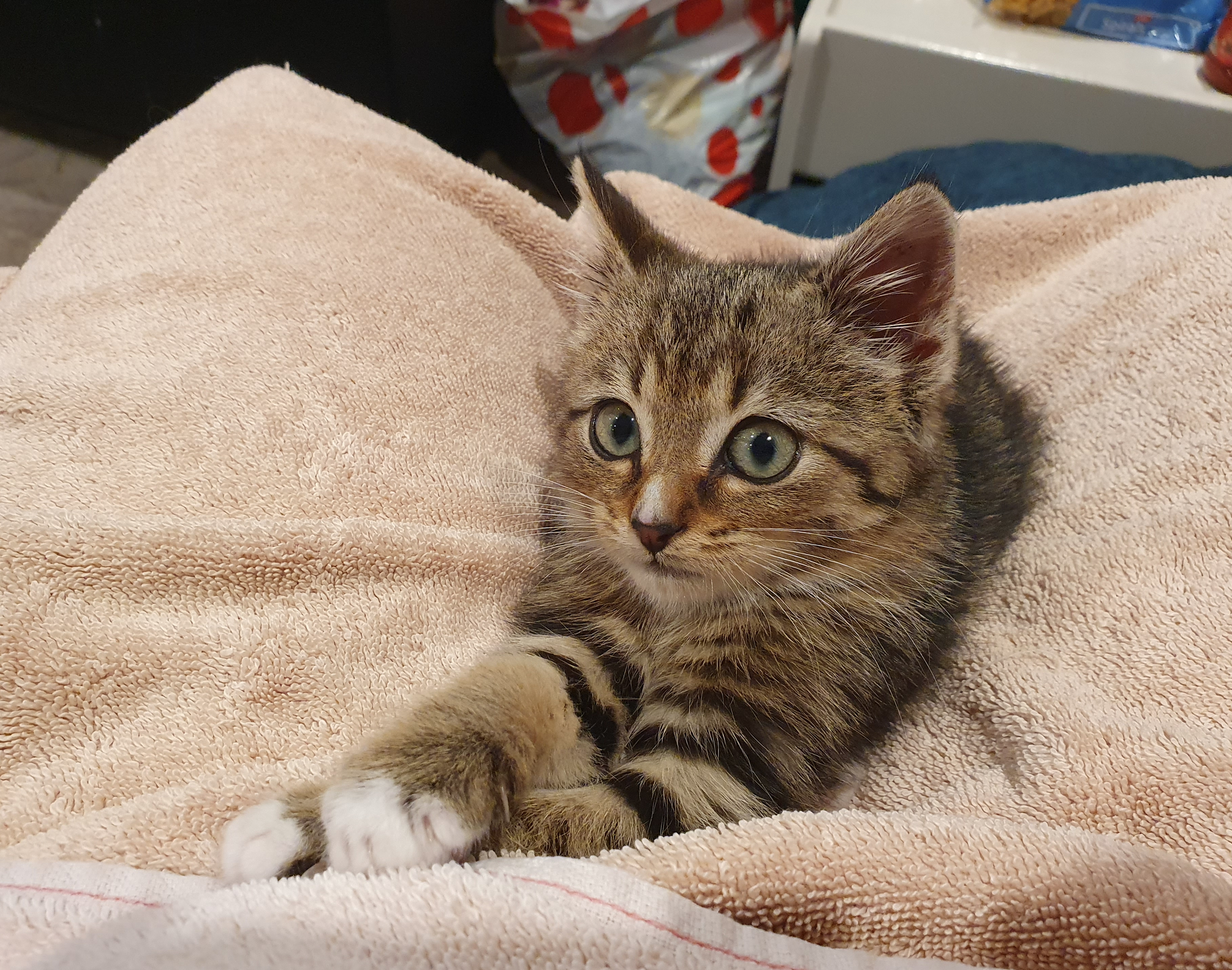
Bowls and Food
Almost any type of bowl is fine—ceramic, steel, or plastic. It doesn’t have to be a cat-specific bowl although there are many that claim to help with eating or digestion (and others that slow down a cat that eats too fast).
A kitten should have at least two water bowls (apart from anything else, they may accidentally tip one over). Water and dry food bowls should be checked and daily (topped up if necessary), and washed once per week (otherwise things grow in the water). Wet food bowls are just like your dinner plates—they get washed every time they’re used.
I typically give kittens dry kitten food on demand and wet kitten food twice a day (I’ll tell you when you adopt them how much they typically eat). Cats have shockingly delicate stomachs so you need to be VERY gradual when changing their food. Don’t do it within two weeks of them arriving at your home. Don’t change wet and dry food at the same time. At 12 months, they can eat regular cat food (but of course make the change gradually).
You can tell their stomach is unhappy because their poo will smell unusually bad; they may fart or meow in pain when defecating; or they may refuse to eat the new food. Generally I feed them Royal Canin if cheaper food isn’t cutting it. Royal Canin has ‘Mother and Baby Mousse’ for kittens up to four months (and an equivalent dry food), then they switch to a different Royal Canin kitten food for the remaining eight months of kittenhood. Then there’s adult food of course.
Felix cat food is much better quality than Whiskas.
One of my previous kittens had a very weak stomach and now eats Zyka food, which is excellent quality. Their owner carefully researched which cat food had the highest percentage of actual meat, and once they adjusted their poo didn’t smell nearly as bad.
Other cats may get special food that needs to be kept in the fridge, or their owners may cook for them. Remember to give their stomachs time to adjust to whatever you feed them. Even something as ‘pure’ as plain roasted chicken breast will upset their stomach if they’ve never had it before.
Remember: Most cats are lactose intolerant! However, lactose free milk is safe for them to drink as a treat.
Carrier
Sadly a cardboard box is not going to work—cats are too wriggly. Most cats really enjoy the mesh-sided carriers, not just when travelling or going to the vet, but as a bed or play space at home. However, one kitten I knew dealt with the stress of travel by rubbing his face against the mesh, breaking off almost all of his whiskers—so he needed a plastic carrier. I will take kittens to the vet before they’re adopted, so I’ll have some idea of how well they travel and if they have an aversion to mesh carriers.
Scratching Post
Cats need to scratch things, just as you need to sometimes cut your nails. Some people choose to cut their cat’s claws, but even those cats still need to scratch as the instinct is very strong. I recommend putting a scratching post near your couch so hopefully you can convince them to leave your couch alone. You can buy very cheap scratching posts and pads (the cardboard ones get destroyed and need to be replaced, but a lot of cats adore them; destroying them is part of the fun) from the Reject Shop. The Reject Shop also has surprisingly good toys (but use your discretion if a toy seems unsafe eg if small pieces can be broken off and swallowed).
Toys
Technically you can make your own, but official cat toys are also very fun. I recommend ‘fishing pole’ type toys—something dangling from the end of a stick—because it helps the cat to attack the toy rather than your hand, and it’s easy to exercise them without having to run up and down the hall yourself. Ditto ping pong balls. When I have something for the recycling box, I often let the kitten/s play with it for a little while first, so they get some variety.
Medication
All cats should be treated for parasites (worms and fleas) once per month. Parasites can be brought into your house on shoes, bags, etc so even an inside cat needs ongoing treatment. Also, parasite treatments are only about 99% effective, and parasites breed with impressive speed. Their tiny babies generally survive treatment and can live (and grow up and breed) for literal years.
Truly, nature is amazing.
It is possible for worms and fleas from cats to infect humans (fleas much prefer cats to humans, but worms love every warm body).
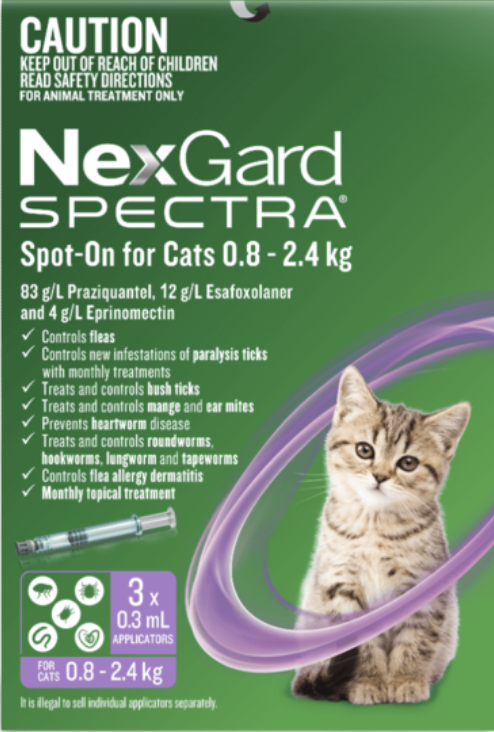
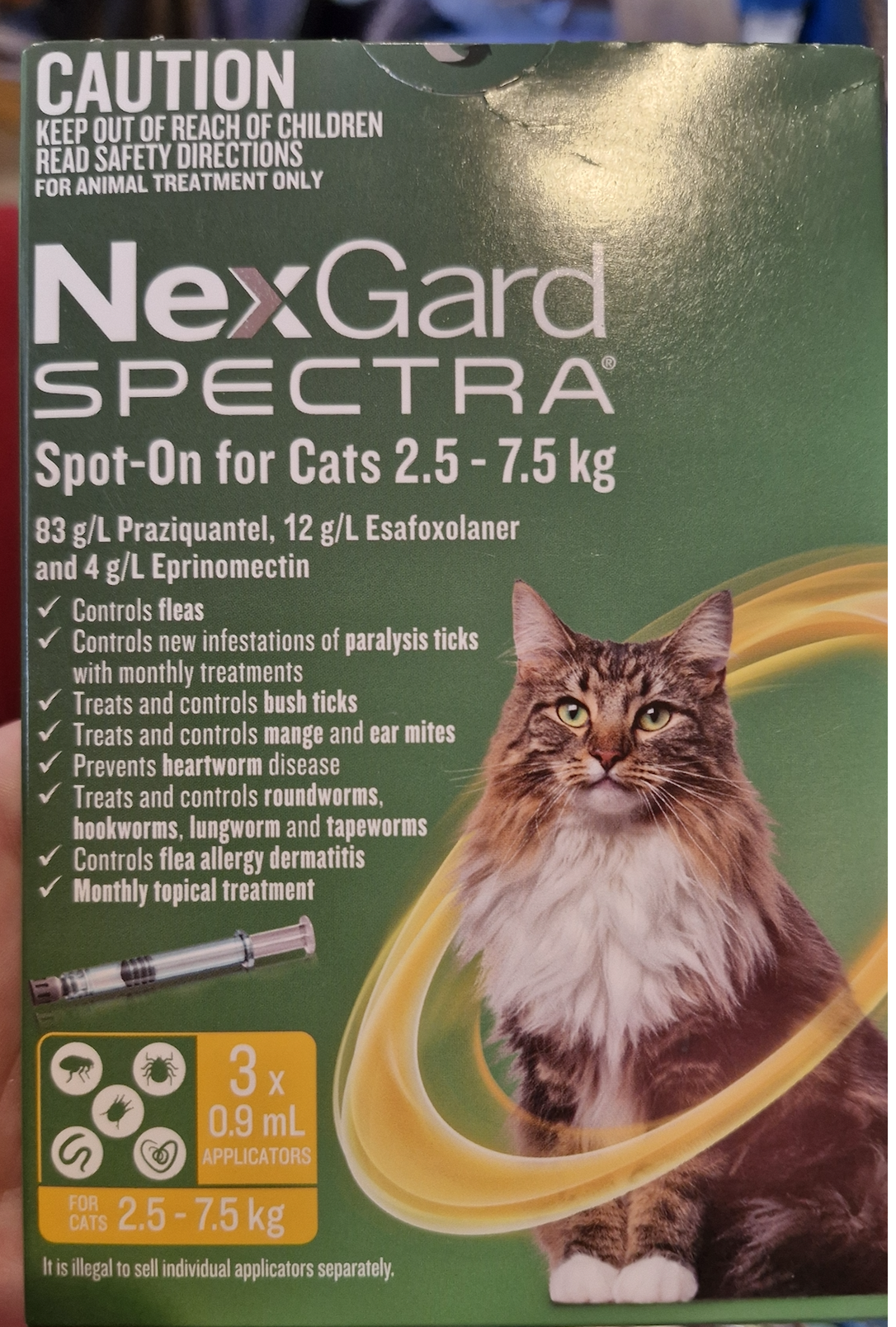
There are lots of types of worms, and the back-of-the-neck treatments do NOT cover all of them. Nor do the pills. So both treatments are necessary. The exception is this brand, which really does cover everything, but it’s very expensive.
Back-of-the-neck treatments like this one need to be put on the skin, not the fur (a bit of spillage is okay). This one has more in the vial than other brands, so I put it in a few different spots (close to each other) rather than squeezing it all out in one go.
It’s worth noting that ringworm is NOT a worm but a fungus. But I’ll talk about ringworm later.
A kitten needs two vaccinations, given a few weeks apart. As far as I know, I’m the only foster organisation that sometimes arranges both kitten vaccinations. Most arrange the first set, not the second.
After they’re a year old, they’ll need vaccinations annually.
Eye Contact, Physical Contact & First Contact
Like most autistic people, the majority of cats don’t like prolonged eye contact. This is true of most mammals, as eye contact is often a dominance move and/or the prelude to an attack. (This is also one reason cats often gravitate to someone who is allergic to them.)
The best way to make a cat feel safe is to sit on the ground (you are VERY big and scary) and ignore them, with one arm or leg outstretched so they can approach in their own time and sniff you from as far away as possible. If you talk, use a gentle, steady voice. Meowing is great as it confuses them tremendously, which lowers their fear level and raises their curiosity. Under these circumstances (and if there are no major distractions such as other cats, pets, pet smells, or people) the average kitten will approach you within ten minutes (the average older cat would take longer—half an hour perhaps).
If you meet their eye, give them a slow blink. It shows that you respect them and do not intend to start a fight. It also shows affection. A slow blink is a great, respectful greeting of your cat throughout their life (and they will often return the favour, which is absolutely a compliment).
All cats are shy, because all cats have very strong prey instincts. Like small birds, they are braced to flee at the slightest noise or hint of a threat.
A ‘very shy’ cat could take weeks or months before letting you pat it. A stray or feral cat can take years. However, it is possible for a very shy cat to also be a major snugglebug. They just need time.
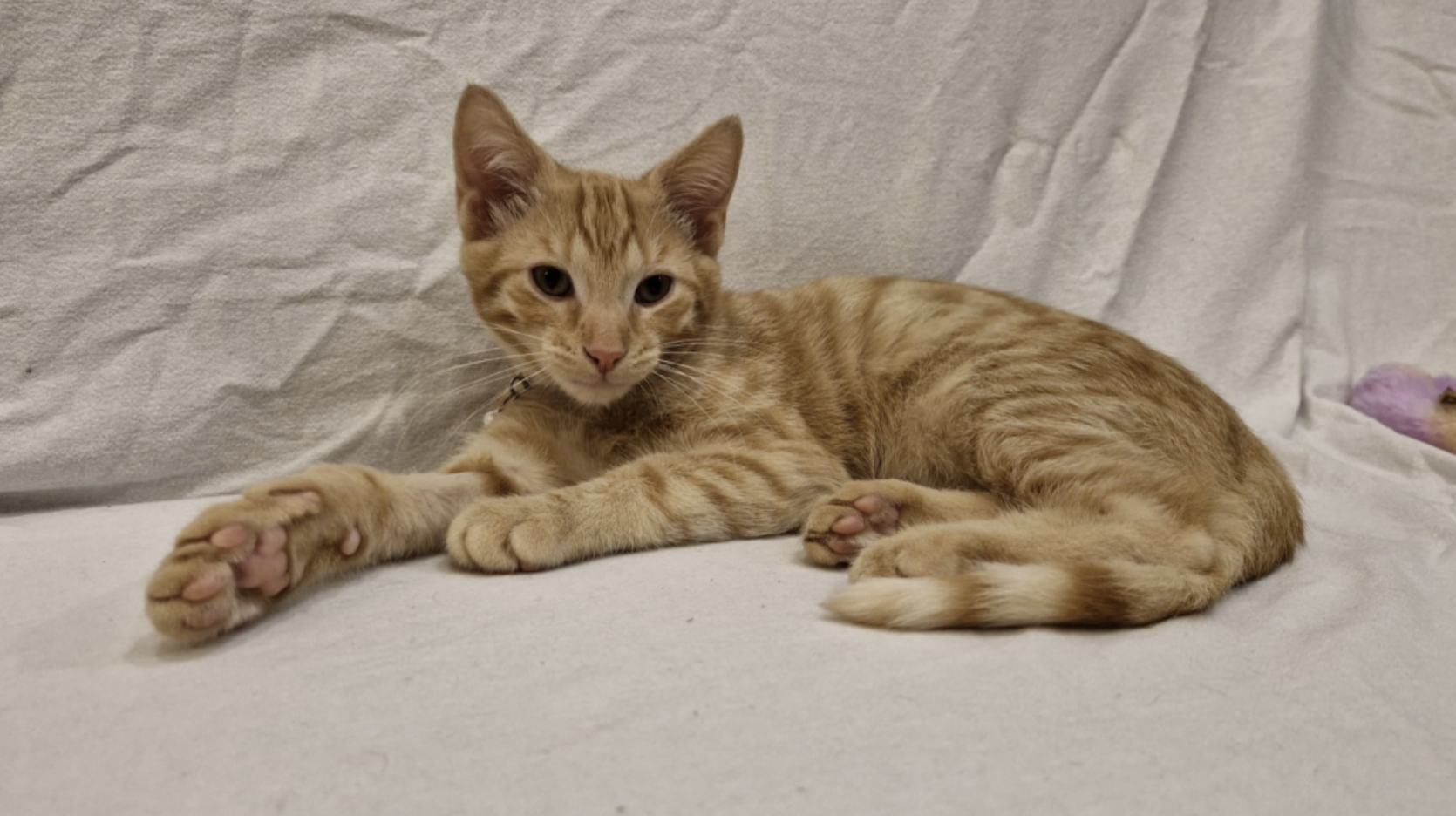
I find that kittens who are 4-6 weeks old when they are rescued tend to decide within 24 hours that I am their mother, and all they want is to be near me (but they may not be great at cleaning themselves). They often accept all humans once they’ve accepted one. Kittens who are 6-8 weeks old take longer to accept me, and are not as devoted to me. If they come into care when they are over 8 weeks old (and haven’t already had positive human interaction), they are likely to remain wary and shy of new people for their whole lives. However, that can also mean that they don’t get underfoot as much, and are more careful not to scratch humans.
There are two reasons for a cat to give you prolonged eye contact. One is dominance/fury. I know when my older cats are angry because they glare at me. (My husband is careful not to lose a staring contest with the cats, because he does not want them to think they are the boss. Which is fair! Cats will often punish their owners by pooing outside of the litter box. Our cats know that they will just get in trouble if they try to pull something like that.) The other reason is love. Kittens who have grown up with humans will often gaze lovingly at you. Feel free to gaze back (ideally with the occasional slow blink)!
Before you try to pat any cat, you should introduce yourself by letting them sniff your hand or finger. If they don’t look excessively terrified at your mere existence in the same room, reach out your hand, palm down and relaxed, and let them sniff it. If they have a good sniff and then settle back into position, you can choose to move away or slowly pat them (patting their side is best as a pat on the head can be seen as threatening).
You are most likely to get good results if you let a cat approach you, rather than you approaching them.
A lot of cats will sit near you but just far enough away that you can’t pat them without getting up. They will also often face away from you. It can be frustrating, but they are still being companionable. In fact, many cats will follow you from room to room, only to sit facing away from you and out of reach. It is still a compliment!
A lot of cats sit somewhere prominent and graciously accept pats whenever one of their humans walks past. Others demand lap time and/or sleep on your bed.
Whether your cat sits nearby, next to you, or on your lap—let them choose the level of affection 95% of the time for best results. They don’t speak English, so the only way to communicate that you are safe is to respect their boundaries. Some cats feel safer up high, and some cats feel safer under things (eg under a desk). Be careful not to make them feel trapped by approaching them when they don’t have an escape route, especially if they’re in a playful or wary mood.
It is very rare for a cat to tolerate hugs (aka a terrifying cage made of your arms) although most will allow it for a few seconds if they trust you enough. You can feel their muscles tense, and then they will begin to struggle gently (then with increasing force and eventually claws and teeth). Don’t push it. If you do hold them, have one arm under their back legs, and their front legs resting on your other arm. It is secure but loose, so they feel less trapped.
The majority of cats find it extremely stressful to be picked up at all. Mother cats carry kittens by the loose skin on the back of their necks. The younger (and lighter) a kitten, the more likely that they are comfortable (and even reassured) by this method of picking them up. It is also safer, as most kittens automatically ‘flop’ in response. It’s usually not appropriate for adult cats.
Otherwise, you can pick them up by scooping them under the chest and putting your other arm under their back legs, then bringing them to your chest for a secure hold. You want them to feel that you are definitely not going to drop them, but they can jump away if they want to.
Moods
Most cats have very distinct play and sleep cycles, with at least two play sessions a day, often first thing in the morning and then again at dusk (cats are diurnal, so dawn and dusk are their natural hunting times). When they have ‘zoomies’ they are often so hopped up they almost seem in pain or terror eg running full tilt from one end of the house to the other, emitting odd meows and chirps, or jumping in shock at the slightest thing. Don’t worry, zoomies are natural and healthy. Toss them a ball (or a pen, or bit of scrunched-up paper) to encourage them and don’t be concerned if they run into walls. DO NOT attempt to pat or snuggle a cat with zoomies! They are extremely hyped up and may respond as if they’ve been attacked. Imagine you were alone and lost in a dark alley of an unfamiliar city at 3am with heavy footsteps coming towards you, and then someone grabbed your arm. Even if it was your grandmother, you’d probably instinctively punch her in the face. That is how a cat feels during zoomies (extremely jumpy), except in a fun way. If you have children, teach them the signs of a cat in a playful mood, and teach them to stay out of the way (and grab a fishing-pole toy to get the most out of the kitten show).
Playful mood: Wide eyes, big dark pupils, flattened ears, twitching tail, and fast, jerky movements. Running or crouching, especially if their butt is wiggling and their gaze is fixed while they are crouching. Rolling over on their back and exposing their belly (it’s a trap!!!)
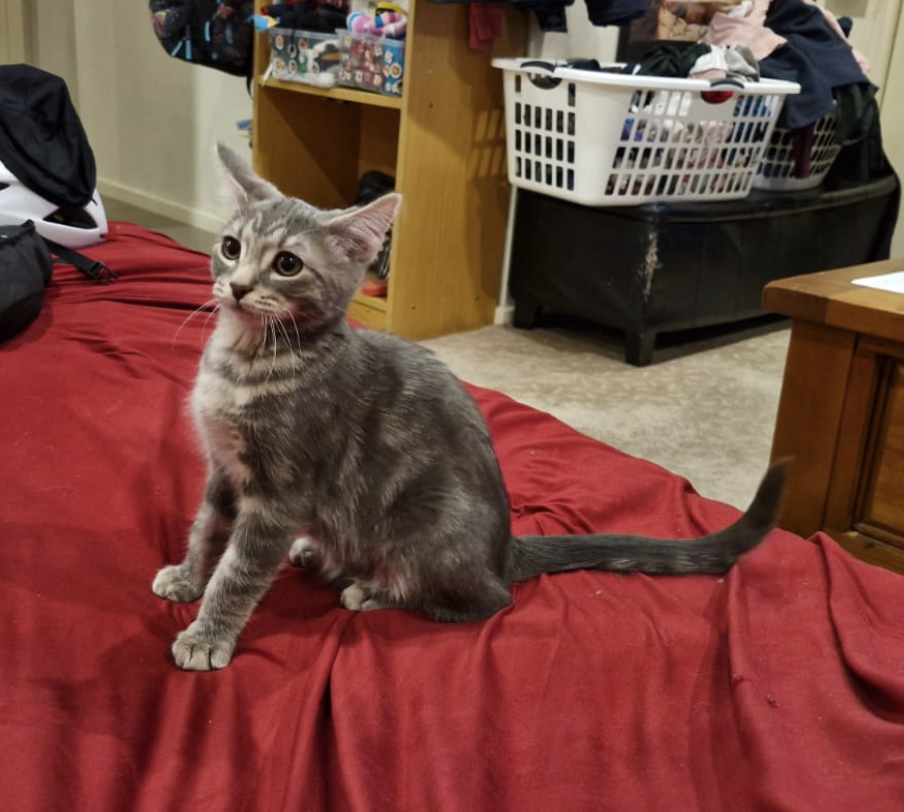
Kittens are so energetic they will sometimes go directly from sleep to playful, especially if you are dangling a toy at them. But like us, they usually need some wake-up time first.
A cat who feels safe and happy will respond positively to their humans when they wake up. They may start purring or meow a greeting. They are likely to stretch and blink, and often roll onto their back and luxuriously stretch. In a just-woke-up scenario, the belly exposure is not a trap but an invitation to pat them. Many cats love chest pats BUT it is also an excellent fighting position so some love to grab hold of your hand and bite it with affection. You need to choose whether to teach them to hold/bite you gently, or to avoid belly rubs altogether.
Training Your Cat
Yes, a cat can be trained. The level of training depends on the cat’s intelligence and personality, the amount of time you’re willing to invest, and how much you understand cat behaviour. Cats don’t have a sweet tooth, but there are plenty of cat treats out there. Some cats aren’t too fussed about them, and others would teach themself to open a jar in order to get to them (seriously!!)
If you’re adopting from me, your cat will probably know the following words:
Their name (and most of them will come when I call because I always use their names when giving them food or treats).
Dinner.
No (said in a low, threatening voice).
Gentle (mainly used when two cats are fighting each other and not listening to the other cat’s meows of pain).
Ouch! (Very much associated with “No”.)
I use their names constantly, but especially when feeding them wet food (at which point I also call “Dinner!”) If they don’t respond to “No” by itself, I physically remove them (which is a punishment as they’re very social creatures) and/or tap them on the nose with one finger, which is annoying rather than painful but gets the message across.
About 5% of cats turn the tables and start to train ME eg they know I don’t like getting bitten, so when I am about to leave the room they will bite me as punishment. Those cats are tricky, and I will warn you if yours is one of them! I’ll also let you know if your cat is bent on escape. Most cats try to escape at least some of the time, with varying amounts of determination. I strongly recommend getting a collar for this reason. It means that if (when) your cat escapes, passers-by can tell instantly that they have a home. A lot of good-hearted people accidentally kidnap beloved pets because cats will act as if they’re homeless and starving in order to get extra treats. Cats are liars!
Some cats are naturally more vocal than others. I try to discourage a lot of nagging meows by ignoring them (or sometimes saying “No”), which works fairly well if I can get the whole household to stick to our guns. But I encourage ‘trilling’ (that adorable ‘prrm?’ noise). If they’re particularly vocal, I’ll let you know. Some people love having constant conversations with their cats.
Some of my previous foster kittens have learned some basic tricks (such as ‘sit’ and ‘beg’) and/or they can walk on a lead.

Cat Manners and Communication
Violence
Cats are both predator and prey. They are expertly designed killing machine, who hiss and fight literally before they can roll over. They are faster than humans, and they have very sharp knives on all their limbs and in their mouths.
They NEED to play. They need to ‘kill’ (destroying their own toys is extremely satisfying). They often hide toys—not to annoy you, but because their instincts tell them to do so. They scratch and bite and kick one another shockingly hard, and when they attack you (your hands, your ankles, your hair) it is actually a sign that they are accepting you as a friend (basically, you are a very weird cat). They express love through violent play. However, they absolutely DO communicate to each other when a scratch or bite is too painful, so it makes sense for you to communicate with them that they must not claw or bite you. The simplest line to draw is, “No not ever.”
Remember, when they are small, they don’t hurt you (much). They are also cautious with new friends, being gentle and tentative—at first. It is adorable.
But. They get much bigger and stronger very quickly, and a sweet little kitten nip is the equivalent of a bloody bite from a year-old cat—so if you accept nips when they’re young, you are likely to get bites later.
If you want a cat that is so well-trained it doesn’t even bite when a toddler yanks its tail or forces it into cuddles, then the “No not ever” rule is best. It requires discipline from you and everyone in your household: never ever wriggle your fingers enticingly for them to chase. Never let them wrap their front legs around your arm or leg in a ‘hug’. Never accept them charging at you and batting gently at your legs. Always say, “NO” from Day 1 and if necessary tap them on the nose or put them in a room by themselves.
If they are reasonably teachable, offer them a toy to chase or bite as soon as possible after saying, “NO” so they quickly understand that their hunting instincts are allowed, but must be directed towards inanimate objects.
If you have had cats before, you don’t have young kids, and you’re confident in your abilities, you can teach a kitten to play with you while still being gentle. It is fairly easy for a kitten to learn to always keep its claws sheathed when playing with humans, but ‘gentle biting’ is trickier. However, most young cats can be taught to ‘mouth’ your fingers instead of actually biting you at all.
You can teach a cat that they can attack you more violently through a doona, but there is a strong risk that they will unleash their full strength through any fabric (I assure you they can draw blood through even thick jeans). So watch out for that.
Sickness
Because cats are prey animals, they naturally hide their illness. Unless they are actively bleeding or can’t walk, you need to actually pay attention to know when they need to see a vet.
Some cats will not eat or drink for 24-48 hours in a new place. Keep a sharp eye on their litter (so you know when they start to wee) and try to give them lots of alone time (with no humans and especially no other pets). It is often helpful to keep them in a laundry or bathroom for several days (with bath mats and/or a bed so they’re not on the tiles, and with heating or cooling if necessary so it’s between 18 and 30 degrees celsius). A small room can help a nervous cat get used to their new environment, although most will get extremely bored after about two hours, so ideally that small room is a place they can retreat to without being followed, but they can emerge when they want to.
If your new cat hasn’t eaten or drunk water (ie no wee in the litter box) after 24 hours, you definitely should be concerned. Please let me know, and we can arrange a visit for me to reassure the cat a little and give tips on making them feel better. I’ve never used Feliway but I’ve heard it’s amazing for calming a stressed cat. If they do not eat or drink for 48 hours, they should probably come back to my house for a few days to recover before trying again. I can also assess their behaviour and figure out if something more than the usual stress is going on, because I have spent a lot of time with them.
Cat flu is a serious illness for cats, and causes symptoms including runny eyes, runny nose, fever, and fatigue. It’s usually easiest to spot in the eyes. Unfortunately it can be brought on by stress (such as going to a new home). It may take a couple of weeks before they show symptoms. Because a vet visit can also be very stressful, you need to carefully balance the potential harm of a vet visit with the potential benefit. I would usually say it’s a bad idea to take a cat to a vet within 3 days of them arriving at your home. But if you are concerned, please contact me immediately so I can come to your house and assess their health. Kittens can die from cat flu. Most adult cats get better on their own. Don’t panic if your kitten sometimes sneezes; that’s actually not a sign of illness. If they sneeze often and/or produce mucus with the sneeze, that is a symptom of cat flu.
Go to a vet within 48 hours if your cat has a runny nose (clear or yellow/green), is drooling, or refuses to eat (try extra-smelly food such as fish first). Go to the vet immediately if they have trouble walking, if they are panting, if they are not drinking, if their eyes look painful or are not fully open, or if they are not playing at all. Ditto if the discharge from their eyes is yellow or green.
Cats can also get a fever from cat flu. You can test them for fever by feeling the temperature of their ears. If you feel them when they’re healthy they feel quite cool, and if you feel them often you are more likely to be able to tell if something is wrong. If in doubt see a vet of course.
If you are looking after them at home, it is good to wipe the moisture away from around their eyes and nose with a wet cotton ball. Steam can also help them, so it is often helpful to run a very hot shower with your cat in the bathroom and the heaters on for 10-20 minutes up to twice per day. Change their water frequently and keep other pets away. It may help to gently warm their wet food (mainly to increase the smell so they can recognise it despite a stuffy nose). Reduce their stress levels as much as possible.
Dehydration is another killer of kittens, and it can be extremely sudden. If your cat throws up more than once, they should go to a vet within 24 hours as they may need to be put on a drip to save their life before their kidneys fail. You can also test their dehydration level at home by pinching the loose skin on the back of their neck. If you let go and it doesn’t immediately go back into place, they are dehydrated. (You can do this for humans too, by pinching the skin on the back of the hand.)
Ringworm is a fungus that is incredibly difficult to eradicate as it can live in any fabric for twenty months eg your couch, your carpet, or your clothes. It is infectious to humans. It is called ringworm because it tends to cause little round red spots on the skin, sometimes in a donut type shape with a red ring that is pale in the middle. The spores can survive being washed, too. On cats, it usually appears on the face, ears, tail, and legs. If your cat has a tiny bald spot that isn’t a wound, take them to a vet as soon as you can and carefully follow their advice. The sooner you start treatment the less likely it is that you’ll have to burn down your house and all your possessions to get rid of it. (Seriously, ringworm is the WORST.) It’s actually quite a minor illness, causing mild itching only, but it usually takes months of obsessive cleaning and quarantine to eradicate. Always tell your vet that you suspect ringworm before entering their premises.
If a kitten is scratching a lot, they may have fleas, lice, or ear mites. Fleas are small black crawling things (more obvious if you part the fur). If you see white dots on your kitten’s fur, try to brush it off. If it brushes off, it is dandruff. If not, it is lice (not infectious to humans, but needs treatment). Ear mites look like dark coffee grounds in the ears. If your cat has lice or mites, see a vet (letting them know what you suspect before entering their premises). If it has fleas, use a topical flea treatment, and continue using flea treatments monthly for at least two years.
Poo is an excellent indicator of health and is often also used to communicate with you. When you scoop their poo, pay attention to sudden changes such as an abrupt change in smell, colour, or texture (sloppy). Take them to a vet if their butt is red/irritated (if they’re licking it a lot it’s itching or painful) or if they don’t seem to have control over their toileting. A lot of cats will have a mild reaction after vaccinations, worming, or while changing food but if their poo is watery they are seriously ill and at risk of dehydration and death. Also see a vet if they are straining or meowing before pooing.
Cats sometimes poo just outside the litter box if they have outgrown it, if the litter needs changing, or if they are stressed. If the litter stinks, there are not enough litter boxes, or they are very stressed, they may poo farther afield.
If your cat seems unwell, isn’t eating or drinking as much as usual (you can tell by the litter box if you can’t tell from the level of the food), isn’t grooming themselves properly, is gaining or losing weight, or isn’t as active as usual, there is probably something wrong. If they meow or flinch when patted they are likely to have a hidden wound (probably infected) and you should see a vet asap. If they spend a long time in your lap while still a kitten (without trying to play), if they seem weak, or if you can’t wake them up, it is an emergency and you need a vet to see them as soon as possible.
Most vets keep a daily slot open for emergencies, so if they are open try your usual vet first. If not, call Canberra Veterinary Emergency Services in Gungahlin on 6225 7257 and tell them what is happening. They will probably tell you to come in immediately.
It is possible for humans to get sick with toxoplasmosis, which is not a big deal unless you are pregnant or an infant. For this reason, pregnant women should never be involved in cleaning litter, litter trays, or anything that might have litter on it.
Cat politics
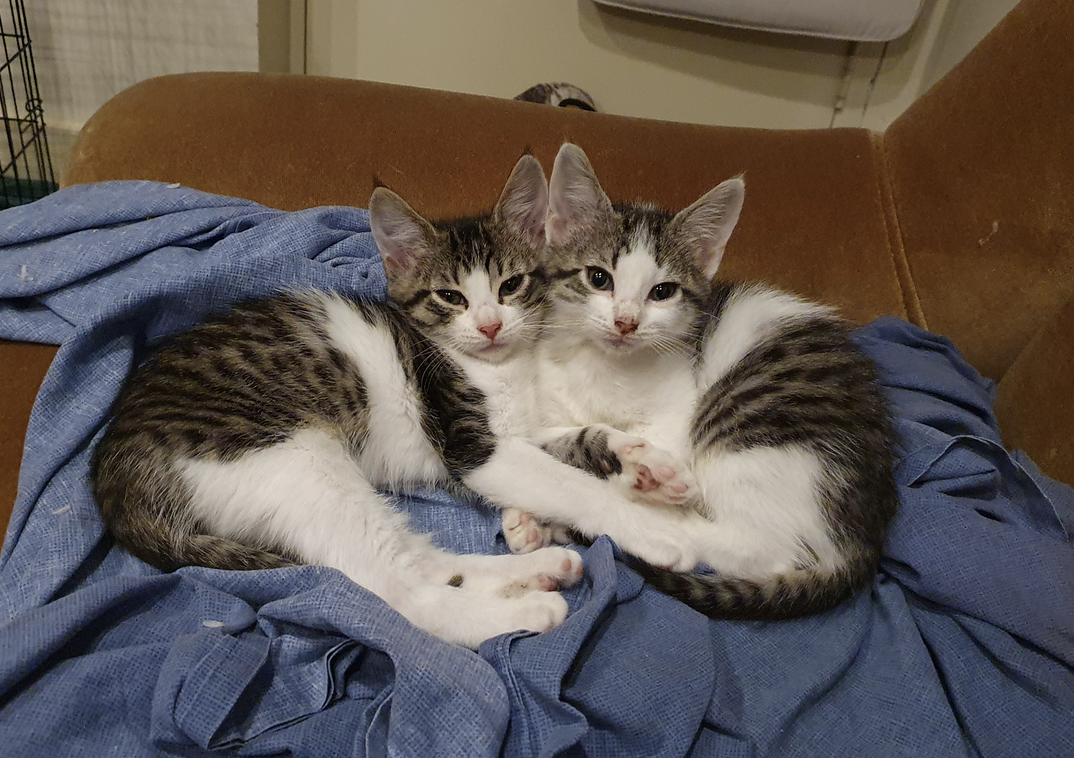
Cats are (believe it or not) social animals, often forming large and coherent colonies in the wild. Within a household, you are part of their colony… but you’re generally known to be a big but clumsy predator. An adult cat’s usual reaction to a kitten is terror. Kittens LOOK adorable, but in the right circumstances they can do a shocking amount of damage. They also have more energy than older cats, which makes them more powerful in some ways. However kittens are usually very curious and affectionate, and they tend to act very submissive to the bigger cat. As they age they may decide they’d like to be the boss and you may get complicated politics as the cats wrangle for dominance. Sometimes they will outright fight each other. Other times they will provoke each other in subtler ways, such as deliberately sitting in places that are the favourite spots of the other cat (possibly on your lap). Your job is to make sure they’re both getting all the love and attention (and food) they need. If they fight with real violence, eg drawing blood, you can try Feliway to calm them but you may need expert help. If they’re incredibly passive aggressive about it all, don’t worry. The competition probably keeps them from getting bored.
In a household with more than one cat, they may poo much more than usual if they are in one of these battles for dominance. It may help to have more litter trays or to use Feliway.
Bits and Pieces
Many cats throw up quite often, about once a month. That is a normal part of their digestive process. It is worth telling a vet at their regular checkup, especially if it is a new thing for you. If they throw up more often, it usually means something is wrong. In my household, it usually means Zoom (pictured) has managed to get into the kitten food again.
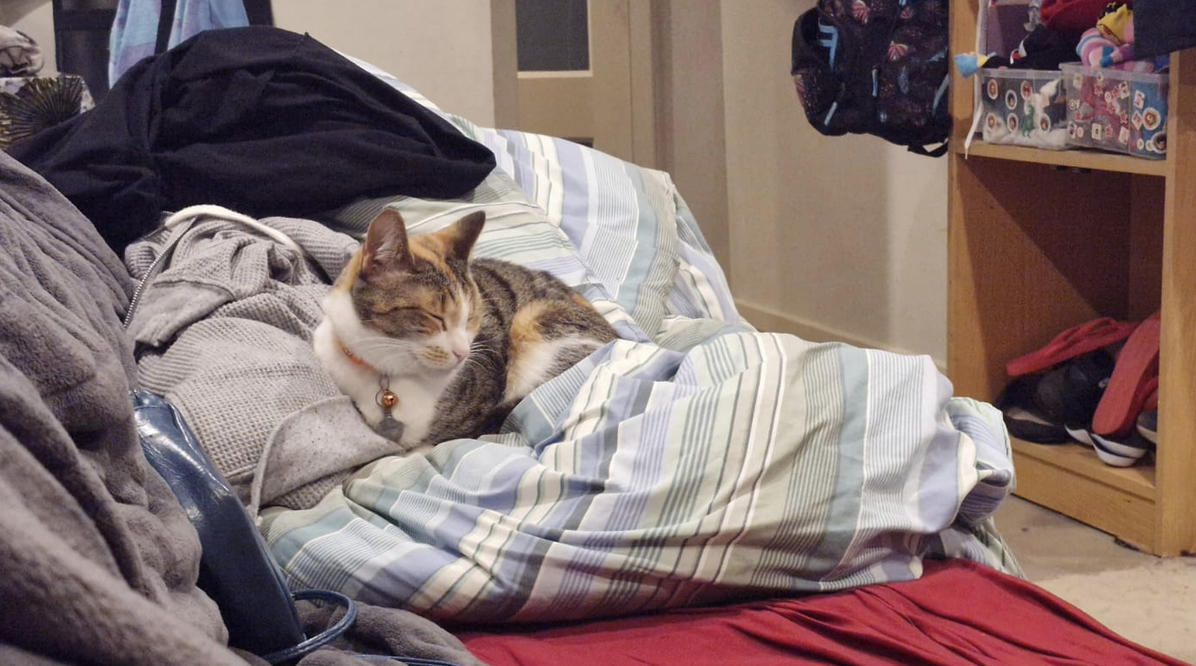
Some cats prefer humans to cats, and some prefer cats to humans.
Some cats are more cuddly than playful, and some are more playful than cuddly.
Cats often eat plants, so it is worth googling your plants to see if they are toxic to cats (the list is long).
I’ve also found that some kittens totally change personality within six months! So if you want a particular personality, you’re better off adopting a cat that is at least a year old.
Every group of kittens I look after seems to have one specific issue. One litter was obsessed with electrical cords; one would go ballistic if you tried to give them a pill; another litter was extremely loud and would complain if they were in a room alone; etc.
Medium or long-haired cats are gorgeous, yes. You’ll need to brush them at least once a week (sometimes daily). They will still shed about twice as much as any other cat. And, sooner or later, a poo will most likely get stuck to their butt and you will have to deal with it (either that or regularly trim their butts). So, choose wisely.
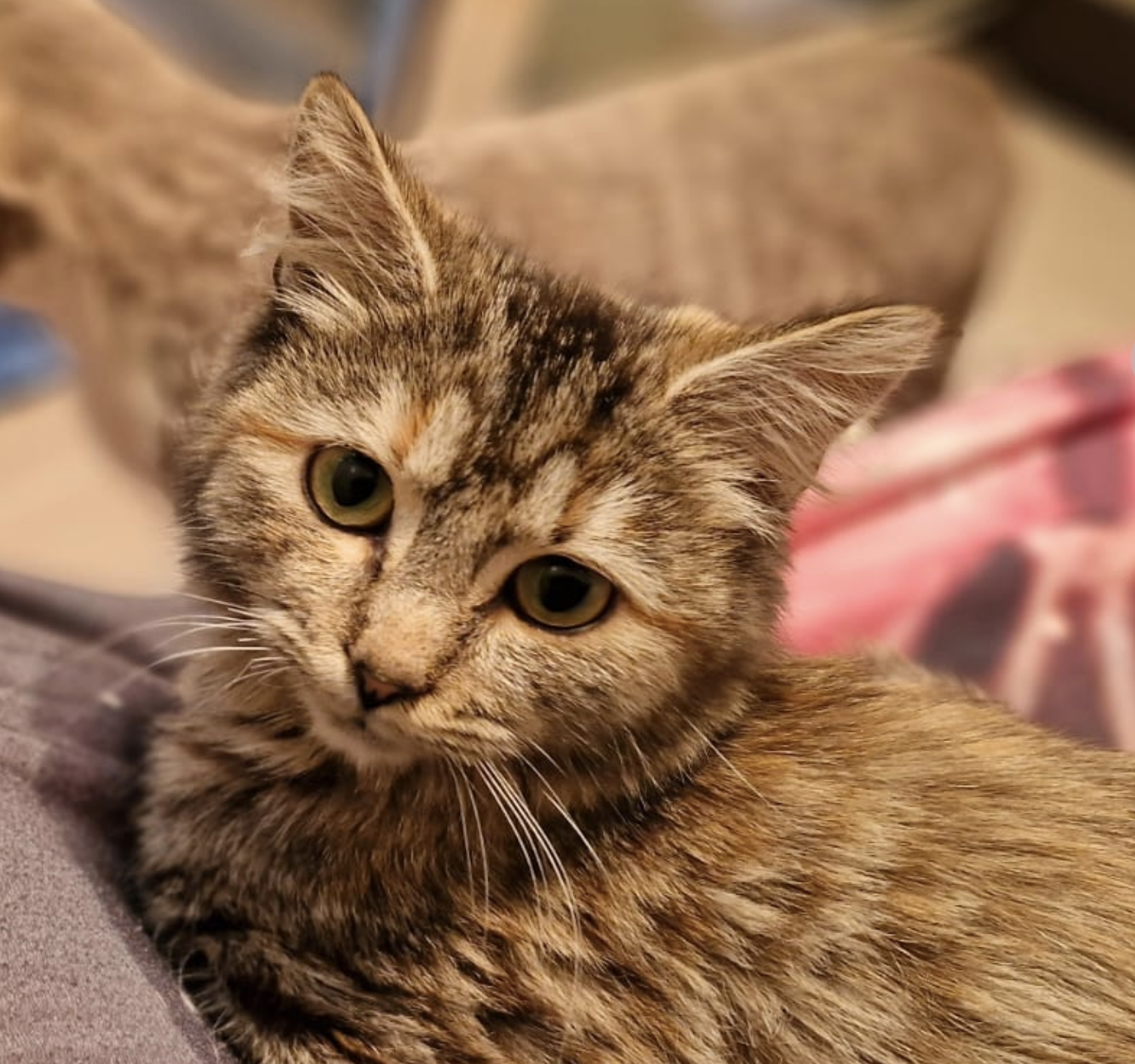
Most foster agencies will take back a kitten and refund the adoption fee if you change your mind within two weeks of adoption, for example if you discover that your child is allergic to cats or one of your other pets absolutely hates them. (It takes much more than two weeks for cats to adjust to a new cat in their home, but there should be at least a little bit of progress eg the original cat starts off running from the room when it sees the new cat, and has gotten to the point where it will sit on a very high shelf and suspiciously watch the new cat while sometimes hissing at it.) Please note that even two weeks can make a difference to a cat’s ability to be adopted (everyone wants the youngest possible cat) so don’t treat it as a free kitten rental service. These are living, vulnerable creatures. Moving houses is also very stressful for them.
If you adopt a cat and find your other pets absolutely will not accept it, that is an excellent reason to give up the new cat. Your older pets should always be the priority. However, if they are hissing at each other after two weeks there is still hope for them to accept each other. Hissing is not violence, but communication, meaning, “Stay back!” I also find that when cats are ALMOST used to each other they will play together with an edge eg they will wrestle hard, hiss a lot, and stalk each other. If their claws are sheathed, this kind of play is probably okay. They are sorting out dominance without actually hurting each other. But they should definitely be supervised closely.
Inside cats usually live about twenty years, so think carefully about where you will be in five years, ten years, fifteen years, and twenty years. It is sometimes difficult to find a rental if you have a pet, and it is very difficult to find a new home for a cat, especially if it is over a year old (with every week over twelve weeks, it gets much harder to find a home). Are you willing to give up a great rental because your cat can’t come with you? What if you are offered a job posting overseas? What happens if you have a child ten years from now?
If you give up your cat when it is no longer a kitten, it is more likely than not that they will be put down.
If you are okay with that, you should not get a pet.
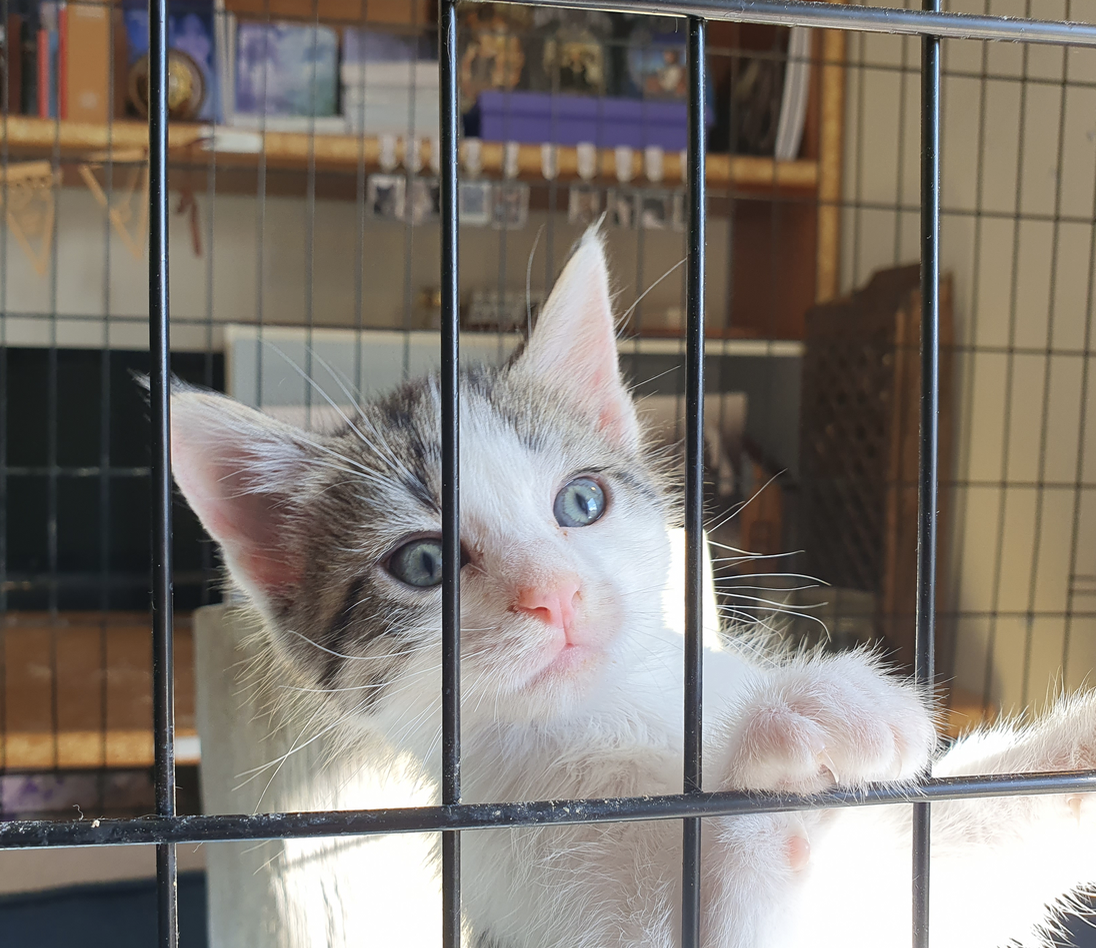
Things to ask your foster carer
- When was their last parasite treatment, what brand was used, and did they have a reaction?
- Did they have a reaction to a vaccine? When is their next vaccine due?
- What is their personality? Are they vocal? Do they prefer humans or cats? Are they unusually energetic or unusually snuggly? What is their favourite type of toy? Are they an escape artist? Are they obedient or naughty?
- What is their most annoying habit (there’s always something)?
- How do they handle unfamiliar cats/dogs/children/people (if known)?
- Have they ever been unwell? (Childhood illnesses can weaken them permanently.)
- What food are they eating, and do they get sick when their food is changed?
- Have they ever had a toileting accident?
- Do they travel well?
- How do they behave at the vet?
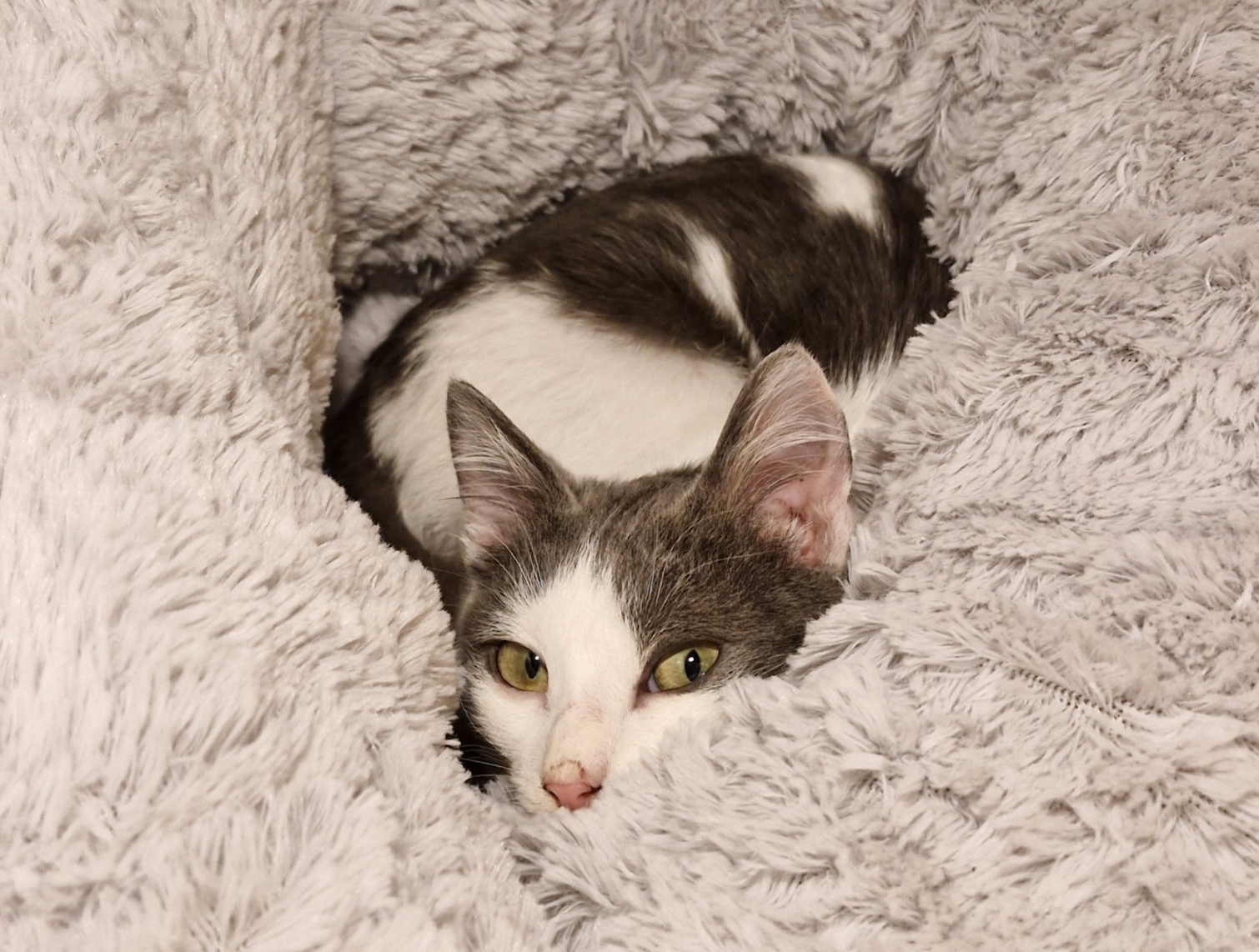
If you appreciate the work I do, please help me keep doing it! At the time of writing (mid-August 2025) I need $1800 to let me keep going after my current group of kittens is adopted.
Here is the link to my ongoing GoFundMe: thank you so much
Houses & Fashion Part Three
Not only do I have a few more strongly-held opinions to share, the house I thought was so perfect (55 Annabelle View Coombs) has been knocked off its pedestal!
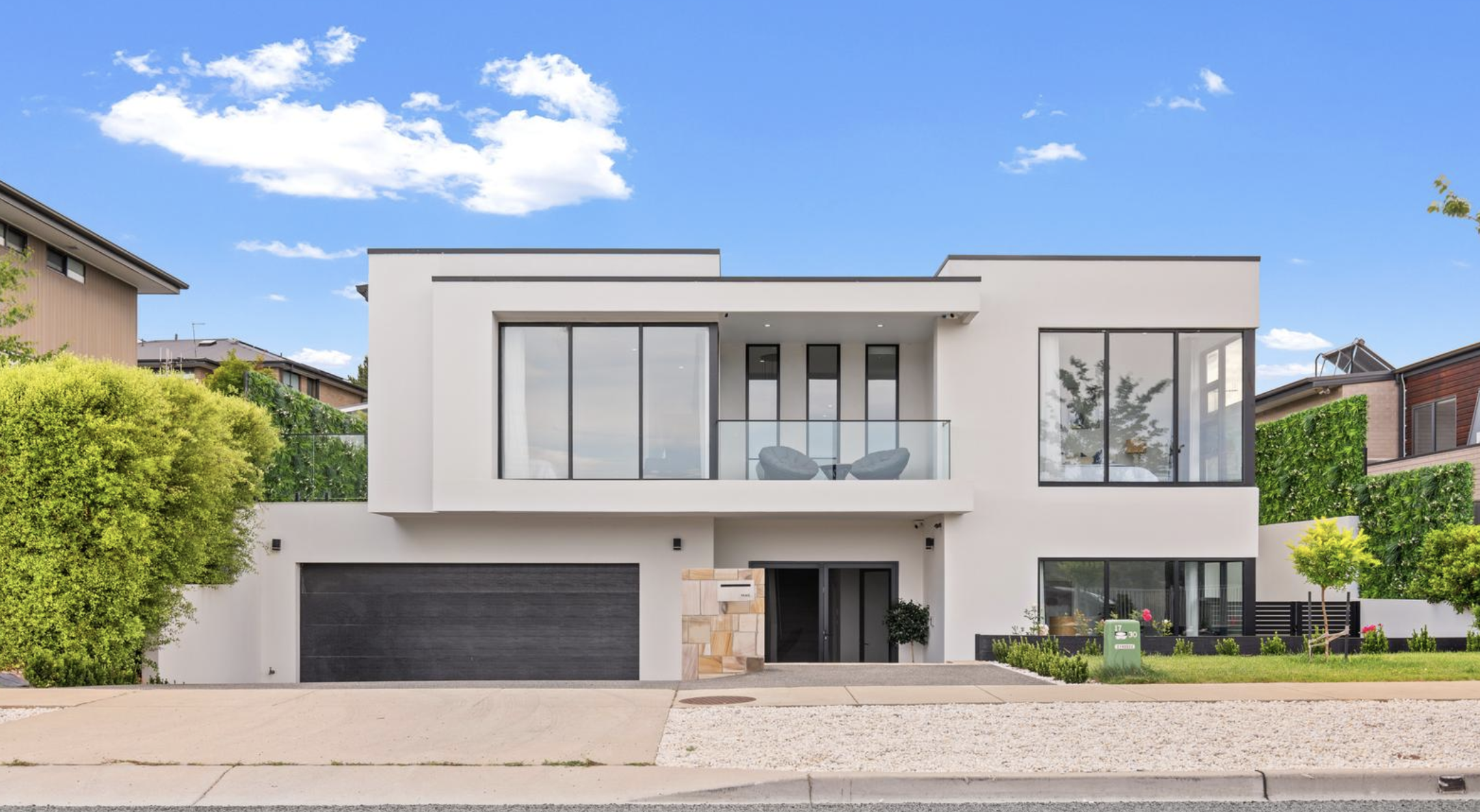
As you can see, it’s somewhat boxy-looking, and the driveway is very steep (probably scrape-the-bottom-of-your-car steep, honestly).
Here’s my new improved dream house, 16 Chaloupka St Whitlam.
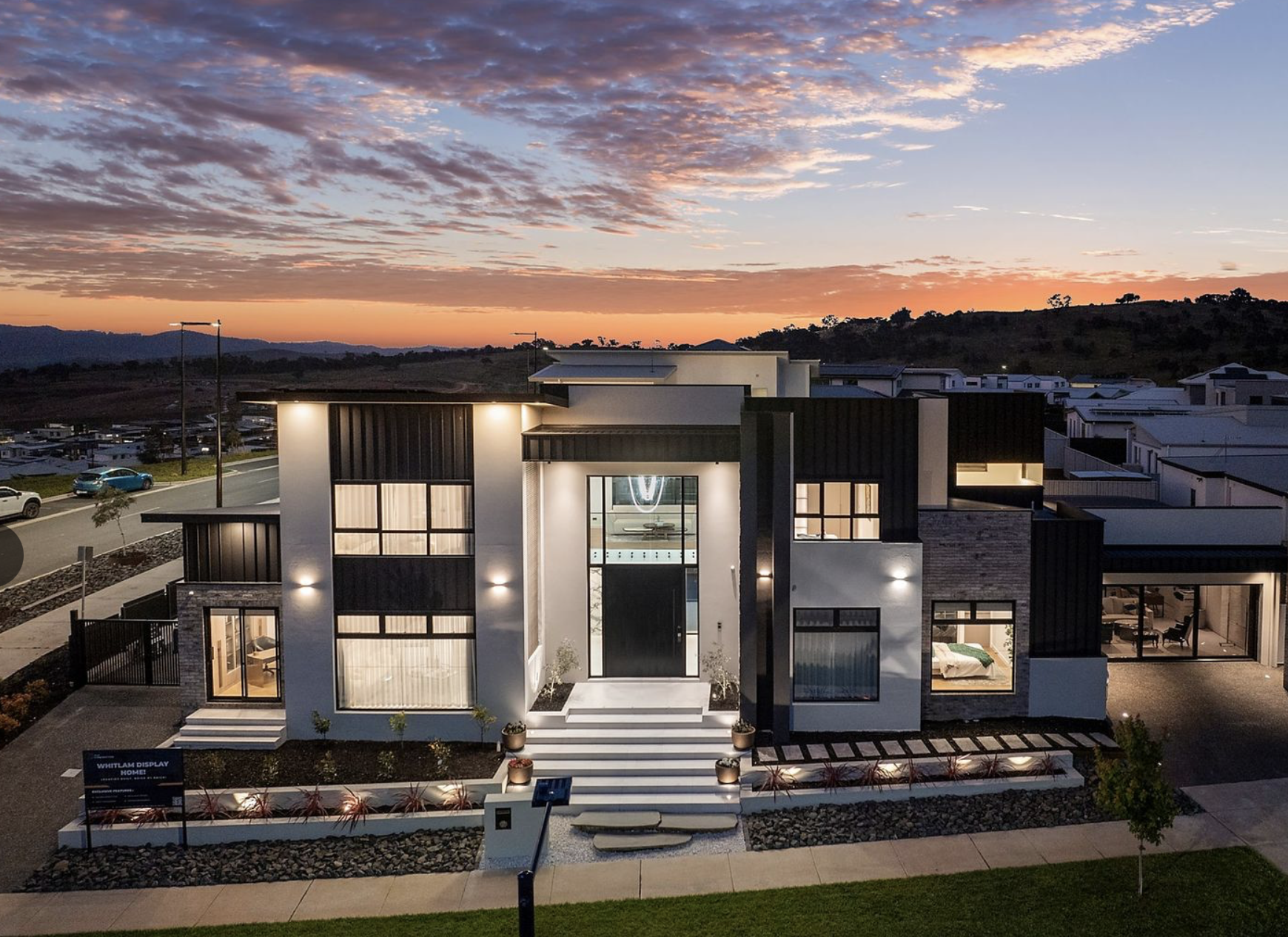
As you can see, it is an extremely grand mansion. Embarrassingly so, I would say.
That impression is very much continued within the house, with feature walls of colourfully veined marble and several obvious luxuries like super-high ceilings and an internal balcony from the upstairs sitting room to the living/kitchen (which is not just for luxury, but for holding yelled conversations between floors, which I guarantee we would do daily). And a front entrance murder hole. Lovely! And even a wooden ceiling in the family room, which is very pretty and super high (necessary, or a wooden roof feels claustrophobic).
Annabelle View is a wee bit ugly, but could be painted on. Chaloupka St has nice texture (and a full-length feature rock wall on the right hand side of the portico) and the main flaw is that it is so obviously big and fancy. Oh, and the front steps are stupid (the ‘natural’ rocks look tacked on and the white steps are very slippery when wet). Winner of first impressions: Chaloupka.
Annabelle View has a lovely murder hole, but Chaloupka St has a murder hole AND an internal balcony. Winner: Chaloupka.
Chandelier-wise I’m not passionately in love with either of the murder hole light fittings. I like the one at Annabelle View slightly better, but Chaloupka gets bonus points for having a matching-but-even-bigger chandelier in the family room. Winner: Dead Heat.
So let’s talk style!
Annabelle View’s bathrooms make me sigh over the classic error of having marble floors and marble walls, like so:
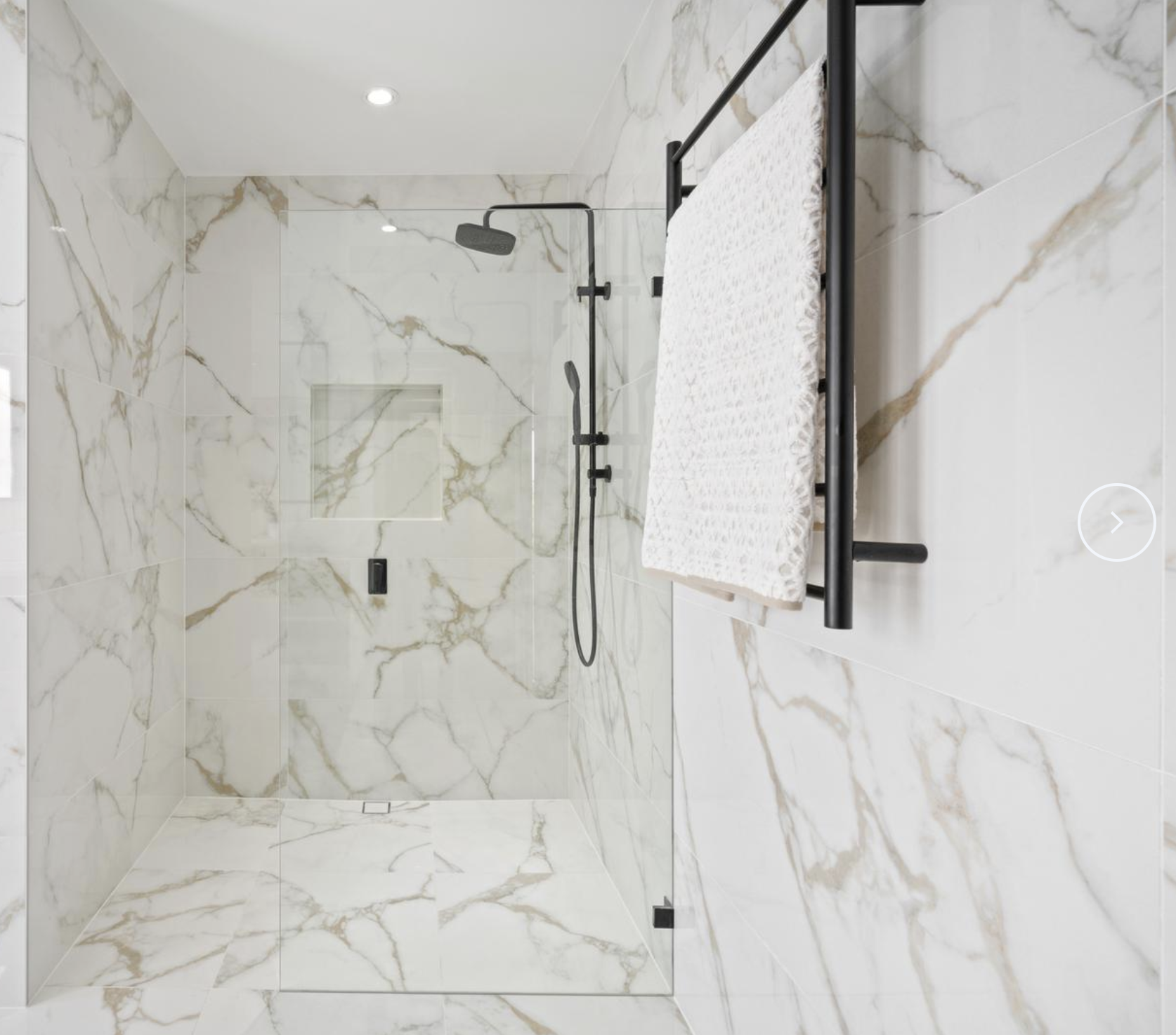
The effect could be calmed down considerably with nice plain bath mats. It’s not super offensive.
At Chaloupka St, there is a slight pattern on the walls and floor, but it’s barely there. The marble benches are dramatic. They’re possibly a little over-dramatic, but I could definitely handle living in a house (ahem… mansion) designed by someone who decorates like a 90s goth girl heavily into theatre. I was never goth, but I was always goth-adjacent. And I was always theatrical as f*ck.
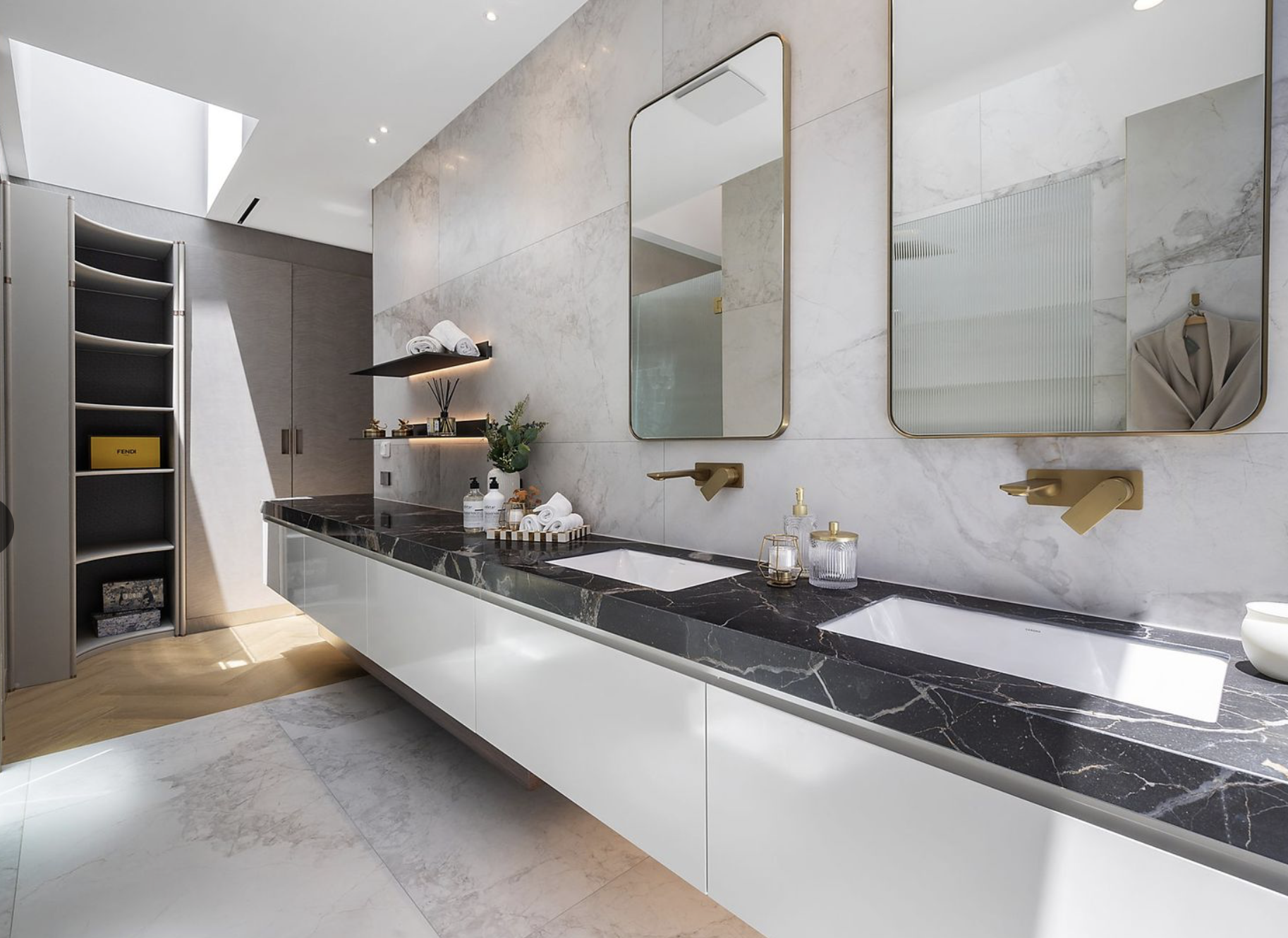
This is the ensuite bathroom. The marble bench wraps around into the walk-through wardrobe, which is kind of cool except the designers really should have put a door there (eye-roll). There are four skylights, all showing real sky. You can see one at the corner of the WIR. There’s one over the toilet, one over the shower, and one over the bath. Which is actually excellent, because it fills the entire space with natural light AND the one kind of window that doesn’t need a privacy covering. And yes, there’s room for a spa bath (and I could lie back and look at the sky, which is so very very cool). The shelves that look curved really are curved, which I love. Sadly it’s the only curve in the house. But there IS a curve!
Sidebar: Double sinks are super fashionable at the moment. I think they’re silly, but reasonably rational (useful for two people brushing teeth at the same time and not wanting to spit on each other).
The taps in this photo are in a material that is SO fashionable at the moment; a kind of gold/copper look thing. I sort of like it, for the slight steampunk vibe. But I sort of don’t. (I know, weird. I don’t quite have a strong opinion, except for my usual aversion to anything so popular.) My mum and sister have that style in their houses, which of course gives me positive associations.
So, bathroom style: Chaloupka wins.
(Ooh! The toilets all seem to have heated seats and to automatically lift the lid as you walk in. That is a little silly but also cool. The really brilliant thing is that at least one sink tap has a motion sensor. Hurrah for hygiene!)
In terms of bathrooms, Chaloupka st is perfect on the ground floor: There is an ensuite for the master room; another bedroom with an ensuite (perfect for fostering kittens – it even has a shelf in the shower, and so does the ensuite); and a powder room (for humans to use). Which means that upstairs should have the main bathroom.
It doesn’t.
There is NO main bathroom. For some bizarre reason, the upstairs of Chaloupka st has THREE ENSUITES. It would make an excellent share house, but surely that’s not what this house is intended for!?! I guess it’s for teens that don’t want to share a bathroom with anyone else.
I have decided that one of those ensuites should be converted to a kitchenette (remove toilet and add a bench and you’re good to go), and at least one of the others needs to be converted into the ‘main’ bathroom so that everyone can access it easily (find a place to put another door into it).
The last ensuite room might be handy as an emergency cat room one day, so I’ll leave that one alone.
With an upstairs kitchen, we could divide the house into two fully-functional houses. Always useful.
Annabelle View has only one downstairs toilet, which would be the cat toilet. So Chaloupka wins on this one, big time, even though six bathrooms is seriously too many even for us.
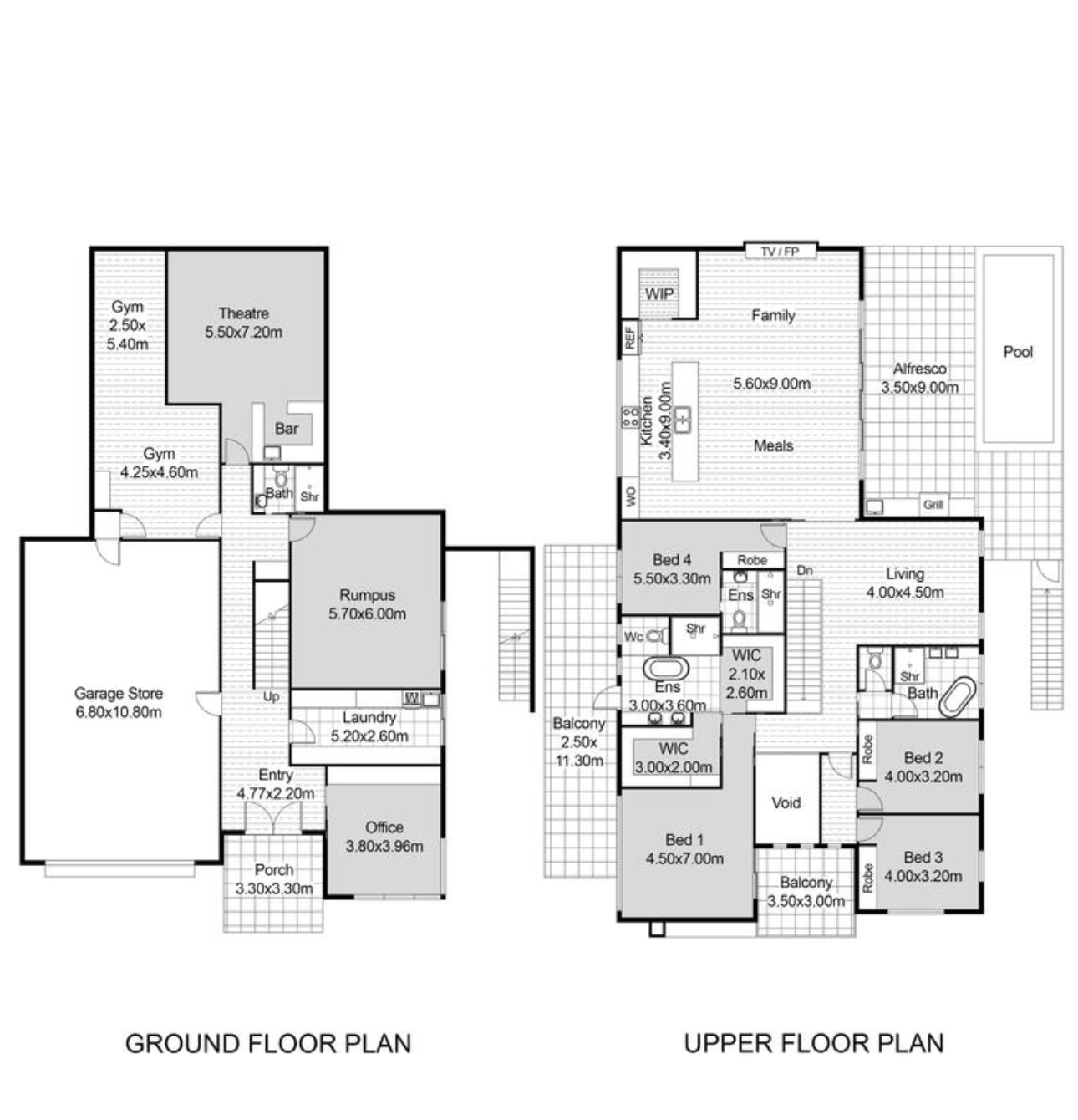
Here’s the Annabelle View floor plan. The most notable thing is that downstairs would basically be for work (both my cat fostering and my husband’s home office) and special things (like watching movies in the theatre room), and upstairs is for living/kitchen/bedrooms.
Here’s the floor plan for 16 Chaloupka St Whitlam. Can you tell what one key thing makes this house MUCH better than Annabelle View?
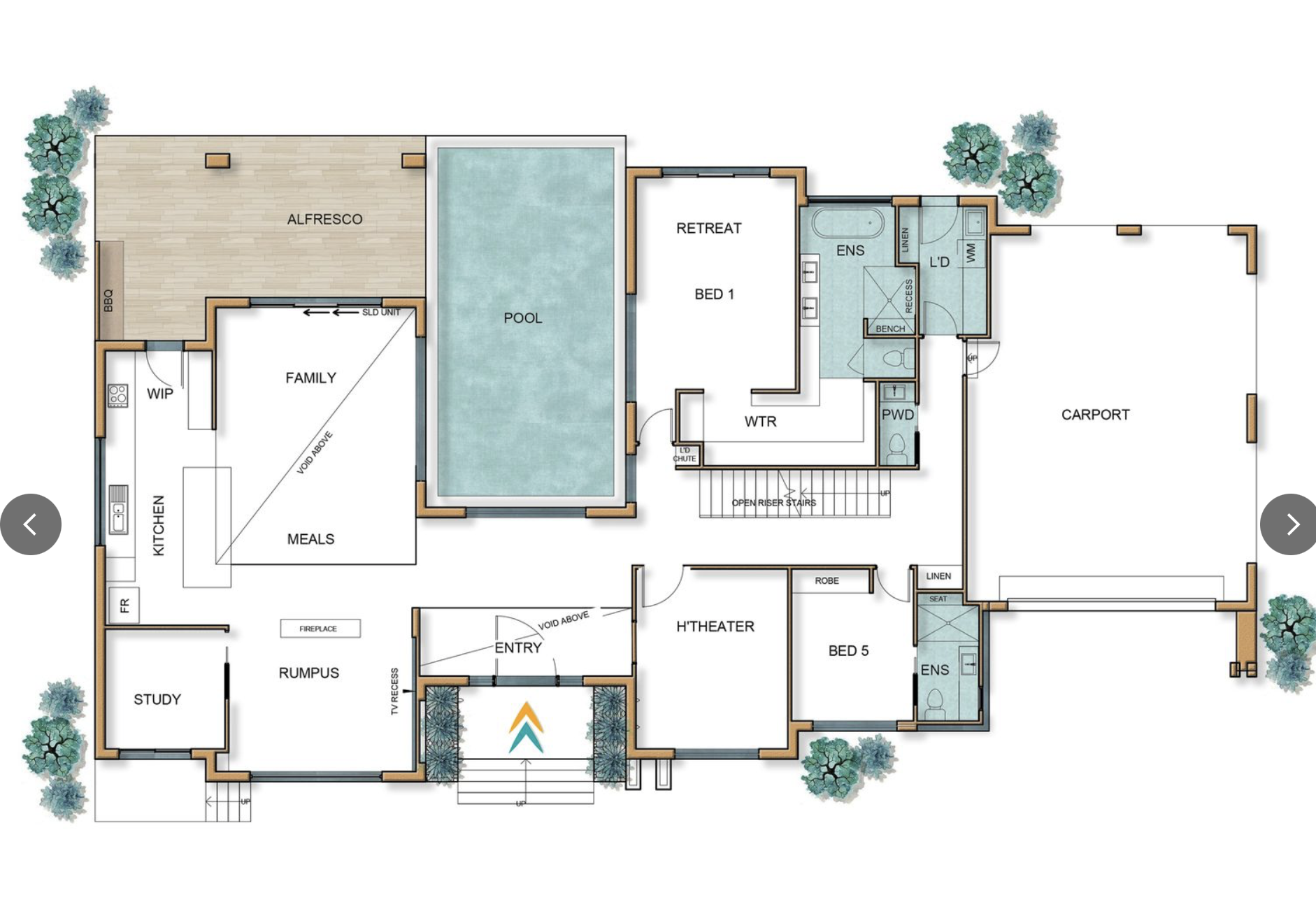
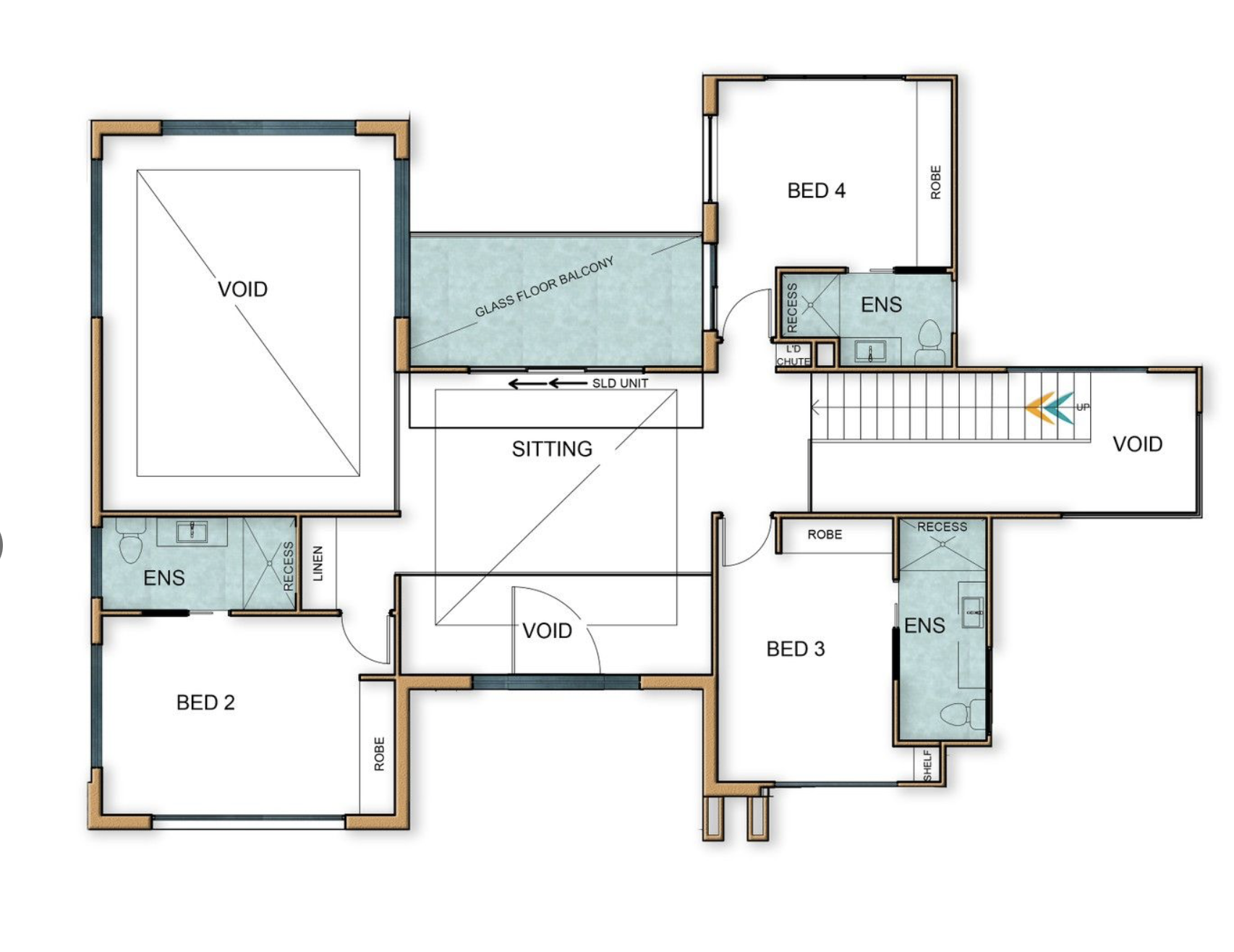
Did you spot it?
Downstairs has everything I need: the master bedroom, the kitchen/living, and the cat room (aka Bed 5). Upstairs has a beautiful sitting room (which I could visit any time I was healthy enough), two rooms for the kids, and a room for Chris’s home office.
In short, Chaloupka St doesn’t need a lift. Ding ding ding! That’s a winner baby! And if someone in the family other than me develops mobility issues, we can move them into the study. The study is of course perfect for Lizzie’s study, but if we need it for something else we can make an adorable study nook under the stairs (which are open).
Now, can you tell what one thing is better in Annabelle View than Chaloupka St?
Chaloupka doesn’t have a windowless library room (“gym”). Sad! We’d probably put quite a few books in the theatre room, and also just all over the place around the house. We can survive without a designated library room. It’s a tiny bit sad not to have our own library, so Annabelle wins on this one.
Annabelle’s theatre room has about 10 plush chairs in it, and Chaloupka St has “only” four. So Chaloupka wouldn’t be nearly as well suited to medium-sized film events (only small film events). However, honestly I’d usually feel more comfortable watching stuff with four chairs for the four people that actually live in the house. Easier to heat, too. Conclusion: Another dead heat. (Chaloupka street has cool tiny starry lights in the ceiling, which I like too). It has a window, which is bad for screens but it has a gorgeous view, so it’s worth it.
Annabelle View technically wins on the ‘best view’ front but only because the reserve is literally across the road (and has a river, which is wonderful… but also probably a flood and bug hazard). The view from Chaloupka St is truly spectacular. It is on a corner with Maymuru St, which is 100% the best and highest street in Whitlam. Chaloupka St also has views in two directions instead of just one. And it has pretty rocks on the near hillside. The view from the kitten room is particularly exquisite even from the ground floor. And the sitting room is oriented perfectly to frame the view. I literally just want to sit there. Winner: Annabelle, but barely. And the view from the master bedroom looks over the backyard pool (excellent) plus some bonus hills in the distance—while also being private. Impressive.
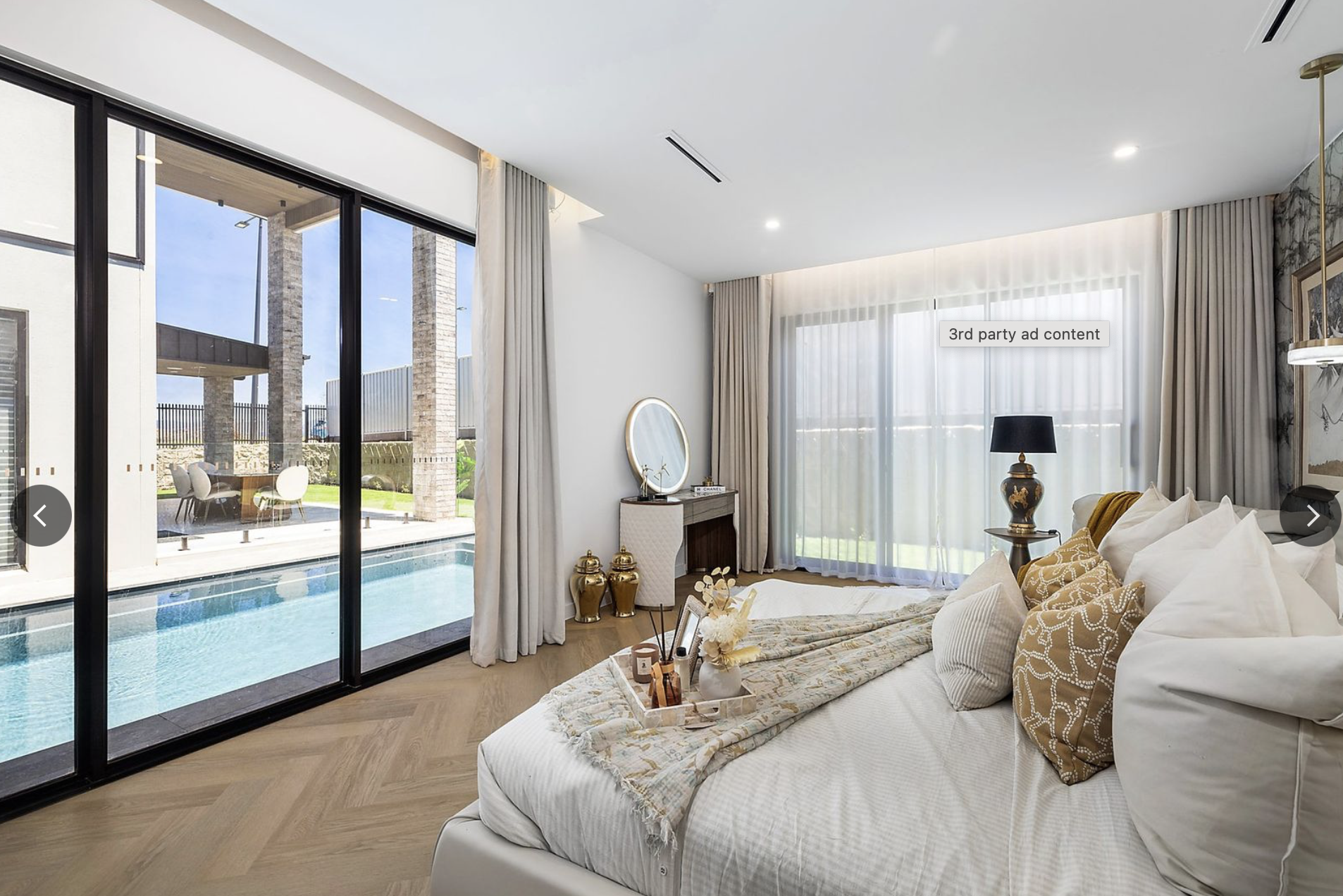
I think the master bedroom’s privacy can even out the reserve proximity, making this a dead heat again. Which is AMAZING because this is the view from Annabelle View:
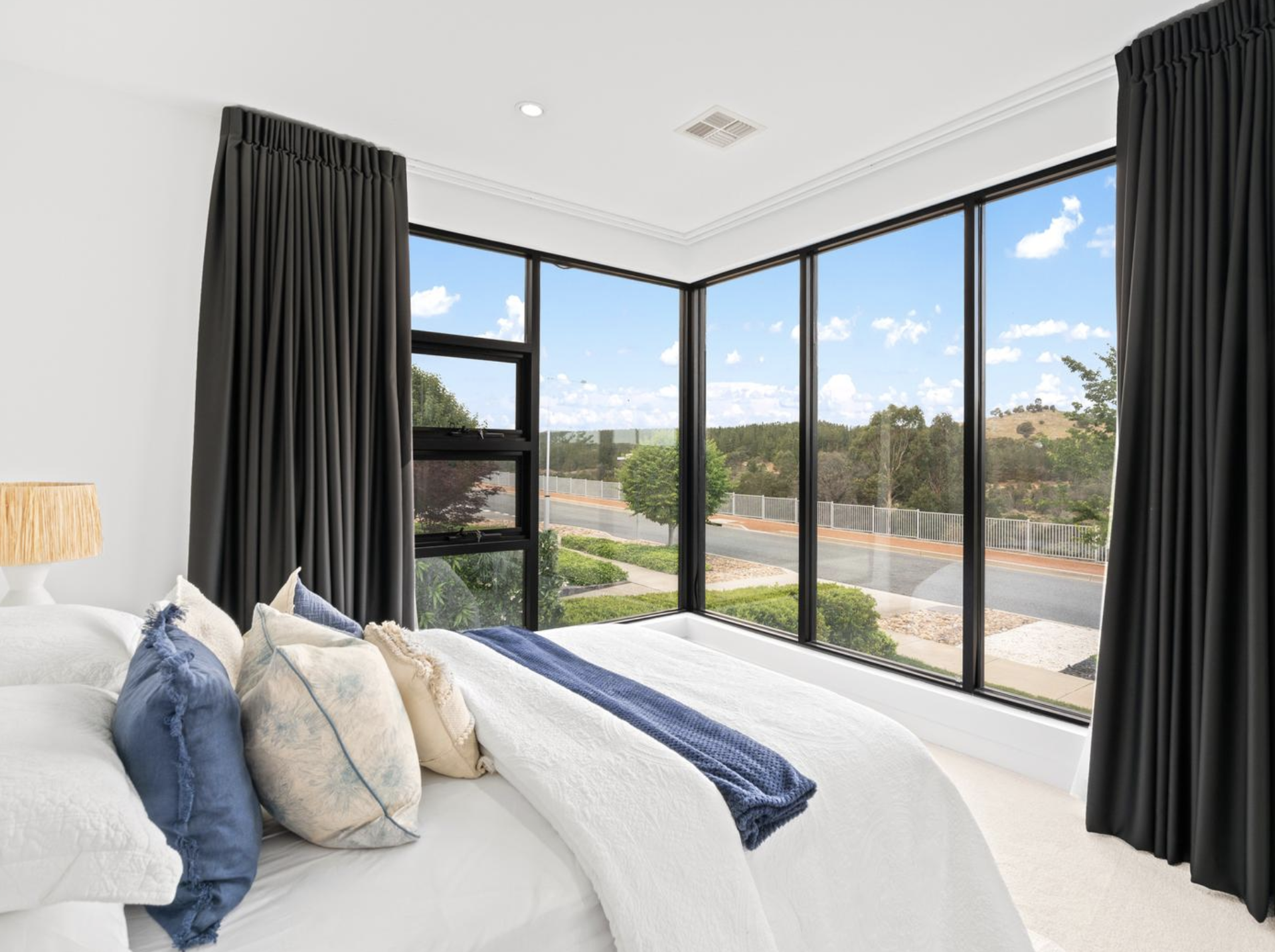
Even I can hardly believe Chaloupka St (or anywhere) can equal THAT.
Flooring-wise, Chaloupka wins again. It has hybrid floors instead of wood (safer for my unco family) AND the kitchen and bathrooms are tiled (YAY for common sense).
The walk-in pantry at Chaloupka St has a double sink and dishwasher, and the bench has one sink (an unusually big one, which is cool).
Speaking of the kitchen, remember our 90s goth girl theatre kid designer? Observe her taste at play:
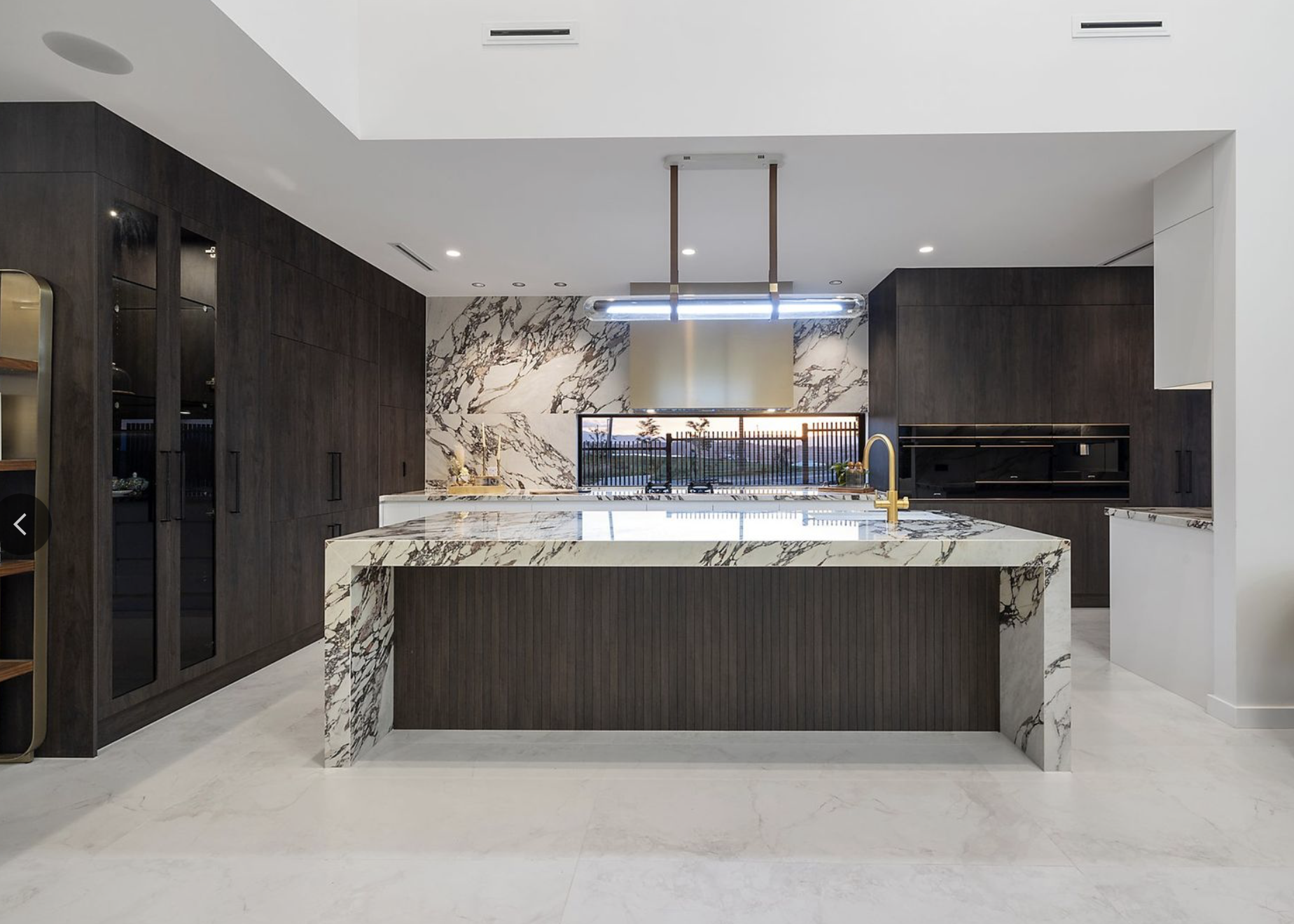
That’s my drama queen.
Oh! I forgot to mention. The walk-in pantry has a glass door leading outside. ie it has a window AND a door. Perfection. And that left-hand wall in the kitchen pic above is SO GOOD for back-friendly storage (and plenty of it). The fridge is in that wall too… hiding.
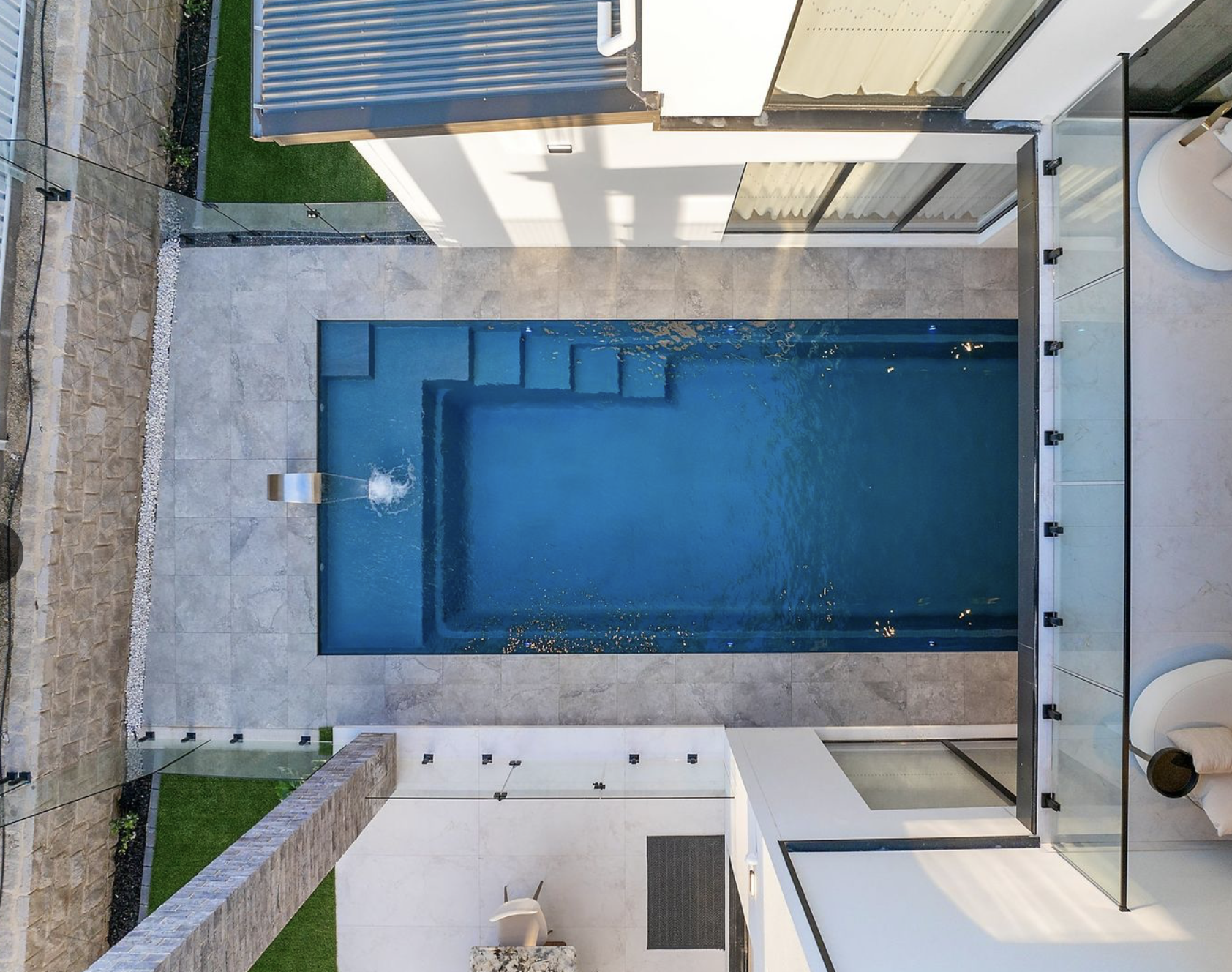
I adore that the pool is very much on show from the family room and from the master bedroom (and from the upstairs balcony). And from the front entrance. (Which, incidentally, is so big and so nice that it would be the ‘customer space’ for Tabby Time Cat Encounters.) This also means that the pool is almost sort of inside. With a gazebo and some blinds, it would be enclosed enough to be used year-round (I think). However, it is definitely not a swim spa. (The solution to this is to buy a separate swim spa and put it in the alfresco area.) It is also solar heated. And 7m long. With a waterfall. Pool Winner: Chaloupka.
There are three errors on the floor plan for Chaloupka St. First, the fireplace is on the wall, not in the middle of the meals/rumpus area (good.. also, fireplaces are cool). Second, the upstairs balcony does NOT have a glass floor (great). Third, there is no laundry chute. Sad! We opened the narrow cupboards downstairs and upstairs, and found shelves. Which is cute, but not NEARLY as cute as a laundry chute. We could either use it as an actual laundry chute (fun) or as a secret passageway for the cats to climb up. So I hope that the ‘floor’ of the upstairs cupboard is really just another detachable shelf. That would be so cool!
Location-wise, Chaloupka St Whitlam is obviously closer to our West Belco community (including schools), but not as close to Chris’s work. However, it’s a lot closer to Chris’s work than West Belconnen. He’d save about 20 minutes per work day riding his bike, but actually lose time taking the bus I think. And the nearest bus stop is much farther away, which would be annoying for both him and the kids. Although it’s only 400m away so it’s not a total disaster. Car-wise, Chaloupka St is fantastic—very close to the Glenloch interchange, William Hovell Dr, and Coppins Crossing Road (which has a new name now for most of its length, but whatever). It’s not as close to Evelyn Scott School, but if the new William Hovell roadworks include decent bike paths then it would still be possible for the kids to ride to school (whether to their current schools, Hawker schools, or Evelyn Scott school). So, the location is a dead heat again. Mostly thanks to being able to keep Hawker as an option for high school and college (probably).
Huh. I really thought Annabelle would win that one.
Oh! Annabelle View has gravelly spaces all along the street, where people could park (although they usually park on the street). Chaloupka street has trees planted on those areas, so much less parking… but on Maymuru St there is some parallel parking, which is obviously very useful. I reckon Annabelle wins, but only just.
Let’s talk laundries!
Ninety percent of laundries these days have a great bench… that doesn’t allow for top-loaders at all. This sucks, as top-loaders are often (not always) easier for people with bad backs, and always easier for absent-minded people (who can pause the load to add their favourite bra which they forgot to add because they were wearing it). The laundry at Chaloupka doesn’t have ANY floor space for a washing machine… because it has SHELF space. It’s designed to have the washer and dryer slightly raised off the ground (about 20cm), which is actually brilliant if it works. (It still wouldn’t fit our top loader, but I’d put the top loader in the garage and use it for cat stuff only, buying a new front loader for human clothes.) The Annabelle laundry is massive which is cool, but the Chaloupka one should work well too (and Annabelle has very slippery marble floor, which is dumb). They both have external doors, where a cat flap to an outside cat run should go. So, a dead heat I think.
Both houses fail to have a door to the master ensuite, which is dumb. They both have over-sized master bedrooms, which is great. Annabelle has two WIRs, which is cool, but Chaloupka St has those cute curved shelves, plus skylights, plus lots of silly but actually slightly useful features, like a pop-out mirror. And Chaloupka’s ensuite is bigger, which is important for that spa bath (and it makes a door less important as the shower steam is a long way away from the cupboard. BUT the door to the toilet is glass! Ew! Incorrect!) Although Annabelle has a door to the balcony which was eminently practical. Chaloupka has no good path from the pool to a shower: every path takes you over the hybrid floor. So we’d need a lot of really good bath mats, I guess. We can handle that. The living room is tiled, so that’s good for hosting kids’ parties without wrecking the wooden floor with moisture.
Chaloupka St has another emphatic win: Annabelle View has an energy rating of only four stars. Which is good, but not for such a new house. Chaloupka St has an energy rating of seven… even without window coverings in the foyer. That is a big win and very important.
Chaloupka St claims to be disability friendly, and I’m not sure why. The benches in two of the showers? The generous size of the many bathrooms? The wooden/textured walls in some places (good for the Hard of Hearing)? All those things are definitely good, but not enough to call the whole house accessible. There are two steps up from the garage, and loads of steps to the front door, so it’s certainly not wheelchair accessible. There’s no ramp or hoist for the pool. There’s no railings in the bathrooms. So, I’m confused. But very curious.
Neither house has a cat run. Tsk, tsk.
Neither has a spa bath or spa. (We have our beloved portable spa, but no inflatable pool will live forever.)
So those three things would need to be added, starting with a cat run because Zipper (our older cat) refuses to use litter but is willing to fertilise a garden. Both Zipper and Zoom would NOT adjust to being fully inside. Whitlam is a cat containment area, which is a good thing. Cats are so bad for native animals! And they need to stop breeding, too—every foster organisation everywhere is over-run.
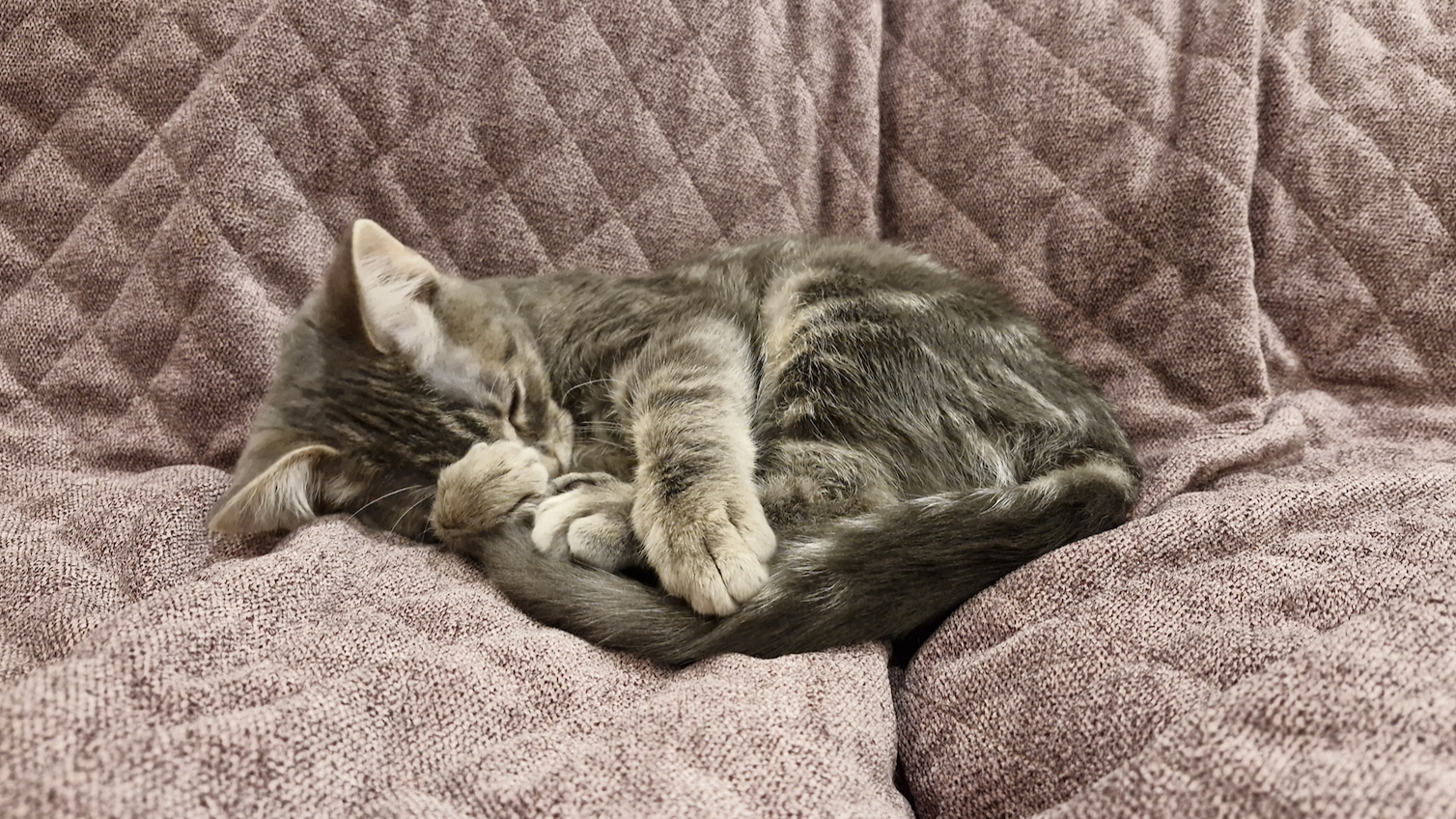
Foster kittens like Turtle (pictured) would enjoy a cat run, but they don’t actually need one.
I’d end the blog there, but…
I actually had a very odd experience with this house. I was looking at houses online, and 16 Chaloupka St Whitlam came up as a new listing. It had a price of $450,000-$2,000,000 (huh?) and instead of a description it had details about a grand opening for the display home. That grand opening happened in December last year.
I figured it was an ex-display home now for sale, and someone forgot to write a proper description. It seemed to indicate that it was still open on weekends, but it wasn’t clear. I caved and emailed to ask for clarification (they still haven’t replied).
Then, it vanished. First from allhomes, then realestate and then others. It’s still on Domain at the time of writing but I imagine they’ll remove it soon.
Chris used to look at display homes in Whitlam, but he said he definitely hadn’t seen it (even though he loves a house with a pool and/or a view).
I drove past it yesterday, and was pleased to see that it definitely does exist in the physical world.
Today I rocked up at 10am, hopeful. The pool waterfall was on, but all the lights were off. There was a display house sign, but no one else around.
It was raining. The street looked abandoned.
However, there were fresh muddy footprints leading up to the front door, and away again. Sneakers, so probably not a real estate agent. Someone else, like me, was trying to get inside.
I tried the door, and it was locked.
I tried the phone number on the sign and—surprisingly—someone answered! He said it would be open in an hour. So I went home, collected Chris, and went back. And we saw it! All of it! Actually, it was really nice to see it together.
Assuming it wasn’t all just a shared hallucination.
The real estate agent said it’ll officially be for sale in a few months, and they’re “accepting offers now”. So someone posted it by mistake I suppose. It’s real, and he assured me it isn’t sold yet.
I reckon the $450,000 figure is how much it would cost to build this house elsewhere, and the $2,000,000 is the approximate amount it’ll actually sell for.
Just don’t try and find it online—outside of the builder’s web site, here.
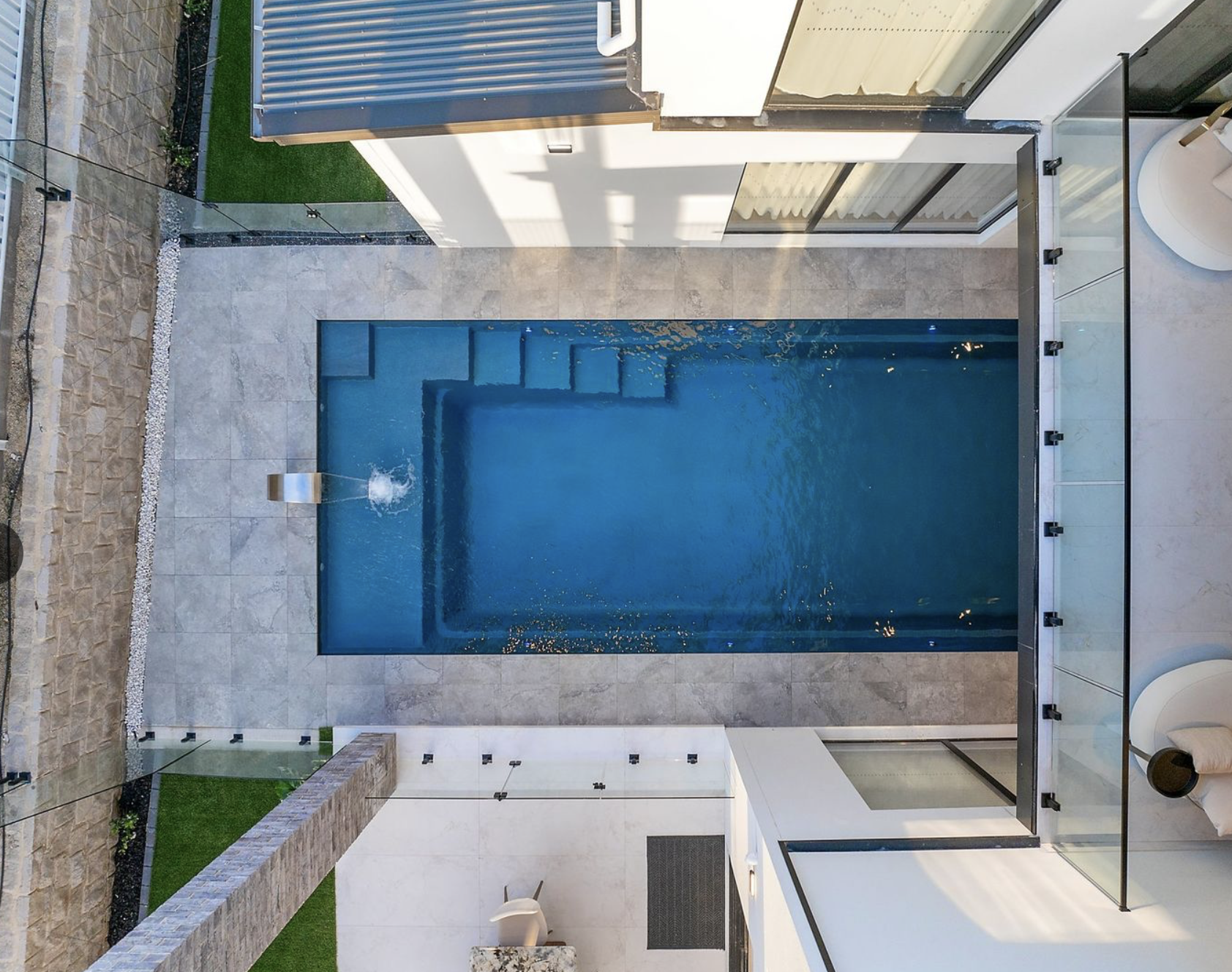
Pretty water! Yay!
Houses & Fashion Part Two
The two most prevalent fashions inside new houses these days are:
- Having a connected kitchen and living area (and usually the dining area too). As someone who gets up to fetch snacks during a movie, I love this. The down sides are: Firstly that kitchens are messy and this layout makes that mess very public. Secondly, kitchens are noisy (jugs, dishwashers, mixers, etc). To me it’s worth it.
2. Marble. I don’t hate marble, but there is SO MUCH and in my opinion it should never be on more than one surface in a room. And, more importantly, it should never EVER be used for flooring. It’s too smooth. Black marble is clearly ‘super classy’ in the minds of some designers (or just black generally). It’s certainly super dramatic, which I generally like, but it’ll show dirt way too clearly and (for those who care about that sort of thing) it will 100% date the house to this precise era. Despite this, a shocking number of bathrooms have marble floors AND floor-to-ceiling marble tiles. It’s too much!
This bathroom brilliantly manages to combine all the most extreme trends into one face-slapping monstrosity.
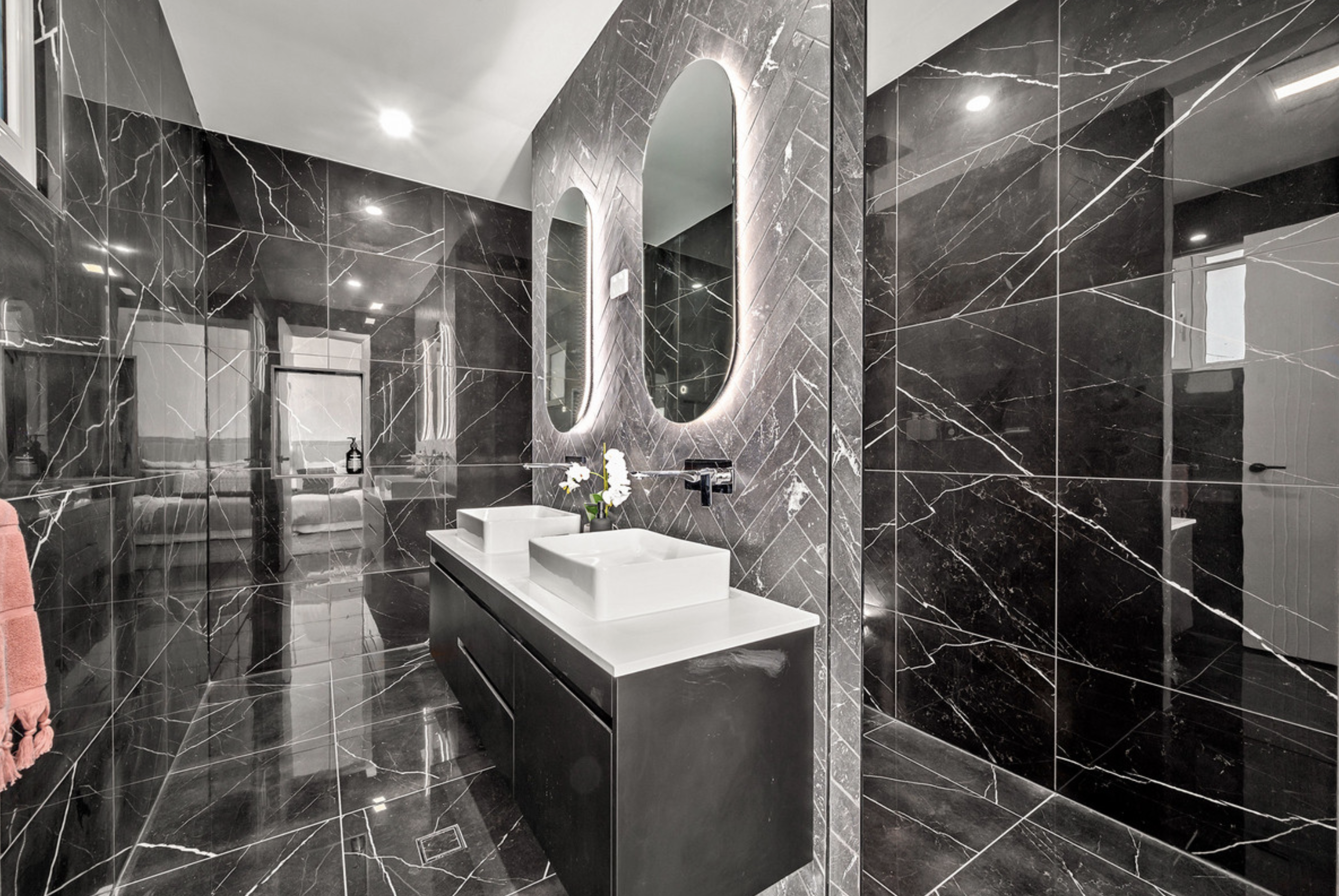
Not only does it look revolting, it’s so reflective that it’s a little like trying to navigate one’s way through a goth mirror ball. It’s genuinely dangerous (especially if you have to take your glasses off to shower, and therefore can’t see very well in the bathroom). But at least when you smack your face into the shiny shiny walls you’ll know it was fashion that killed you.
The trend of floor to ceiling tiles is good, however. It’s practical in a bathroom, and I appreciate it. Ditto the ‘floating’ vanity thing—SO much easier to clean than the vanity with an annoying gap on one or both sides.
Another trend related to the two items above is the trend to have a walk-in pantry. It’s obviously related to the trend (several decades old) of having a walk-in wardrobe, especially in the master bedroom.
When I first started looking at houses, I was dead-set against WIRs. I hate all corner cupboards! Corners are bad! I love a kitchen where people have carefully designed it so there are no corner kitchens (eg by using that corner space for a cupboard facing in the other direction). I am very large and very uncoordinated (to a medical degree) and it hurts for me stand up for more than about twenty seconds. So (a) the slight awkwardness of retrieving something from a corner cupboard can turn to a dangerous ordeal (think I can’t seriously injure myself doing a simple task? Think again), and (b) if I’m in a WIR and someone else wants to access their clothes, I am trapped in a standing position until they move, which means they are directly causing me pain. This is not helpful for family relationships as I feel like I’m getting tortured.
There are some enormous WIRs out there, and I’ve been won over. Some have chairs, which is excellent. Some are so big they have a table in the middle for wanky white guys to display their cuff links and/or watches. Those I hate: it’s a barrier to movement, and if there isn’t a full metre of space between the table and the cupboards then I’m claustrophobic again.
I really like WIRs with a window, open shelves, and full-length hanging space.
WIRs are often used as a buffer zone between the bedroom and the ensuite, which is excellent because ensuites turn real nasty real fast if your loving lady wife is laying bricks loudly exactly 70cm from where you’re trying to sleep. In my view, the perfect main bedroom has a ‘flat’ cupboard with the ensuite behind it, like this:
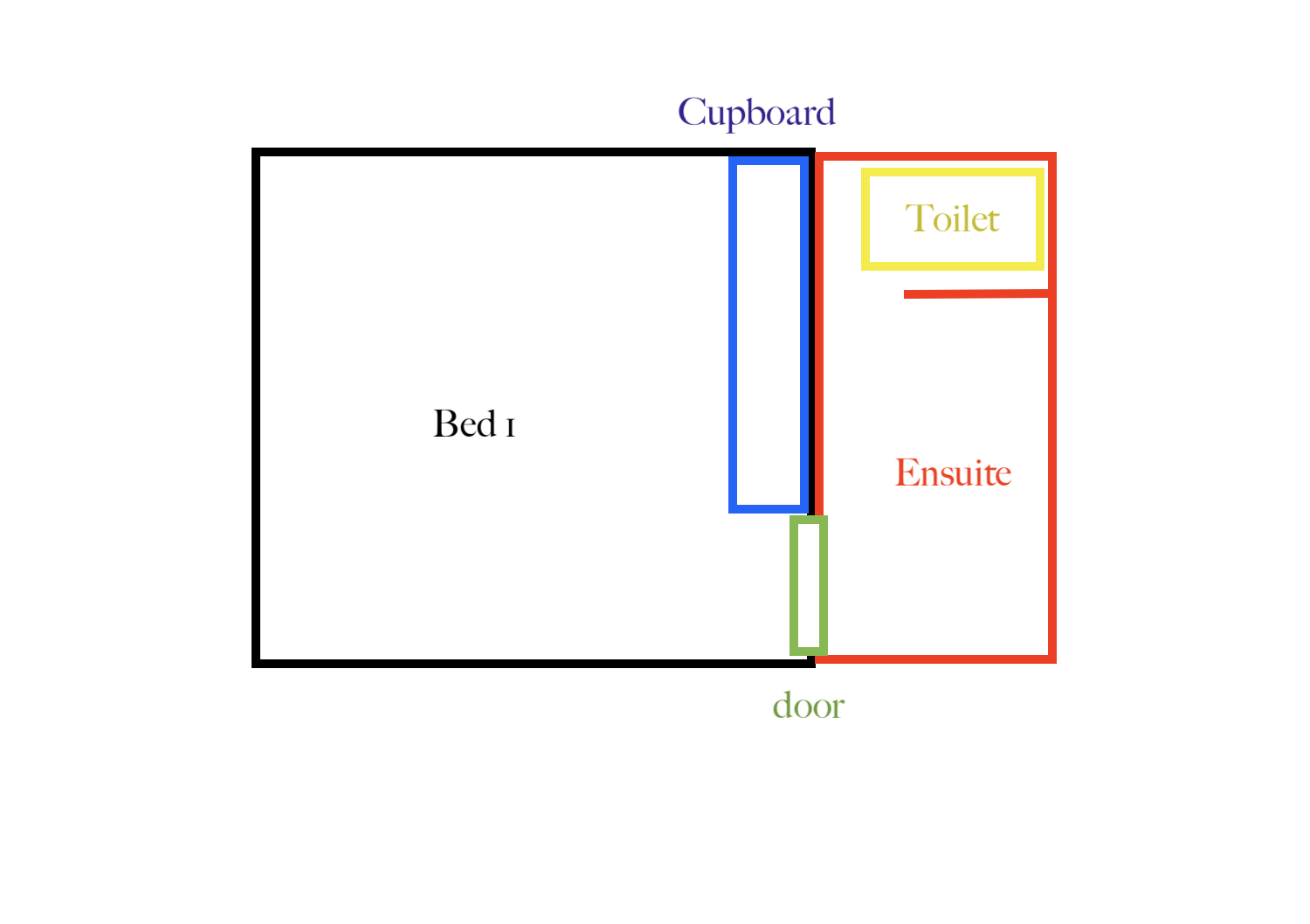
In practice, Chris and I hang most of our clothes on hooks. We like to be able to glance at them all (and I get tangled up in coat-hangers with remarkable speed). So for us the cupboard would have shelves for part of it, but no doors. Doors get in the way.
(The trend to leave doors off an ensuite, however, is simply wrong. Ew. For hygiene reasons, and for steam-from-the-shower-getting-into-your-carpet-and-clothes reasons.)
I spend a LOT of time in bed, so ideally the master bedroom has a nice view (so I can feel less imprisoned if I’m bed-bound) and total privacy ie the window is into the yard, not the street. And/or maybe tinted? That would be super cool.
In a perfect world, every single bathroom in every single house is wheelchair accessible. But even the most luxurious bathrooms rarely are. So at least the main toilet and bathroom should be—for guests, if nothing else. Because disabled people shouldn’t have to request a detailed floor plan to decide if they can visit their friends’ houses. And because everyone who lives long enough WILL BECOME DISABLED. Having at least one fully accessible bathroom in every home should be international law.
Going back to the topic of walk-in pantries… at first I hated them. More corners, bleaugh! But I have warmed to them, because you can put the noisy devices in them AND your dishwashing sinks and dishwasher… and then suddenly the kitchen’s noisiness AND mess is magically much improved. More importantly, if the walk-in-pantry has a door that looks like the rest of the cupboards, it’s a secret room. Every house should have a secret room!
I once saw a walk-in-pantry that had a door to the laundry room at the other end. I liked that a LOT because it would massively reduce my claustrophobia. Plus I adore circuits in a house. The more circuits the better. A window in the walk-in pantry is very helpful (for my anxiety) too.
A lot of modern kitchens have an island bench, which I love. It’s a barrier to stop people wandering willy-nilly into my space (I get super stressed cooking because there is time pressure plus the claustrophobia thing, plus pain from standing… even though I also love cooking). It also naturally gives me an escape route: if someone comes around one side, I can exit the other way.
Some island benches have the main sink on them, which is bad. It means all the dishes would be on the bench, virtually on display (and making it useless as a working surface). However, having a non-dishes sink there is great. Handy for grabbing a glass of water or washing hands. Assuming one can train one’s family not to put their dishes directly into that sink.
I HATE island peninsulas, because of course anything that makes me more trapped in the kitchen is bad.
Kitchen floors should probably have tiles (ditto bathrooms). Three-quarters of my immediate family is both uncoordinated and has medical-grade memory issues (eg ADHD). So yes, we will spill water. And yes, no matter how hard we try, we will not always remember to mop it up immediately.
I adore wooden-look floors, AND they’re not as cold as tiles, which is excellent. It’s particularly important as my daughter is not super in touch with her own body so her feet get extremely cold but she usually refuses to wear shoes, slippers, or socks because of sensory issues. She’s so unaware of her own cold feet that she gets chilblains! Not okay! So MAYBE whatever the very very best non-vinyl (because vinyl feels cold) wood-looking floor is would be best for our kitchen/living/hall.
(Most bedrooms have carpet, which is usually good unless you want to use them for someone who has severe mobility issues, as the friction of carpet makes movement a lot harder.)
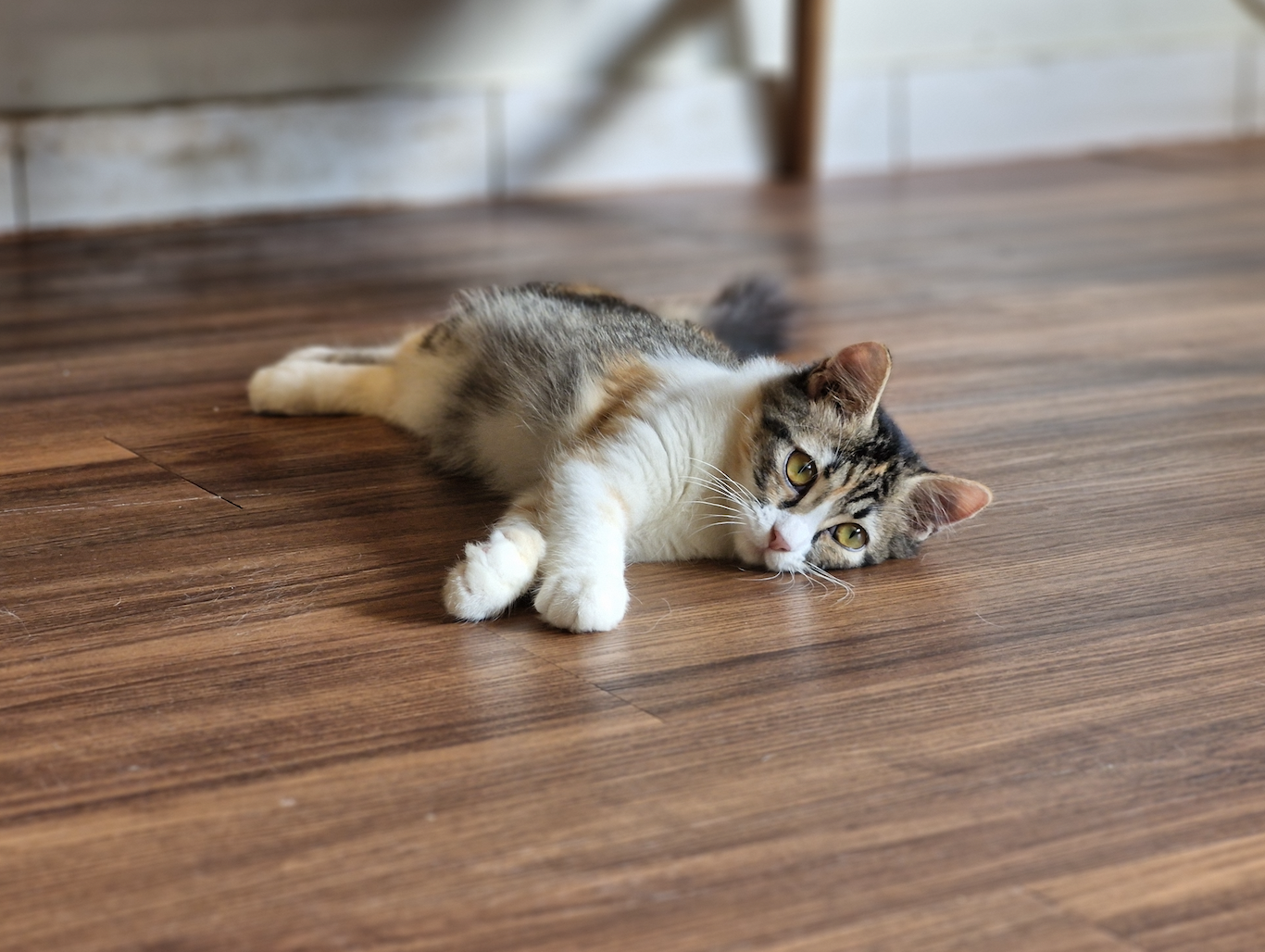
I’d also like that fake-wood floor surface for my cat rooms, because cats look GORGEOUS on wooden floors… but they also spill water, throw up, etc a lot so it needs to be extremely waterproof and able to be mopped. (Carpet holds a lot of sins, including the incredibly resilient ringworm fungus, so it’s a very bad choice for a cat-fostering or cat-encounter space.)
So! A perfect kitchen has waterproof yet warm floors, an island bench with a sink, and a large walk-in-pantry with a secret back entrance, window, dishwasher, noisy devices, and dishwashing sink (and it had better be a double sink with a draining space because that’s the most practical thing).
A perfect master bedroom has a cupboard in between the room and the ensuite, so the toilet is as far away as possible while still being close. I like a high window that lets in light (and a view of the sky) without anyone being able to see inside. And full privacy but with a great view from the bed. It should also be a reasonable distance from the living room, so other people’s TV watching doesn’t disturb you. That’s true of all the bedrooms, of course, but in my opinion kids’ rooms should be modestly sized (bigger for kids with ADHD or mobility issues) and not toooo nice because that just builds up expectations that may not be met when those kids grow up. Because one of the hardest things for my generation (elder Millennial) onwards is living in a house smaller than the house where we grew up. Being worse off than our parents despite doing the equivalent amount of work is incredibly depressing. Which is not the topic of this blog, thank goodness—too sad.
Moving on.
To me, the perfect bathroom (and kitchen) design has a pale floor, white walls, and feature tiles that should be blue or green or both (water colours for the bathroom; the kitchen should have a different colour palette), with a mixture of ceramic and glass. I love that. And I have almost that in my actual house, which was built in 2012. Sadly, this particular style has gone out of fashion.
When designers aren’t adding fake wood (which I love) or marble, or pure black to things, they are ALL ABOUT DAT BEIGE.
Which is boring. Obviously. Also obviously, they’re trying to create a ‘blank canvas’ so the homeowner can imagine themselves in the house. Which makes sense. And it’s super easy to paint over beige. But still, boring.
I personally adore feature walls, which still appear sometimes in modern houses. I love deep, rich, heady colours that are far too potent for a whole room. They’re also great for photos, of course.
Speaking of bathrooms, our house has ‘lever’ style taps, which are sort of really great because they’re super easy to turn on and off. But I’ve realised they require a different sort of finesse: you need to veeerrrry carefully not put the lever up too high, or it splashes everywhere. So actually they’re a bit dumb.
But the dumbest possible thing in a bathroom is having a glass shower door that opens directly onto the door handle of the bathroom. (To be fair, we have this in our house and we haven’t shattered the shower door yet, even after twelve years, so yay us.)
I love:
*Wall niches.
*Internal ‘window’ holes from one room to another. (I love them even more outside, especially when they frame a view.)
*Arches, both inside and outside.
*Internal garages with two doors leading inside (options are fun and it instantly creates another circuit—and thus less claustrophobia, as getting in and out of the car is awkward and crowded and painful too). A double garage with one giant roller door is great, which I believe I mentioned last entry.
*Fabric walls. This is a rare and weird trend which is silly as the cats would shred them… but the cats would have so much fun climbing the walls, AND it’s great for people who are hard of hearing as fabric dulls sound. Hard to clean, though.
*More sinks. Sometimes it’s a kitchenette, sometimes it’s a sink niche in a wall near the toilet, sometimes it’s a bonus section of kitchen slightly separated from the main kitchen, sometimes it’s a ‘bar’. I love them all. Partly for convenience, but mostly because any space with a sink can become an additional laundry and/or kitchen. It is GREAT to be able to divide a house into a flat that can accommodate an adult child who can’t move out yet but wants independence. Or that can be rented out for extra income. Or that can be used as emergency accommodation (during fires, or for newly-arrived refugees, etc). More sinks means more freedom.
*Round or arched windows. Not particularly practical, but awesome.
*Secret passageways. Strangely, these have not appeared in any of the houses I’ve seen. (Or were they there all along, but SECRET?!?)
*Curved walls. The “Arte” display home by Prof Homes (currently open in Denman Prospect) is really excellent, with curves both outside and inside. Even a vanity has curved edges, and I love it!
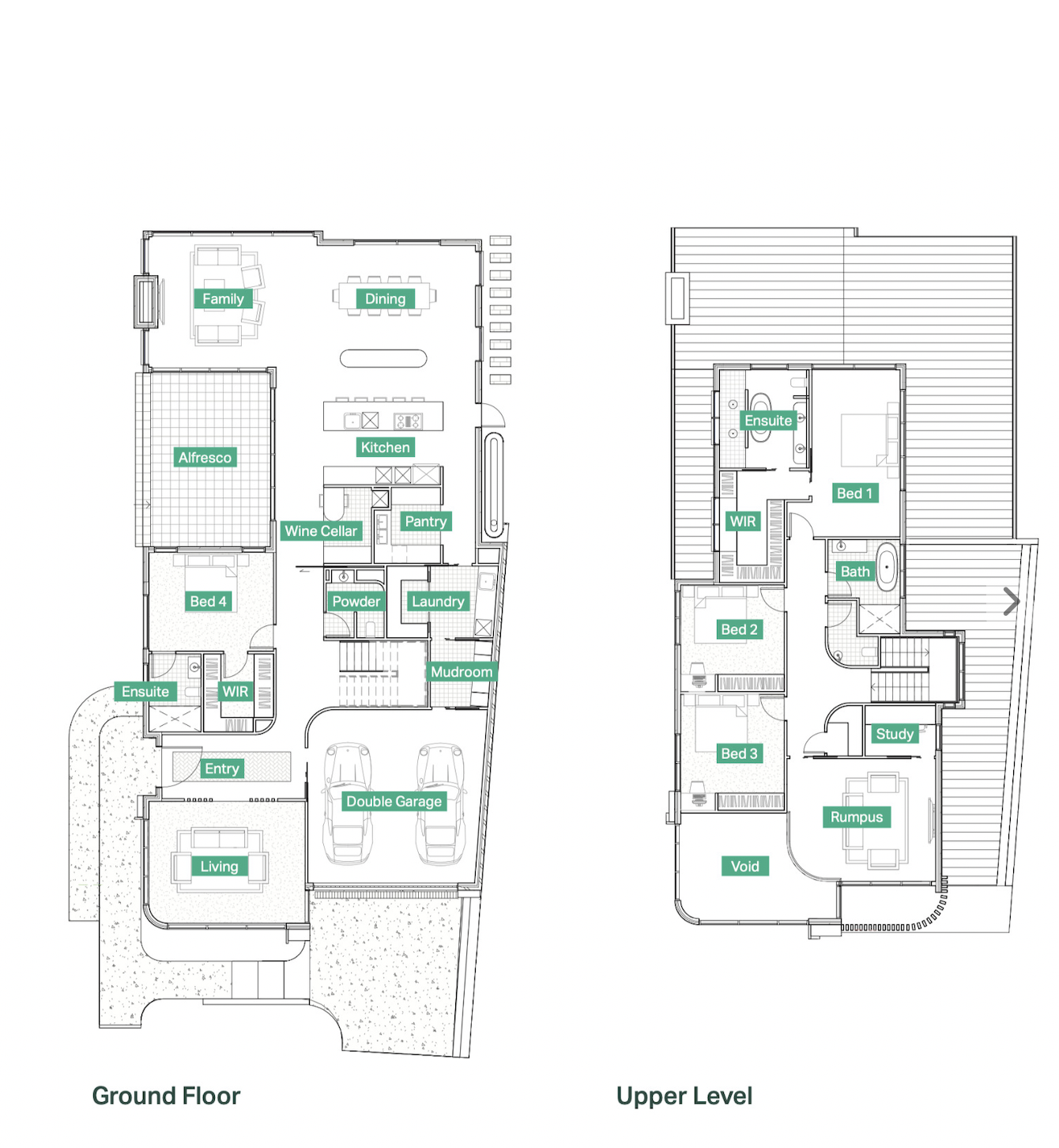
*Lofts. I love the feeling of being up high (although my body REALLY can’t handle stairs—and both my kids have hyper-mobility, so stairs are bad for them as well) and I love the funny little nooks you get at the top of stairs, and I love it when a living area has a room above it with an internal balcony. I also love a murder hole. In medieval castles, these holes overhang the entry so defenders can pour boiling oil over invaders. In modern foyers, there is often a double-height section which gives a feeling of grandeur but could also potentially be used to pour boiling oil on unwelcome guests. I love that! Both the grand foyer thing, and the hint of an ancient castle. It warms my fantasy-novel-writing heart. And would be terrible for the next time Canberra is the site of a major smoke event. I really like split-level rooms for that ‘high-up’ feeling as well, but they are so bad for me, because of the stairs—and they are really inefficient space-wise.
The Arte house does the loft thing really well, with a rumpus above the ‘formal’ lounge room. This is the view from on high:
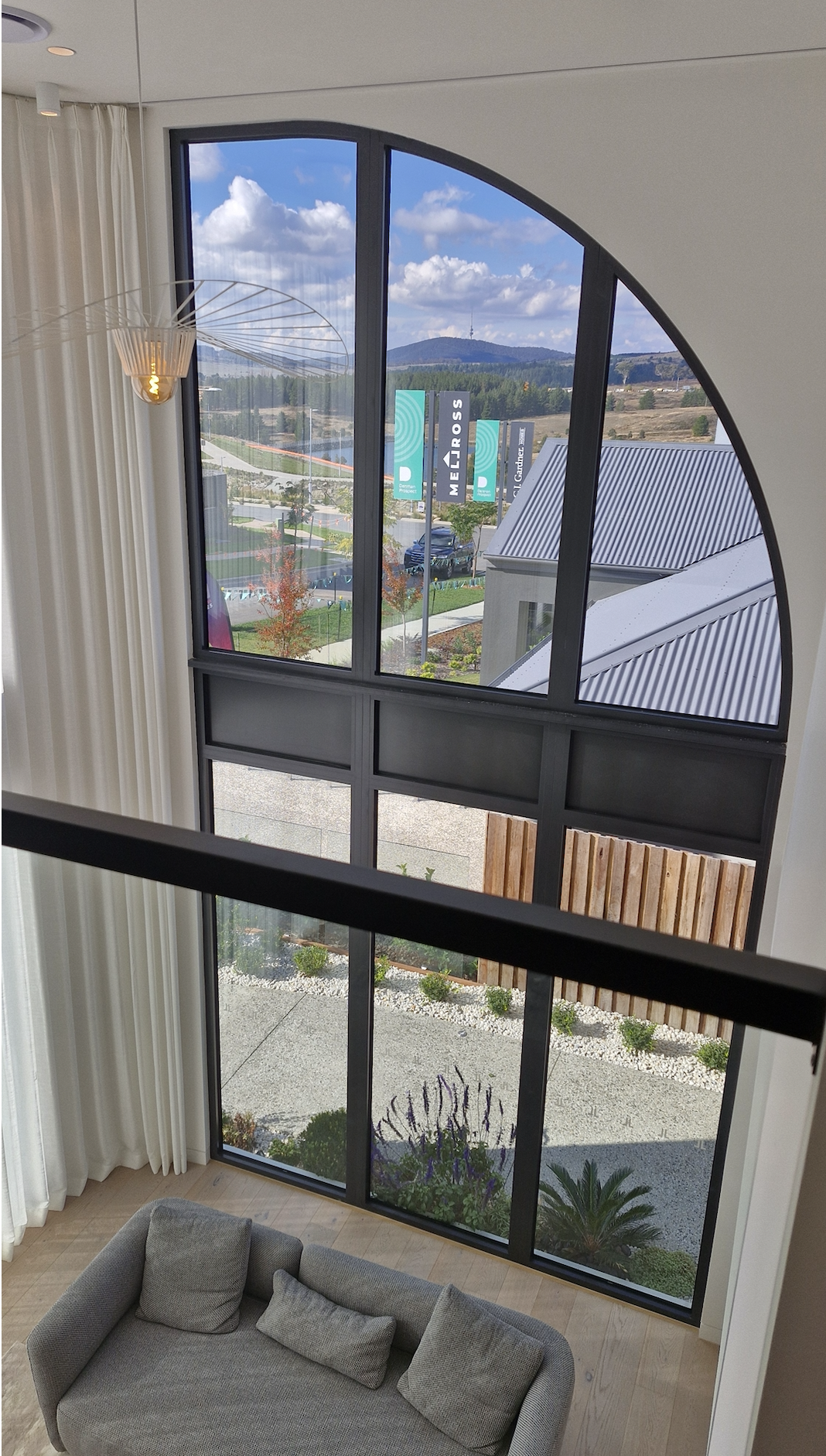
I was finally resigned to refusing all dream houses with stairs when I discovered that Chris also adores stairs. So they’re back on the menu, boys! Of course that means I need a space for a lift, and a spare $100,000 or so to buy it. But cats also adore racing up and down stairs, which is fun.
The other option is to buy a single-level house on a steep block, so you enter the house from ground level but the back of the house is well above the ground (and with, one hopes, wonderful views from the back windows). It should have the front of the house facing south, too, so the back (and lots of big open windows) faces north.
*Chandeliers are cool. I really like the French/art deco ones. A lot of modern ones are tubed fluorescents in unusual shapes. I don’t really like them as the fluoros are too bright and can cause migraines for me. But I appreciate the creativity.
*They’re probably terrible energy-wise, but I love high ceilings, especially slanted, especially with high windows (north-facing, one hopes!) for indirect sunlight and glimpses of sky. I also LOVE skylights that show the sky.
*A lot of houses have an electric ‘fireplace’. I love that. The cats and kids would love it too.
*Quite a few houses have a ‘theatre’ room which I adore as we are an extremely screen-oriented family (sometimes it’s the only way to self-regulate the neurodiverse mind). A theatre room could also be a brilliant business space (cats & movies = perfection) or fundraising space (a movie fundraiser in my home would be quite cool and also extremely easy for me to run).
*Obviously, I love views. I have decided there are four types of views: City lights at night; greenery (eg a lovely enclosed backyard with great plants); hills (near enough to see trees and grass and maybe pretty rocks); water views (either a pool/water feature or an ocean, lake, or river); and mountains (distant grandeur that changes with weather conditions). My heart leaps when I see a pretty hillside, so that’s the most important type of view for me. I like a really nice tree too—lots of beauty for very little maintenance. And I’m obsessed with sunsets, so although west-facing windows are terrible for someone like me who’s super sensitive to heat… I want them. I have a portable spa outside in my real house which I use several times every week. Spas were originally invented for the relief of chronic pain, and they are GREAT. It also forces me to sit still for at least half an hour, without a screen. Just looking at the water makes me feel good, but I always face west (past our DIY cat space and the power lines) and cross my fingers and toes for a great sunset show. This is my happy place.
*I’m always enchanted by a pool, but I live in Canberra so it needs to be (a) heated, and ideally (b) literally inside. I guess the perfect pool has one of those roofs that can open and close, and cafe-style clear plastic blinds that can be down in winter (to keep heat in) and up in summer. And it should be a swim spa, so I could get actual exercise in there, but big enough for the kids to play in with their friends too. This was another idea that I’d decided was simply too silly until it turned out that Chris loves a house with a pool (“If we’re looking for a fantasy house, then it has to have a pool”). And yes, I’d like it to be visible from inside, because looking at water always lifts my spirits. With a fake waterfall over rocks! Bonus points if you can convince moss to grow there.
*And I want a spa bath, because although I still use our outside spa in winter I know it’s a huge energy drain to heat it up (the portable spa takes at least six hours to heat, so sometimes I’ll turn it on first thing in the morning but it still won’t get hot enough to use), and it’s VERY hard to get myself to get out of the spa when it’s super cold. Plus a spa means having to shower afterwards, whereas in a spa bath there’s no chlorine so I could actually just go to bed afterwards.
At the moment, my favourite house is 55 Annabelle View, Coombs. Coombs is a good suburb for us, as it’s close to Chris’s work in Woden. These days he spends at least two hours every work day going to and from work (either by bike—much kudos to him—or bus). It’s also close to his parents, which is a big plus as we see them at least once per week. And it’s still on the Western side of Canberra, so hopefully we wouldn’t lose our entire West Belco community.
It’s close to a high school (good for Tim) and in Primary Enrolment Area for a college that’s right next to Chris’s work. It would be weird for me to live on the South but I’ve done it before (we lived in Farrer when we first married). The Molonglo Valley district is funny because one suburb—Whitlam—is North side and the rest is South. There are bus stops on that street.
Anyway, it’s an enormous house which has a theatre and a pool and the most beautiful views ever. I think that hill is Bold Hill, and there are more to left and right. With bike paths, that we would all definitely use.

The Molonglo River is RIGHT THERE—this photo has the river on the right and the house (white) on the left. I think the gravel road is a fire access road. And there’s a half basketball court, which is awesome too! Tim got into shooting hoops during lockdown back in 2020, but of course our dinky little hoop is far too small for him now.

It’s somewhat boxy-looking, but I could have someone paint cats directly onto it, which would be cool. Assuming Chris let me, lol. It has a massive laundry (a great full-quarantine room) plus a large rumpus room which would be a great room for customers to meet cats, especially as it has a toilet nearby (I empty kitty litter about six times a day sometimes, and it’s very difficult to carry litter leavings through a door when kittens are clamouring for attention/escape) AND an upstairs guest room with ensuite (great for soft quarantine). Plus a large master bedroom with a huge ensuite (big enough for a spa bath MAYBE—the floor plan is wrong; there is no bath there so far) and huge windows looking at that amazing view. And a theatre room with a SINK (ie kitchen… which I’d use for washing cat dishes separately to human dishes… and as part of a separate flat when someone needed it). And it has a library room (the gym, which has no windows because it’s basically underground) with a wooden floor *swoon*. And a pool which I think is a swim spa. And two balconies, one of which has a door into the ensuite and is above the garage (so should be strong enough to hold a spa). And the kitchen has views of the pool, and a giant island bench, plus a pantry with sink and dishwasher. And the master bedroom has a his-and-hers WIR, which is excellent. And the garage is giant, which would be helpful for storing furniture for refugee families before they arrive in Canberra. It also has a really wide foyer with a murder hole and a chandelier which I quite like.
The flaws include a steep driveway, too much marble in the bathrooms, marble on the left-hand balcony (extremely slippery and stupid), and real wooden floors which are probably not moisture-resistant enough to handle my family (I’d put rubber-backed mats down in the kitchen to try to keep it safe). It needs a lift (I’d put one from the garage to Bed 4) and a spa bath. I don’t think the pool is heated (but it is possible to buy pool heaters for an existing pool). I’d also put a lockable door in the hall to the left of the stairs on the ground floor, so if we wanted to host refugees we could keep completely separate (traumatised people from other cultures who don’t speak English tend to be a lot of work and we would definitely accidentally mutually offend each other). The cat spaces have carpet, which isn’t ideal hygiene-wise but obviously that’s not a fatal flaw. The ‘living’ room would make a perfect study for Lizzie—separate from the main room’s noise, but also public enough that we’d be constantly walking past and seeing what she was doing/watching. It has three ovens (good for either a tiny bit of cooking or a lot—I’d love to host big events sometimes) and an ice maker (great because my kids love ice). The family/meals area is super spacious without feeling so big it’s cold.
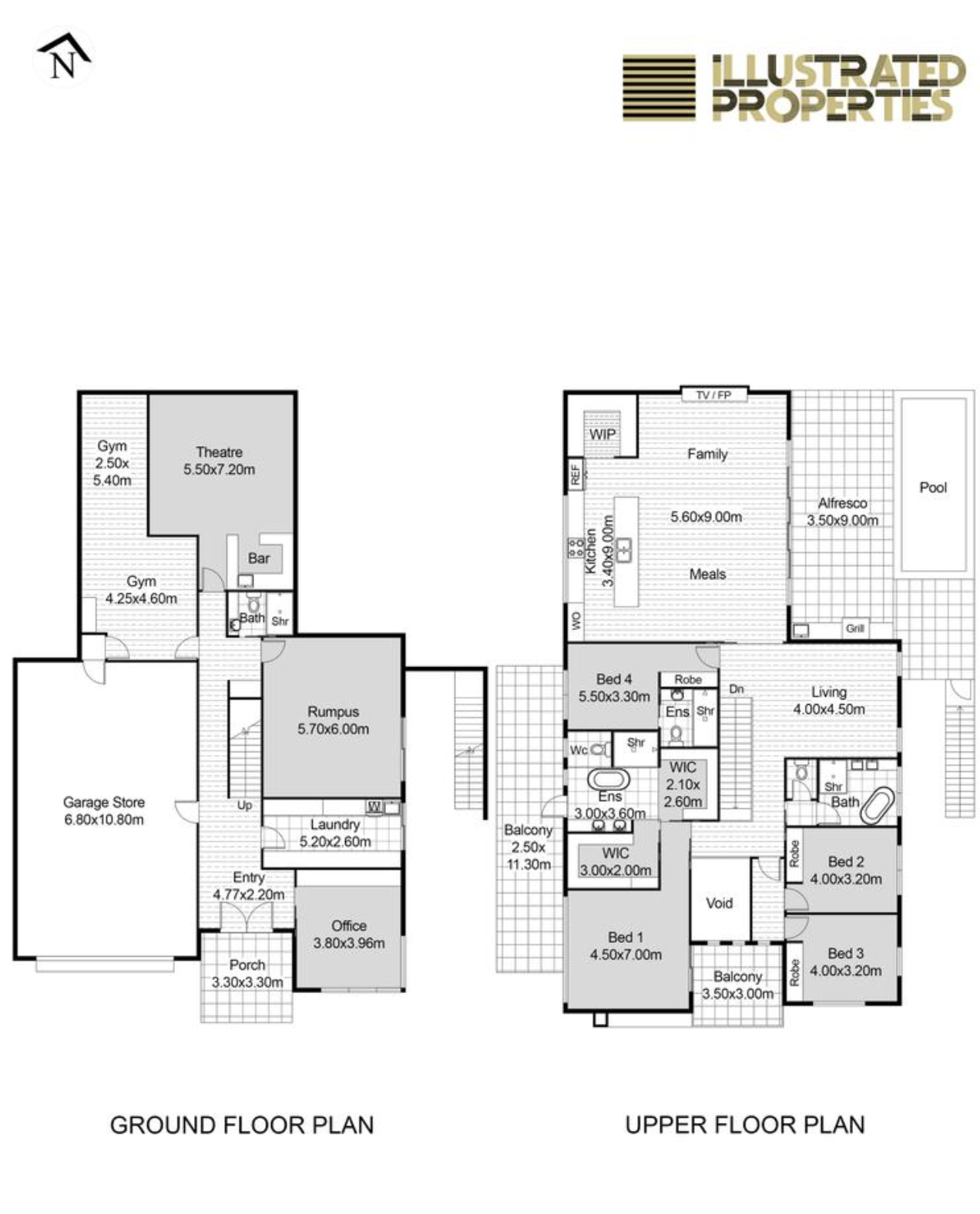
This floor plan has a shocking number of mistakes. North is to the right, not up (good). There is a large front window in Bed 1 (good), and no bath in the ensuite (good). There is no joinery in the office. There is a sink in the WIP (good). The ‘bar’ in the theatre room only has benches along the walls, not sticking out (which is good). But you get the gist.
One of the cool things is that, because the block is steep, the balcony on the left is on the same level as the pool. I could hop in the pool for a swim, have a spa afterwards, and not get any of the wooden floors wet in the process (or have to navigate wet stairs).
So how much is this mansion of a home (including theatre, pool, epic views, and small-business spaces)? According to online calculations, it’ll sell for about $2.3 million.
Lucky I believe in miracles or that would be super depressing.
Houses & Fashion Part One
I have developed a full-blown Autistic special interest in houses—massive dream houses specifically, but along the way I have found many things that I now vehemently believe are simply INCORRECT… or in some cases, wonderful and brilliant.
I’m a white woman living in the Capitalist Western World, so of course I have that most basic b*tch of basic b*tch longings: a bigger house. Many people in my generation will never have a house at all (thanks, billionaires!). I actually own my house, which is amazing considering that I am a Millennial AND someone who is disabled by chronic illness. (My husband Chris has a decent job, which obviously is crucial, and we both have financially stable parents who have helped us greatly in many ways. Also I used to have amazing self-control eg I didn’t buy ANYTHING baby-related when I was pregnant with my first kid, because I knew I’d be super tempted but also receive some gifts.)
Pictured: Things I buy unnecessary toys for frequently.
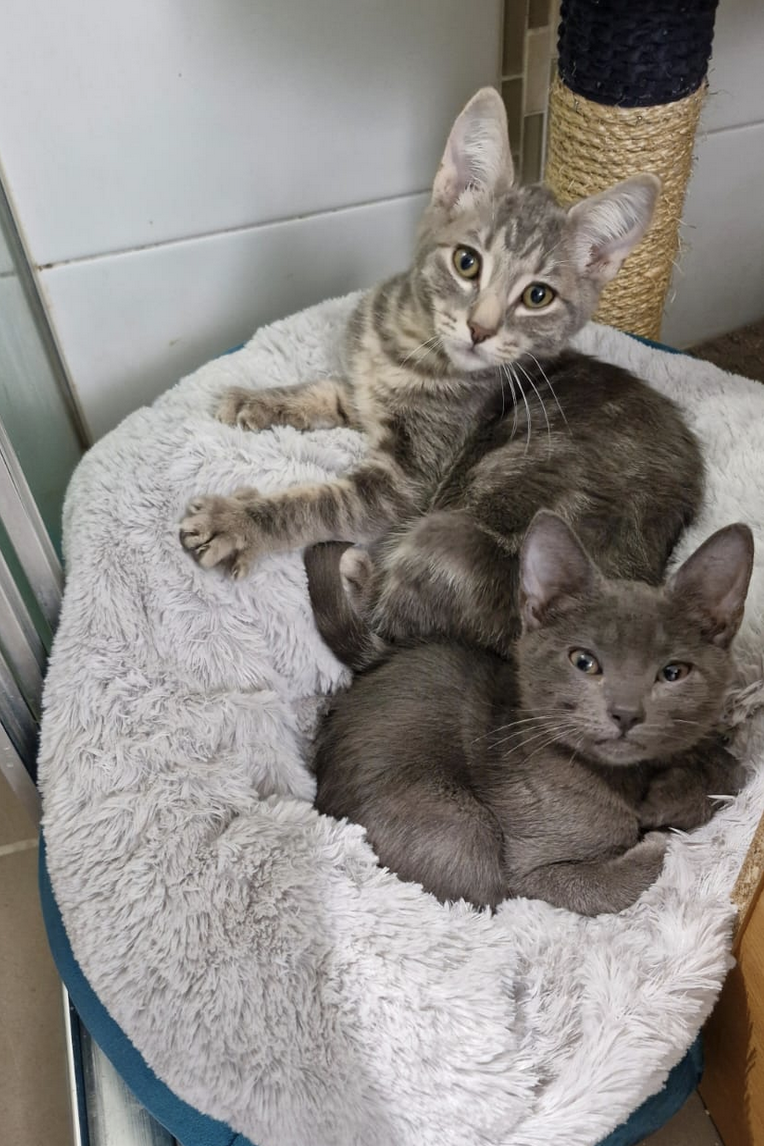
I literally dream of houses, quite often—it started before we bought our own house and continued afterwards. Despite that I felt guilty about owning a house at all due to my awareness of serious third world poverty plus the fact I’m living on Stolen Land. From the age of 12 to 24 I was going to live in Indonesia as an unpaid aid worker, and I’ve never truly resolved the inherent injustice of my privilege compared to some of the Third World communities I’ve known.
But in 2019 I had an epiphany that I don’t have to suffer in order to help others. That very much led to the Castle of Kindness Refugee Sponsorship Group (aka, staying in Australia while still helping the 3rd world). At the same time, I personally have many unmet needs due to being disabled, and part of the whole 2019 epiphany involved thinking about what kind of home would best support my own needs and gifts. I designed a ‘Castle’ where multiple families could live. It had a pool and two spas (one inside and one outside, for enjoying the views and the outside world), with two lifts leading upstairs, a free food pantry, and the capacity for medium-sized community events such as big-screen movie nights and cooking classes (multiple ovens), etc. I wanted it to be completely wheelchair accessible, with features for Hard of Hearing and Vision Impaired people too, as I’m very aware that disabled people struggle to find appropriate housing. And it needed to be close to a shopping hub, so newly-arrived refugees could walk to the shops easily. I am also very aware that most refugee families have at least one chronic health condition (often poorly understood, much as fibromyalgia is poorly understood) and usually sore muscles from stress alone (plus prejudices against mental health care that take time to overcome)—so the spas were not just useful to my own chronic pain, but would be a resource for refugees and other chronically ill people. This ‘castle’ would also be able to act as an evacuation centre for disabled or autistic people who are especially ill-suited to the usual evacuation centres. And it would be built to excellent climate standards, with solar (and a solar power battery for protection as the weather grows more severe), and incredible air filters etc for the next time Canberra has a major smoke issue. And it would look like a castle (or otherwise iconic), because that would be awesome.
Since I have seen miracles happen before (particularly the financial kind as I’ve always been a low earner), I confidently expected this ‘Castle’ to someday, somehow come into being. Most of the time I still do, even though it’s obviously a huge expensive dream that I’m entirely incapable of working towards in any financial sense. And quite a selfish one too, so perhaps God would choose not to make this particular miracle happen.
Every so often, if there was a big house for sale in my area, I’d go to the Open House and think about whether it would meet any of the goals of this longed-for ‘Castle’. Over time my dreams changed quite a bit-for example, I definitely DON’T want to share a house with anyone, no matter how big it is (although having a separate, lockable section for short-term accommodation for newly-arrived refugees would be EXTREMELY helpful). And now I’ve fallen deeply into cat fostering, I want specific things that would help with that (both in terms of hygiene and in terms of cat joy… and a customer space for a small business running cat encounters).
And I’ve looked at houses more and more, and found that my husband also likes looking at houses, and so does one of my best friends, and I have dived deep into current house/design fashions, and started becoming more and more obsessed.
So here we are.
The first, most obvious thing about modern houses is that a LOT of them have a flat roof and are shaped like a box. This gives an impression of clean lines and can look cool, but it’s SO DUMB and is going to make so so many houses look extremely dated.
They only possible reason to have a flat roof is to have a grass roof on top, and no one is doing that, so there’s absolutely no benefit to this weirdly pervasive trend.
Even a little bit of originality can considerably improve the look of a house. This is a house that recently sold, and in my opinion the offset look of the boxes improves it considerably (but it also means it’s split-level, which is very bad for anyone with dodgy knees or balance issues).
A lot of homes have a slant on one side, which keeps the boxy look so many people are apparently so fond of, but doesn’t go as aggressively as some houses (which are literally rectangular from the front).
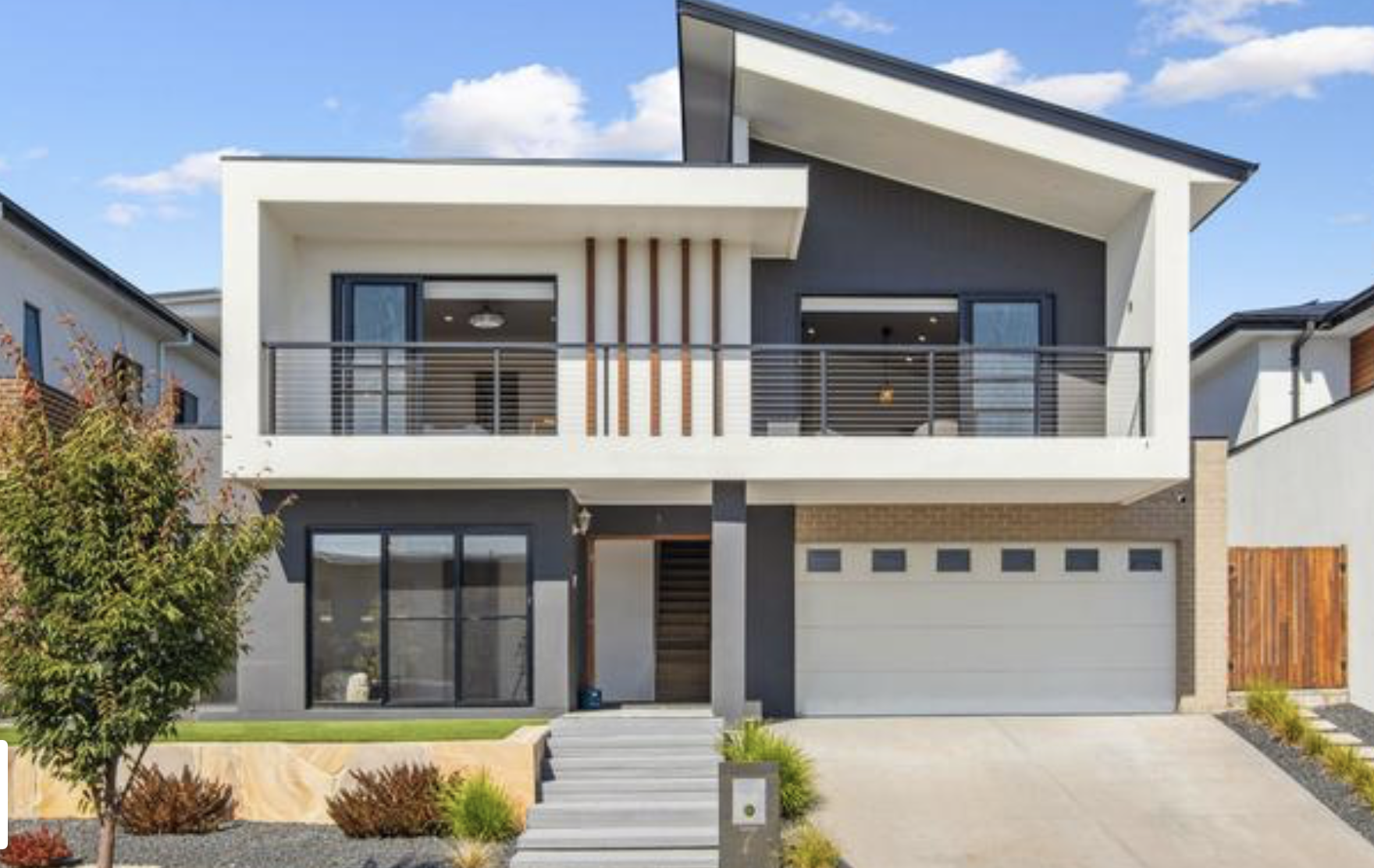
This particular house also demonstrates four other traits:
- Render: Render has been hugely popular in houses for a couple of decades now, and I confess I much prefer the ‘plain’ look of render to the ‘busy’ look of brick. Yep, I’ve fallen for the fashion. Also, you can draw on them with chalk really well, which is fun. And they improve your energy rating, which is good for the planet and good for your bills.
- White. There is a LOT of white in new houses lately. It is striking and looks super clean and new… for a while. I like the drama of a mostly-white facade, but I suspect I’d regret it in time (or just paint it another colour, which is a relatively easy way to instantly make a house iconic eg, paint it lime green).
- At least two textures. This house has white render, grey render, a bit of brick, and a bit of wood between the two upstairs windows. This is more than fashion—this is the law. Houses in new suburbs must have at least two textures. I actually like this, except when there are two feature textures next to each other, then I find it WAY too much.
- Wooden features are super cool, but also quite high maintenance. Worth it, though, in my opinion. I love wood. There are often stone or pretend-stone features, which I also LOVE. Wood and stone in the same building is great too, depending on what is where.
- Sandstone. In this case it’s the mailbox and a bit of retaining wall. There’s a lot of sandstone around and I LOVE it. Especially when the pieces are irregular rather than all rectangular. The only exception is if it’s placed somewhere that instantly stains (eg garden edging, where muddy water will run down over it).
Of course, the best thing about new houses is they have increasingly impressive energy ratings—I’ve seen up to 7.5.
So, in conclusion: Render is great; white is risky but replaceable; wood and stone is great if placed correctly; boxes are extremely stupid.
This is the way.
Houses are increasingly large on smaller and smaller blocks, which is obviously bad because it doesn’t leave enough green space for human well-being or for the well-being of the suburb (eg the entire suburb will be hotter in Summer and colder in Winter). And, the street frontage is much smaller too, in some cases making places an absolute nightmare as there is not enough parking for even ordinary life, let alone a party or event. This will definitely result in major fire damage at some point, as streets literally become impassable. Sometimes there is not a single visitor parking spot—no driveway, and a street too narrow to park on the street (except people still do park on the street, obviously). Ugh.
Garages doors often have windows or something that looks like wood. This is great as they’re a big part of the look of the house. (I really like arches, but I prefer a double garage with one big door because that’s just easier to get in and out.)
Beginner’s Interactive Fiction, Part Two: ChoiceScript in Half an Hour
“ChoiceScript” is a tool created by Dan Fabulich, used by the company Choice of Games. I am not associated or affiliated with Choice of Games in any way, but ChoiceScript is my preferred writing tool and I believe it is better suited to long-form stories than any other. It is simple enough for non-coders to use and complex enough to have a great range of clever tricks and features.
STEP ONE: Go to ChoiceOfGames.com, which looks like this (the feature story varies):

Click on “Make Your Own Games” (in the top row of tabs) and the next screen will look like this:
STEP TWO: Download ChoiceScript following their instructions on that page. For me it looks like a folder on my desktop.

STEP THREE: You will also need to have or install a text-only program such as Text. I use a power Mac and the text program I use is called Sublime Text. It is free (although I chose to purchase it after using it for a while).
STEP FOUR: When you download ChoiceScript, it has a small piece of story already set up for you, so you can begin writing by simply replacing their words with your own. To access it, open your ChoiceScript folder, then the “scenes” folder (highlighted in the first image below), then the “startup.txt” file (making sure it opens in your plain-text program). It may just be called “startup”.

Inside, you will see something like this (after scrolling down):

So that you can compare ChoiceScript with Twine, here is the exact scene we started writing in my Twine in Five Minutes entry—as it would appear in a ChoiceScript file. This is what it looks like in ChoiceScript after writing the first paragraph and first set of choices:

Note there are line numbers on the left. They will be extremely useful when you are debugging your story, as the automatic testers tell you what line your mistakes are on.
And this is what it looks like after we’ve added another choice INSIDE the second choice (the same choice we did in the Twine story). Readers only see the second pair of choices if they took the second path.
That’s as far as we got with our Twine story.
As you can see, indents are extremely important in ChoiceScript. So are the symbols “*” and “#”.
Note that the word “choice” is always written in lower case. This is true for all the commands that you will use in ChoiceScript.
Tip: Programs need precision. Commands must always be in the exact same form (no capital letters, ever, and usually no spaces). A tab or space in the wrong place can break your game.
This section of story won’t actually work yet. You need to tell the program where to go after a choice is made. Your options are to go somewhere else in the file (you can even go back to the start if you really really want) or to another file. In ChoiceScript, you have a new file for each chapter. You can even have entire scenes that are only read if certain choices are made. Usually, you end a chapter with “*finish”, and the story automatically goes to the next chapter.
So here’s the same story but with all the loose ends tied up. One choice leads to a unique scene. The other choice will go to the next chapter.
From here, you can test the story if you like. Click on “index.txt” (or “index”) from your original ChoiceScript folder and it will open up your story.
You may have to select the ChoiceScriot folder to run it. The story looks like this for the player:

STEP FIVE: Now might be a good time for a break.
Okay? Okay!
Go to the very first line of your “startup” file and you should see three commands, each marked by an asterisk.
*title
*author
*scene_list
Write in your title and your name, with normal capitalisation, like this:
*title Pirates!
*author Felicity Banks
Your scene list is the list of… well, scenes. You can easily add to it at any time. I tend to use numbers, with some part of the title so they’re different to all my other stories. If I have ‘special’ scenes I’ll give them special names. The scene list tells the program what you want included, and in what order. They have to be lower case, with no spaces, and numbers must be written out in full. The first scene must still be called “startup.txt”. That can never be changed. Here’s an example scene list for a story that has four opening chapters and three final chapters.

STEP SIX:
Now we get to the use of statistics—the mechanism the program uses to keep track of the choices made by the player. THIS is what makes ChoiceScript so useful. Don’t worry—you don’t have to do ANY maths.
In the second set of choices above, both “Get off the ship—NOW!” and “Take a moment to fix a direction while I’m above the waterline.” go directly to the next scene. So, what was the point of that choice?
As writers, we should add some text to the choice to make it more worthwhile. But we can do more than that—we can establish through the text that the player character gains an advantage and/or a disadvantage from this choice.
FIRST we need to invent the stats we want. In startup, after the scene list, we invent our stats and their starting value like this:
*create faster_swim 0
*create punched 0
Writing Tip: You may automatically invent familiar statistics, like Health, or Strength, or Beauty, or Intelligence. But Choice of Games loves unique and interesting stats, like “Disdain” or “Drunkenness” or “Introversion”.
Then, in our choice, we can change the value of those two statistics, like this:
Later (probably in the next chapter but it may not make a difference for several chapters), when we want to show the results of those statistical changes, we do it like this:
The player who chose to look around before jumping overboard gets this text:
The water is shockingly cold and shockingly dark. You get your bearings and face towards that one glimpse you had of land, carefully noting the position of the sun since the ship is not going to remain a convenient marker. It is impossible to see the land, so you’re glad you took that moment to look around before you jumped, even if you can feel your eye swelling shut.
You swim, setting a steady pace since it won’t be a short journey. Your eye is throbbing, so you tell yourself the rhythm is handy.
The sun moves slowly, slowly across the sky, and finally you can actually see land blurring the horizon ahead.
Something brushes against your leg.
The player who didn't look around before jumping overboard gets this text:
The water is shockingly cold and shockingly dark.
You swim, setting a steady pace since it won’t be a short journey.
The sun moves slowly, slowly across the sky, and even when it sets you still can’t see any sign of land. You’ll be spending the night on the open ocean.
Something brushes against your leg.
Note the commands "*goto" and "*label". That pair of commands are extremely useful. Note also the command "*else". If you use an "*if" command, you also need the "*else" command to tell the program "continue here".
These two stats (“faster_swim” and “punched”) are boolean stats, meaning they are merely yes/no. Most stats are much more flexible, which gives your player the ability to build up skills or rapport or even their personality in a series of choices throughout the story.
You create non-boolean stats in the same way; by the “*create” command just under your scene list, and a numerical starting value. Often you have a starting value of zero, but for some statistics you might start with 50 (50%) to indicate a neutral starting position (so you can add OR SUBTRACT from that statistic) or some other value. Here’s an example.
First, you make the statistic.
*create swordfighting 0
Then, you create opportunities for the player to gain that statistic.

Later, you can test them, like this:

You can also vary a test to see if a player is unskilled, slightly skilled (has chosen swordfighting skill at least once), or extremely skilled (has chosen swordfighting skill at least twice), like this:

Note that you cannot use “*if” twice in a row. You need to use “*if” then “*elseif” then “else”.
Let’s imagine that instead of swordfighting, this “skill” was how well the player got on with a character named Agoye. This statistic started at 50%, with Agoye feeling neutral towards the player. Depending on the player choices, Agoye may hate them (due to choices that set the agoye statistic with a – instead of a +), love them, or continue feeling neutral. Here’s how a scene might play out towards the end of the game:
Note the command “*ending” which of course indicates an ending.
Writing Tip: In Choice of Games stories, your player must get about three-quarters of the way through the story before dying. “Bad” endings should also be well-written, so the player who chooses to lose on purpose still has a great story experience.
The brilliant thing about statistics is that seemingly minor choices along the way can slowly build up a statistic so that when tested, the player can win or lose in a dramatic (and earned) fashion. Some choices will branch off into unique scenes, but a lot of them will just have a line or two of unique text and/or a statistic. That means they remain meaningful choices without the writer actually going mad writing 100,000 different scenes in each chapter.
STEP SEVEN:
There is one more kind of stat that is important to Choice of Games, and relatively simple to do in ChoiceScript. This is the set of stats that lets a player choose their name and gender. These are boolean stats that include specific text. They are created in the same place as all the other stats—just below the scene list in the “startup” file.
*create name “”
*create he “he”
*create him “him”
*create his “his”
Here is the choice of name (including giving the player the option to type in literally any name they like), and then how to use it. Even though the name is coded is in lower case, using the exclamation mark means it will be capitalised for the reader.
With pronouns, you usually don’t want them capitalised, so it looks like this:
Note that I’ve used male pronouns as the base code. That’s because they’re more straightforward.
Note also that if you include non-binary pronouns (Choice of Games is very focused on diversity—and it’s a kind thing to do—so I recommend it) the grammar will sometimes not work, so you may have to rephrase some sentences.
Eg. you can say, “I took him to the shops” just fine in the various genders (“I took her to the shops”; “I took them to the shops”) but you can’t get, “That dog is his” to work, because “That dog is their” is incorrect.
The distinctions are subtle, so definitely get a native English speaker to check your work!
It is possible to avoid using pronouns for an entire story (I’ve done it) but it’s not easy and it tends to feel awkward to the reader.
Writing Tip: Speaking of gender, Choice of Games also expects you to have a roughly equal number of male and female characters. They will appreciate characters who are non-binary or otherwise gender diverse, too. And every other kind of diversity (IF it is done well! Harmful stereotypes are not appreciated, and if you’re writing about a minority group you don’t know very well then there will be a lot of stereotypes you don’t even realise you hold). You can get Sensitivity Readers, but it’s harder to get them for interactive fiction than regular fiction, and you can’t rely on Sensitivity Readers to fix everything. Also, if your entire plot is offensive then you can’t fix that.
The type of statistic you used to set the player character’s name can be used for other things too. In my cat breeding game, the player can type in unique names for every single kitten.
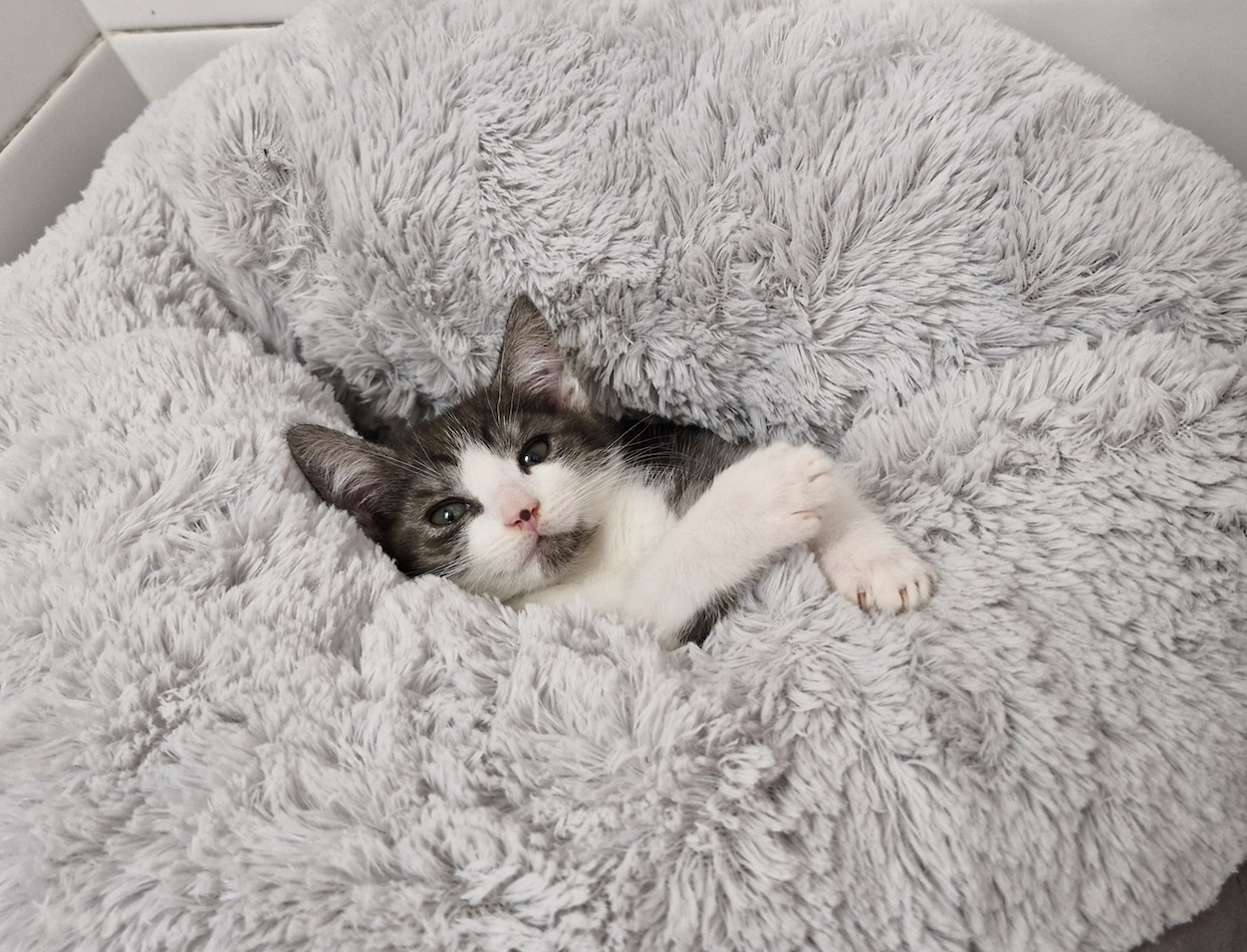
Beginner’s Interactive Fiction, Part One: Twine in Five Minutes
Interactive fiction is any story that involves the reader in the story, usually by giving them choices along the way that change the text.
“Twine” is a tool that creates a story map as you write your story. It’s shockingly easy to use (speaking as a person who has major struggles operating her own phone).
STEP ONE: Go to Twinery.org, which looks like this:

If you can, download it as a desktop app. Otherwise, click on “Use it in your browser”. Press skip (or don’t press skip, and go through a quick tutorial that is better than this) and you’ll get to the screen that looks like this (if you are using the desktop app it won’t have the warning):

On the top left, click on “+New”. You can type in a title if you like, or leave it as “Untitled Story”.
Your new story looks like this:

Yay! You are now writing a story in Twine.
STEP TWO: Double click on the box in the middle of the blue space. Then your screen will look like this:

In the white box (aka a bigger version of the little blue box), type the first few sentences of your story.
Writing tip: In interactive fiction, most readers want you to get to a choice as quickly as possible, ideally within 300 words. This applies to every choice!
I am starting with two useful story hooks: An interesting setting, and an interesting problem.
Writing tip: Interactive fiction is usually a game (even when there are no sounds or pictures or animations), so using tropes is a VERY GOOD thing eg. Dirty violent pirates; dangerous nature; femme fatales or mad scientists. Try to think of your story as a game. If you were writing a pirate game, you would definitely want fighting, alcohol, historical weapons, and danger—so make sure those things are present in your story. When I wrote “Scarlet Sails” I started with a list of every pirate trope I could think of: betrayal, rum, ambition, gold, evil mermaids, treasure, sea monster, storms. Then I made a plot that linked them all. That is my most successful story.

STEP THREE: Make at least two choices (you can make as many as you like, but it will get out of control extremely quickly, so I recommend starting with two).
I have chosen:
- Take Redbeard’s sword and challenge his friend to a fight to show how fierce you are.
- Sneak up the other ladder and dive overboard—perhaps you can swim the rest of the way.
In order to tell the computer that I want them to be choices, I type them up like this, with double square brackets at the beginning and end.
[[Take Redbeard’s sword and challenge his friend to a fight to show how fierce you are.]]
[[Sneak up the other ladder and dive overboard—perhaps you can swim the rest of the way.]]
Twine instantly creates two new boxes; one for each choice. You can rearrange the boxes by clicking on them and dragging them around. Here’s the same page after I’ve rearranged them so I can see everything better:

To write the next sections, I double-click on either box and start typing the next bit of the story. Here I’ve written a bit of story and another pair of choices. Because I used [[ and ]] again, Twine has made two more boxes for me.
And the story is up and running!
Let’s stop here and see how it looks for a reader. Click once to highlight the original box (the one with your title or “Untitled Passage”) then go up to the menu and click on “Test from here”. It will automatically open a new window.
The choices are in bright text, and I can click on either of them. I choose the second choice.

If I click on either of these choices I get a blank screen, because I haven’t written them yet.
Note the “back” arrow on the top left of the black screen. If the reader changes their mind about a choice, they can go back.
Aaaand that’s it! That’s how you write a story in Twine! Congratulations! Here’s a kitten picture to celebrate.

BUT if you used your browser, you MUST save after each session, because if you don’t touch your story for seven days it will be deleted.
STEP FOUR: Saving your story.
Close your ‘testing’ browser window so you’re back to your usual blue screen. Click on “Build” in the upper menu, then “Publish to file” on the menu that appears below it.
Your story file will go to your downloads folder, and if you open it, it will look exactly like it does when you test it online (but it will not require an internet connection to open). You can email it to friends to read.
Writing Tip: Did you notice the typo in the very first choice in this story? “chellenge” should be “challenge”. The easiest way to fix it is in the very first box, here, where the choice is written:
It will automatically fix the typo in the title of the next box.
STEP FIVE: When you’re ready to learn more, go back to Twinery.org and pay attention to this section:

There are great articles for beginners on the left.
And, Twine comes in four “flavours”: Chapbook, Harlowe, Snowman, and SugarCube. Once you’re getting better at Twine, you’ll need to pick which one or ones suits you best. Use the “Twine Cookbook” to decide which one you want to try, then use the online guide on the right.
STEP SIX: Time to join the community.
The interactive fiction community is pretty great. It is usually very inclusive (especially of women and LGBTIQA+ people). One of the places people hang out is https://intfiction.org and it is definitely worth signing up and having a look around, then joining in the conversations. (They’re getting a lot of spam at the moment, so it may take a little while to prove you’re human.)
Welcome, and enjoy!
The next lessons will include writing with ChoiceScript (which is better than Twine at book-length stories), the Choice of Games forum (for users of ChoiceScript), and how to keep your many many branches under control.
Going to Indonesia to teach Interactive Fiction
The Interactive Fiction Technology Foundation is a not-for-profit that does all kinds of wonderful things to improve the IF community (which is already fantastic) including organising and fundraising for the IF Comp; keeping Twine running smoothly; and they’ve just started a micro-grant program.

I happen to be one of the first recipients of a micro-grant from the IFTF: a grant to go to Indonesia at the time of the Ubud Writers’ and Readers’ Festival and teach IF to Indonesians (and other speakers of Bahasa Indonesia).
This was the excuse I needed to take my whole family to Indonesia, as Chris and I have been planning to do since before we even had kids. From the age of 12 to 24, I planned to move to Indonesia as an aid worker/teacher, and before the IFTF grant I’d visited various parts of Indonesia seven times altogether. At one stage I was technically fluent in Bahasa Indonesia. Chris and I visited Indonesia briefly after a year of marriage, but that was more than ten years ago. It was the longest period of time I’d gone without visiting, but I’d also become disabled (and diabetic) in that time. And, you know, we have two kids now.
There are so many reasons I wanted to take the family to Indonesia that I’m not even aware of all of them. Holidays build resilience and flexibility in my kids, which is especially handy when they’re both autistic. And it’s valuable to spend some time in the third world, even in a luxury setting like Bali.
We’re home now, and our trip went really well. I taught about twenty students (eighteen in person including two ex-pats living in Bali) and thoroughly enjoyed seeing the “Oh!” on their faces as they saw how easy it is to use interactive fiction thanks to tools like Twine.
And my family all had a great time, complete with some of the classic challenges of travel to Indonesia (traffic, heat, food poisoning, communication challenges, unexpected obstacles, etc).

I’ll be doing a LOT of travel videos. This first one is about the Sacred Monkey Forest in Ubud.
Spoiler: it was excellent!
IF Comp 2024: Welcome to the Universe
I’m getting mixed messages from the cover image, title, blurb, and content warnings. What even is this thing?
The opening confuses me even more, as it sounds educational. However, it’s very interesting, talking about a different version of Maslow’s Hierarchy of Needs. Which also doesn’t seem to relate to any of the information about this game I’ve been given so far. Is it comedy? Horror? Realistic? Fantasy? I can’t answer any of those questions, when normally I’d be able to answer them from the image OR the blurb OR the title OR the opening paragraph.
But there’s no typos and there’s some psychology, so I’m interested.
Okay! That was a kind of prologue, ending with a joke. So… comedy? Probably? I can certainly deal with that.
This is delightfully weird.
Here’s an entirely random example. What does it mean? I don’t know. But I’m enjoying the ride.
I enjoyed the ride all the way to the end, and was impressed when the game fed various choices back to me in a cohesive description. I’m not sure I’d recommend this game, but maybe I would?
I have to let it percolate for a while. The writing is interesting and solid throughout, so I suspect it’ll rate highly with me. I’m biased like that.
IF Comp 2024: Civil Service
Okay, this opens in a surprisingly atmospheric, interested, poetic-but-not-annoyingly-so way. I’m quickly hooked.
After a while, the poetic qualities grow stronger. It’s hard to know what the plot is, and sections seem disjointed. I’m not sure what my choices are doing most of the time.
…
Wow, that was WEIRD.
I think I sort of understood the plot in the end, and a lot of my confusion was due to the deliberately mysterious writing. I’m not sure it worked, not quite. But the writing suggests this author will appeal to some people, and has plenty of talent.

 Felicity Banks